

Sales is a unique career. Half your salary is based on your wits, not the hours you work. You get paid for outcomes, not effort. So, it’s no surprise that sales reps gravitate toward sales automation. But for Managed Service Providers, automation without oversight can be a mess. Manually trying to audit msp sales automation processes is a painful chore that pulls you away from what matters: hitting your software sales quota. It’s time to stop reacting to problems and start proactively catching errors before they cost you a deal.
Sounds nice, right? What if some deals sold themselves?
The challenge is there is no automating the most important parts of selling, like intellect or empathy. The more automatic things are, the more robotic they sometimes feel. If you’ve been robo-called by companies pitching insurance, or worse, selling something in another language, you know the feeling.
The art of sales automation is the art of knowing what can be safely automated and using that freed-up time where it matters most: Talking to people.
Related Post: Your Essential Sales Glossary—The 99 Terms You Need to Know
So, What Exactly Is Sales Automation?
Here’s a simple sales automation definition: Sales automation is the process of carefully handing over routine tasks to software to free yourself for more important things. Automation can be customer-facing, as with an automated email, or not, as with back-office automation that updates the CRM in the background. The trick is using automation to improve the buyer experience, not worsen it.
For example, when a buyer fills out a form, they want instant help. But often, it’s hours or days before someone gets back to them. If you replace your form with a link to book time on your calendar, you’ve automated part of your sales process and at the same time, delighted your prospect. That’s automation done well.
This is very different from, say, most chatbots. Chatbots serve the same purpose as IVRs, which are those automated voice recordings that say, “Hi, how can I help you?” They’re designed to offload something a person should do onto a machine, and they’re rarely helpful. They create a barrier between someone and getting help. Chatbots may be sales automation tools, but they offer the bad kind of automation that tends to worsen the customer experience.
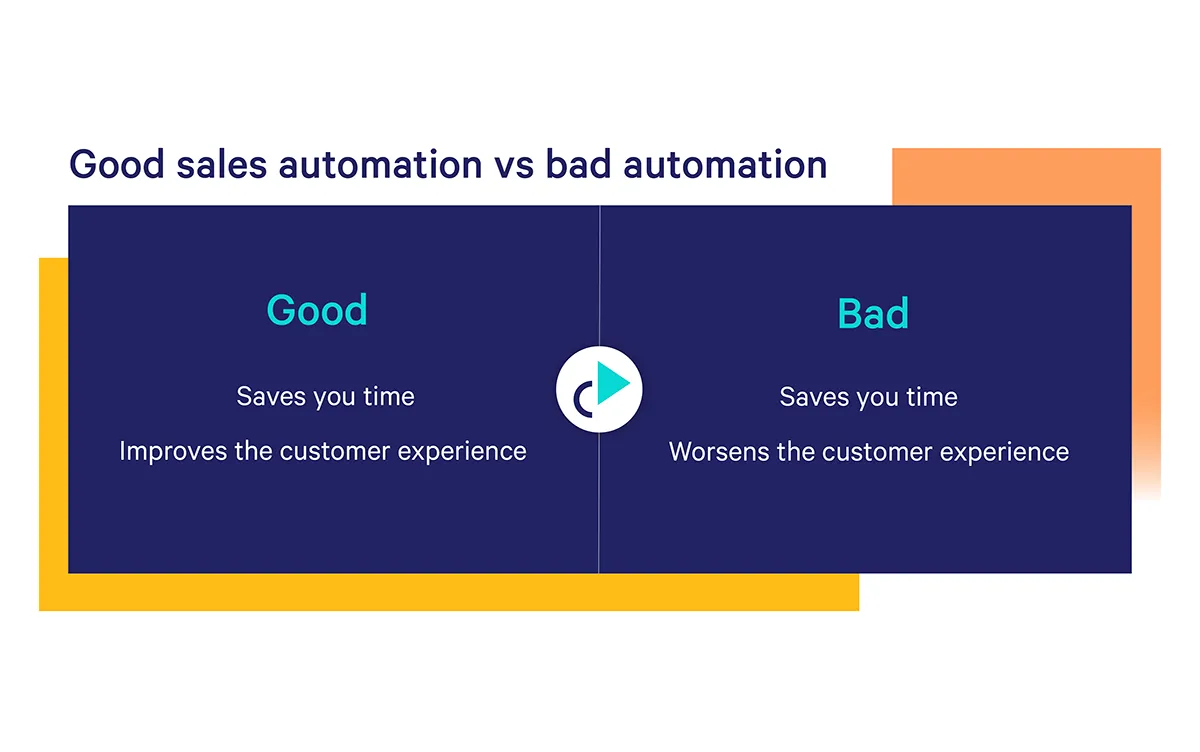
Automation can be about a lot more than just sending lots of emails, too. It can help with everything from research to alerts to project management.
Types of sales automation:
- Scheduling
- Data entry
- Follow-up
- Alerts
- List building
- Automated searches
- Research
- Administrative tasks
- Approvals
- Project management
- Learning
- Lead generation
- Outreach (email, phone, social, direct mail)
I’ll also tell you what sales automation is not. It is not spamming people. The entire point of it is to create a more human experience. Prospects should get more personal interactions, not less. Automation should happen in the background so you can spend more quality time with prospects. Done well, sales automation shouldn’t feel anything like automation.
Done well, sales automation shouldn’t feel anything like automation.
Take, for example, the use of automated email follow-up sequences and email templates. Most first-touch emails take a lot of thought and care. But parts of those emails are repeatable, like the value proposition and call-to-action (CTA). If you use templates that you can quickly insert with a few taps, you spend less time typing the repeatable stuff and more time being thoughtful in your introduction and closing. And if you follow up your thoughtful first touch with a sequence of “checking-in” emails, you don’t have to worry about following up. Instead, you can write more thoughtful first touches.
In this way, with sales automation, what’s good for the salesperson is good for the prospect—it’s more personal, not less.
“The vast majority of my responses come from the third touch,” says Alec McGuffey, Director of Restaurant Success at Seated, a reservation booking and food delivery app. “When you know those are going out automatically you can focus on more important things.”
Let’s recap. Sales automation is not:
- Batching and blasting a generic email to a large list
- Forcing prospects to jump through hoops to reach you
- Canned demos based on a recording
- Using an app to automatically connect with people on LinkedIn
Related Post: The Definitive Guide to B2B Sales Automation
What is an MSP Sales Audit?
An MSP sales audit is a health check for your sales operation. It’s a deep dive into your processes to see what’s working and where money might be slipping through the cracks. For Managed Service Providers (MSPs), this means reviewing everything from lead capture to final billing. The goal is to get a clear view of all customer data and stop what’s known as “revenue leakage”—those payment errors or unbilled services that eat into profits. By auditing your sales cycle, you can ensure accuracy, improve efficiency, and make sure you’re getting paid for all the work you deliver.
Manually conducting these audits is a huge time sink that pulls you away from selling. It involves digging through countless records, which is where errors often hide. This is where automation becomes a game-changer. Instead of tedious manual checks, you can use technology to streamline the process. For instance, using AI-powered workflows ensures that client interactions are logged and CRM data is updated automatically. This makes the audit process faster and more accurate, and it helps prevent the very issues an audit is designed to find, letting you focus on building relationships and closing deals.
The Golden Rule: Only Automate What Already Works
It’s a common error among salespeople to, if their outreach is not working, send more. But as Bill Gates once said, “Automation applied to an inefficient operation will magnify the inefficiency.” A poorly worded sales email sent thousands of times will not get better. Only automate things that work—like your highest-response emails.
How to Automate Sales Emails Without Sounding Like a Robot
You can automate your sales emails with what’s known as a sales engagement tool. This is a software that connects to your email provider like Gmail and allows you to reuse email templates, send email sequences, and trigger actions based on events within emails. For instance, if someone books a meeting, it can create an opportunity in the CRM for you. Good sales automation companies are focused on the user’s experience, not on simply helping to send more outreach.
Related Post: Sales Engagement vs. Sales Enablement: What’s the Difference, and When Do You Need Them?
Why Your Sales Team Needs Automation
It’s estimated that most salespeople spend 900 hours per year, or 36% of their time, on administrative activities. “Anywhere you find yourself repeating an action, it’s worth asking whether it can be automated,” says Scott Edmonds, CRO at the data automation startup Syncari. “Often, the answer is no—a human is needed—but when it’s yes, you just cut out administrative waste that you can now repurpose for more selling.”
The benefit of sales automation is simple: More time. Rather than enter information into the CRM, search the news daily for mentions of your prospects, send follow-up emails, go back- and-forth to book meetings, and work your deals. You read information pertinent to your top accounts and share it. You come across more informed on demos and earn their trust. You sell like a more experienced sales rep because more of your time is yours, and you can spend it reading up.
Recover Lost Revenue Through Audits
It’s a painful truth that many businesses lose money simply due to payment and billing errors, a problem often called “revenue leakage.” For a sales rep, this can mean inaccurate commission checks or deals that don’t deliver their full value to the company. Regular sales audits help find and fix these costly mistakes, ensuring you and your company get paid for the work you’ve done. By automating parts of the audit process, you can create checks and balances that flag discrepancies between what was sold and what’s being billed, catching errors before they compound and turning lost dollars back into recognized revenue.
Maintain Compliance and Avoid Penalties
In many industries, sales processes are bound by strict rules and regulations. Failing to follow them can result in hefty fines and damage to your company’s reputation. Audits are your first line of defense, helping you manage risks and prove compliance with standards like PCI DSS for data security. Instead of relying on manual checks, you can use AI-powered workflows to build compliance right into your sales process. For example, you can set up a rule that prevents a deal from moving forward in your CRM until all required legal documents are signed and attached, reducing human error and keeping your operations above board.
Use IT Audits as a Sales Tool
Audits aren’t just for internal housekeeping; they can be a powerful tool for closing new business. Think of it as a diagnostic you can run for your prospects. By offering a mini-audit of their current systems or processes, you can use their own data to pinpoint inefficiencies and build a rock-solid business case for your solution. This approach moves the conversation beyond simple record-keeping and toward strategic problem-solving. An automated diagnostic tool can help you deliver this value quickly, demonstrating your expertise and giving the prospect a clear, data-backed reason to make a change.
Improve Accuracy and Gain Strategic Insights
The real magic of automating your audit process is that it frees you from the tedious work of manual data collection. When technology handles the repetitive tasks, you and your team can focus on what really matters: analyzing the data to understand risks and make smarter decisions. This shift allows you to see the bigger picture. Are certain deal stages creating bottlenecks? Are your discount levels sustainable? Automating the audit process turns it from a simple box-checking exercise into a source of continuous strategic insight, helping you refine your sales strategy and coach your team more effectively.
13 Actionable Ways to Use Sales Automation
To automate parts of your sales process, you’ll need tools to automate those tasks. There’s no one provider that does it all, but that’s actually a good thing. Picking many tools that are each the best at what they do allows you to build a sales stack that fits your situation.
My recommendation:
- Start with a sales automation software. It covers the most common use cases.
- Add sales tools, testing to see if they reduce your workload.
- Periodically audit your sales tools to be sure they’re really saving you time.
I will repeat our admonition once more, in case it wasn’t already clear: Sales automation is about being more human. Whether that’s through smarter email personalization or freeing yourself up to spend more time prepping for each call, sales automation should not feel like automation. To the prospect, it should feel like a trusted advisor is spending extra time helping them solve their problem.
1. Eliminate scheduling
Of all the sales automation moves, this is perhaps the simplest and most obvious. There is no benefit to going back-and-forth figuring out what time to meet. Use a calendaring tool with one-click booking.
2. Stay out of Salesforce (or Pipedrive)
Switching between browser tabs or software system is another big time waste. Eliminate as much switching as possible by finding a sales engagement tool that makes changes in your CRM automatically so you don’t have to. For instance, if a meeting is booked, set a rule to automatically create the opportunity for you. If you’re in the CRM and mark a deal Closed-Won, set it to automatically email the appropriate account manager.
Similarly, some sales engagement tools (like Mixmax) let you make changes to contacts, accounts, or opportunities without leaving Gmail.
Other ways to stay out of Salesforce:
- Use shortcuts to automatically insert fields from Salesforce, like a name or phone number.
- Update lead scores based on whether they responded or booked a meeting.
3. Get more responses
Use a sales automation tool with send-time optimization that tells you when is the best time to email someone to get a response. Then, set it to go out at that time without having to wait around to send it yourself.
Use in-email enhancements like polls or surveys to collect information from prospects who are too busy to respond.

And the ultimate sales automation move, set personalized sequences so the prospect continues to receive follow-up emails addressed to them, but if they respond, the sequences stop.
4. Type emails 13x faster
That’s about how much faster you type when you use shortcuts to insert templates, calendar links, or fields from the CRM. With a few taps, you can populate an unlimited number of saved templates.
5. Eliminate internal back-and-forth
Some sales automation software features a messaging tool for your manager or your VP of finance to see what you’re working on and to provide input. For instance, if a prospect asks for unusual payment terms, tag them within the email interface to create a sidechat or “side conversation” the prospect can’t see, without having to forward the email or copy-paste it into Slack.
6. Mass-personalize invites
Send one invite to something like a webinar to many prospects, but easily personalize each one just a little. This way, you save time typing but can ensure the email doesn’t ignore the conversion you currently have going.
7. Prospect monitoring
Set alerts for everything from your prospect being mentioned in the news to them opening your email. This allows you to send a lot of outreach without having to remember to return to those things. For example, Owler for news or LinkedIn Sales Navigator for job changes.
8. Follow-up
Set sequences that email the prospect automatically or reminders to write them the email yourself. If you’re using a calendaring tool, set it so it automatically sends a meeting reminder a day or two before, with a link so people can reschedule if needed. If you’re using an e-signature tool like DocuSign, set it so it automatically reminds them to sign if they haven’t.
9. Measurement
Create reports or dashboards that periodically remind you how you’re doing, what emails are being opened, and what’s working (or not). These are great for personal learning, but also for team learning. If some templates perform better than others, share the knowledge.
You can also automate post-call analysis with tools like Gong or Chorus.ai. Call recorders can tell you how often you’re using filler words like “umm,” what the prospect’s mood was, and what the next best action is.
10. Lead routing
Use advanced rules to route leads based on territory or a round robin, which knows to skip people who are out of the office.
11. List building
Set tracking tools like LinkedIn Sales Navigator to automatically add companies to your outreach list if they suddenly fit the criteria—like employee count or location.
12. Learning
Learning is a form of automation, especially with news aggregators like Google News or industry newsletters. Newsletters, in particular, are great because you can rely on a smart person in that industry to summarize all the most important news for you. Also, classes, communities, and sales Slack channels like Modern Sales Pros (MSP), Revenue Collective, and RevGenius help you learn from others and avoid their mistakes.
The Automated Audit Process: Best Practices
Just like you periodically audit your sales tools to make sure they’re saving you time, you should also audit your sales process. A sales audit is a systematic review of your activities to find and fix mistakes, ensuring you’re getting the most out of your efforts and not leaving revenue on the table. Think of it as a health check for your sales strategy. Are your email templates still effective? Is your CRM data clean? Are your follow-up sequences converting? Answering these questions helps you refine your approach and stop magnifying inefficiencies.
The thought of adding a quarterly audit to your plate might sound exhausting, but this is another area where automation can be a huge help. Using AI-powered workflows can greatly improve the accuracy and efficiency of your audits. For example, you can set up rules to automatically flag deals that have stalled, identify contacts with incomplete data, or track the performance of different outreach strategies. This way, the audit process becomes less about manual data digging and more about making strategic decisions based on clear, automatically surfaced insights.
Steps for a Successful Audit
A successful audit doesn’t have to be complicated. Start by defining a clear scope: this quarter, you might focus solely on the performance of your cold outreach sequences. Next, gather the relevant data by pulling reports on open rates, reply rates, and meeting booked rates for each sequence. Once you have the numbers, you can analyze them to identify what’s working and what isn’t. Perhaps you notice that sequences with embedded polls get twice the engagement. The final step is to implement changes based on your findings—like adding polls to lower-performing sequences—and then monitor the results to see if your adjustments made a difference.
How Often Should You Conduct Audits?
To keep your sales process sharp, you should conduct audits regularly. A good rule of thumb is to aim for at least once every three months. A quarterly review is frequent enough to catch issues before they become major problems but not so frequent that it becomes a burden. The sales landscape changes quickly—buyer priorities shift, new competitors emerge, and old messaging can lose its punch. Regular check-ins ensure your strategy evolves accordingly. By making this a consistent practice, you move from making reactive fixes to proactively optimizing your entire sales motion, which is far more effective in the long run.
Automating Your Sales Presentations
Your sales presentation is often the main event in your deal cycle, and it’s a place where preparation really pays off. But that preparation can be incredibly time-consuming. Automating parts of your sales presentation process isn’t about delivering a canned, impersonal pitch. Instead, it’s about using tools to handle the repetitive tasks—like pulling customer data from your CRM or formatting slides—so you can spend more time personalizing the story and focusing on the prospect’s specific needs. This approach helps you create compelling, data-driven presentations that close deals faster and more successfully.
Imagine building a presentation where the prospect’s company name, relevant usage stats, and key stakeholder names are all pulled automatically into a beautifully designed template. This level of automation not only saves you hours of manual work but also reduces the risk of embarrassing errors, like leaving in another customer’s name. By streamlining the creation process, you free up valuable time to research the prospect more deeply, anticipate their questions, and tailor your narrative to resonate with their biggest challenges. The result is a polished, highly relevant presentation that feels custom-built, not automated.
The Need for Visual “Before and After” Presentations
One of the most powerful ways to communicate value is by showing, not just telling. This is where visual “before and after” presentations shine. This simple format visually contrasts the prospect’s current painful reality (the “before”) with the ideal future state they’ll achieve with your solution (the “after”). It’s a storytelling framework that instantly clicks with people because it clearly illustrates the transformation you offer. It’s a simple, non-technical way for sales teams to create impactful presentations that prospects easily understand and remember long after the call ends.
See Sales Automation in Action: Real-World Examples
👋🏻 The booking and ordering app Seated gets more responses
The Seated team sells to restaurant operators who are rarely at their computer. If they stop to check email, they don’t have a lot of time to compose a response. The team used Mixmax for sales automation, and rather than ask for replies, it sends buttons via email. “Honestly, the greatest thing that ever existed was the ability to integrate the one-click opt-in feature into a campaign, especially for small businesses,” says Alec. “Understandably, it’s so hard to get small business owners to engage with digital outreach. If you send them to a form, you get a huge dropoff. The one-click has been a total game changer.”
Common Pitfalls in Sales Automation
While sales automation sounds like a dream, it can quickly turn into a nightmare if you’re not careful. The goal is to make your life easier and the buyer’s experience better, but a few common missteps can do the exact opposite. Rushing into automation without a solid plan can create more work, frustrate your team, and alienate the very prospects you’re trying to connect with. The key is to be intentional and recognize that automation is a tool to enhance human connection, not replace it. Before you flip the switch on a new tool or process, it’s worth thinking through the potential downsides to make sure you’re setting yourself, and your customers, up for success.
The Cost of a Poor User Experience
The absolute golden rule of sales automation is that it must improve the buyer’s journey. If it makes things more difficult, confusing, or impersonal for your prospect, it’s failing. We’ve all been on the receiving end of bad automation—the email with the wrong name, the chatbot that can’t answer a simple question, or the endless phone tree. These experiences don’t make us feel valued; they make us feel like a number. The trick is to use automation to handle the tedious, behind-the-scenes tasks so you have more time for genuine, personalized interaction. Automation should feel like a helping hand, not a robotic barrier.
Common Implementation Challenges
Rolling out new automation tools isn’t just about buying software; it’s about managing change within your team and your processes. Without a clear strategy, you risk creating chaos. The most successful rollouts happen when everyone understands the “why” behind the new system. It’s not enough to just tell your team they have to use a new tool. You need to explain how it will make their jobs easier, help them hit their targets, and free them up to focus on what they do best: selling. A thoughtful implementation plan that includes training, clear goals, and open communication is essential to getting the team on board and ensuring the technology actually gets used effectively.
Dealing with Change
Let’s be real: change can be scary. When you introduce new automation, some people on your team might worry about the technology being too complex or, even worse, that it might make their role obsolete. It’s crucial to address these fears head-on. Frame automation as a supportive tool, not a replacement. Show your reps how it will eliminate the administrative tasks they hate, like manual data entry or scheduling, so they can spend more time building relationships and closing deals. When your team sees automation as a personal assistant that helps them perform better, they’ll be much more likely to embrace it.
Data in Different Systems
One of the biggest technical hurdles for automation is disconnected data. Your customer information might live in your CRM, your email platform, a spreadsheet, and a dozen other places. When these systems don’t talk to each other, your automation tools can’t get a complete picture, which often leads to broken processes or manual workarounds. For automation to work seamlessly, your data needs to flow freely between your tools. This is why a well-integrated tech stack is so important. When your systems are connected, your automation can pull the right information at the right time, making your outreach smarter and more effective.
Poor Data Quality
Automation is a magnifier. If you apply it to clean, accurate data, you get great results. But if your data is a mess, automation will only amplify those errors. Think about an automated email that starts with “Hi, ,” but your CRM field contains “Sales Dept.” It immediately signals that the message is from a robot and damages your credibility. Before you automate any customer-facing communication, you have to get your data in order. This means cleaning up your CRM, standardizing formats, and ensuring all information is current. Building AI-powered workflows on a foundation of bad data is a recipe for disaster.
Choosing the Right Sales Automation Tools
Sales automation tools are software systems that help you respectfully automate pieces of your sales process in order to spend more time with prospects. Examples include:
- Mixmax: Send smarter email, manage Salesforce, and one-click meeting booking
- Vidyard: Send personal sales videos from your browser
- Dialpad: Speed up your calling, get post-call insights
- Loopio: Cut RFP response times down from days to minutes
- Gong: Record and analyze your calls for selling insights
Related Post: An SMB Seller’s Guide to Crushing Quota with Video
Key Features for a Sales Audit Automation Tool
Before you can improve your sales process, you need to understand what’s actually happening. A sales audit is simply a review of your team’s activities, processes, and results to find opportunities for improvement. Automating this audit means using technology to gather and analyze this information for you, so you can stop guessing and start making data-driven decisions. When looking for tools to help you automate this process, focus on a few key features. You’ll want strong integration capabilities to ensure the tool works seamlessly with your CRM and inbox, creating a single source of truth. Look for real-time data analysis that provides immediate feedback on what’s working, and find a platform that offers robust workflow automation to help you implement changes based on your findings and ensure best practices are followed consistently.
Using AI-Powered Workflows for Audit Management
This is where things get really interesting. AI can take your sales audit from a simple report card to a predictive guide for success. AI-driven tools can analyze massive datasets—like email content, reply sentiment, and engagement patterns—to uncover insights that would be nearly impossible for a human to spot. For example, AI might discover that your team gets 30% more meetings when the first follow-up happens within 24 hours. Instead of just putting that finding in a report, you can use AI-powered workflows to turn that insight into action. You could build a workflow that automatically reminds a rep to follow up or even sends a personalized follow-up on their behalf, ensuring that best practices are applied consistently across every deal without any manual effort.
Frequently Asked Questions
Will sales automation make my outreach sound robotic? Not if you use it correctly. The goal isn’t to replace your personality; it’s to handle the repetitive, behind-the-scenes tasks so you have more time to be thoughtful and personal. Think of it as an assistant that takes care of scheduling and follow-up reminders, freeing you up to do deep research on a prospect or write a truly customized opening line for that first email. Good automation works in the background so you can be more human, not less.
I’m new to this. What’s the single best place to start with sales automation? Start with your calendar. Eliminating the back-and-forth of scheduling a meeting is the easiest and most immediate win. Using a tool that lets prospects book time with a single click saves you a ton of administrative hassle and makes the experience better for them, too. It’s a simple change that delivers a huge return on your time right away.
My CRM data isn’t perfect. Can I still use automation? Yes, but you need to be strategic. If your data is messy, avoid automating customer-facing messages that pull in personal details, as you risk sending an email with the wrong name or company. Instead, start with internal automation. You can use AI-powered workflows to create tasks for yourself, set reminders, or get alerts without involving the prospect. This lets you benefit from automation while you work on cleaning up your data.
How do I know if my automation is actually working? The key is to look beyond volume. Sending more emails doesn’t automatically mean you’re getting better results. A successful automation strategy should lead to higher quality engagement. Track metrics like reply rates, the number of meetings booked, and how quickly deals are moving through your pipeline. The ultimate goal is to save time on administrative work so you can spend it on activities that actually close deals.
What’s the biggest mistake people make when automating their sales process? The most common pitfall is trying to automate a process that is already broken. If your email templates aren’t getting replies or your follow-up strategy isn’t effective, automating them will only help you fail faster. Take the time to figure out what works manually first. Once you have a message or a workflow that consistently gets results, that’s the thing you should automate.
Key Takeaways
- Automate tasks, not relationships: Use automation to handle the repetitive parts of your job, like scheduling and data entry, so you can spend more time personalizing your outreach and building genuine connections with prospects.
- Only scale what already works: Treat automation as a magnifier for your current process. Before you automate an email sequence, audit its performance to make sure you’re scaling a successful strategy, not amplifying a broken one.
- Your automation is only as good as your data: Inaccurate or incomplete data leads to embarrassing mistakes that make you look robotic. Prioritize cleaning up your CRM to ensure every automated touchpoint feels personal and relevant to the buyer.



