
Scheduling
Book the meeting in one click.
Your free times, inside the email. One tap books it and sends the invite.
✓ Google Calendar and Outlook✓ Zoom or Meet included✓ Free to start
Hi Dana,
Happy to walk you through it. Here are a few times that work on my end this week.
One click books it. No back and forth, no link to follow.
Used by people at







Why scheduling
The meeting is the point. The scheduling shouldn’t be.
“What times work for you?” is a follow-up you now owe. Put the calendar in the email instead.
Your calendar, in the email
Free times appear as buttons. One tap books it.
Never double-booked
Mixmax reads your real calendar, and keeps a gap between meetings.
A link for everywhere else
Your signature, your site, your LinkedIn. One link per kind of meeting.
Round-robin for a team
One link, several calendars. Bookings rotate.
What it does
From “let’s talk” to a time on the calendar
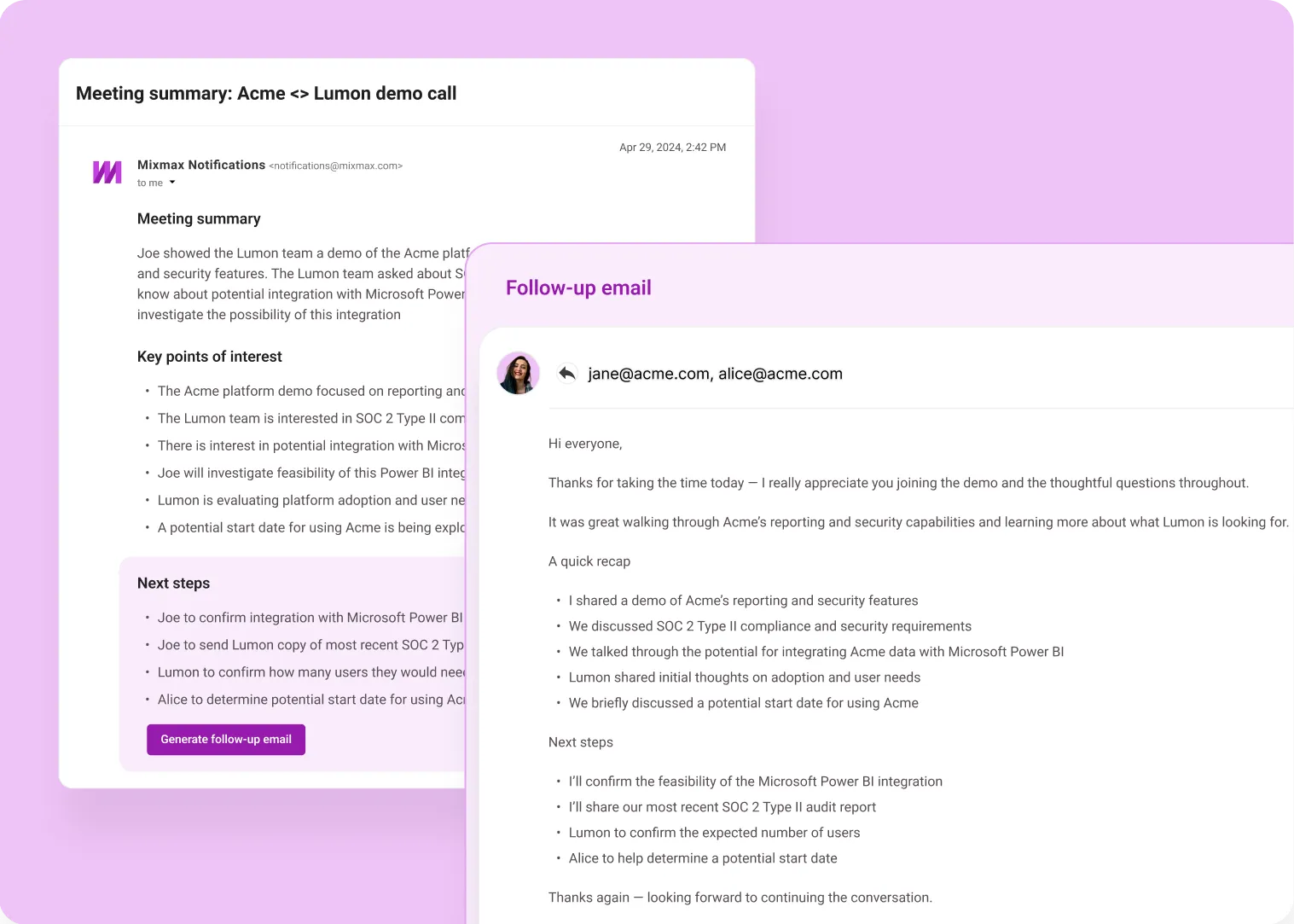
Five ways Mixmax handles a meeting, from booking it to the follow-up.
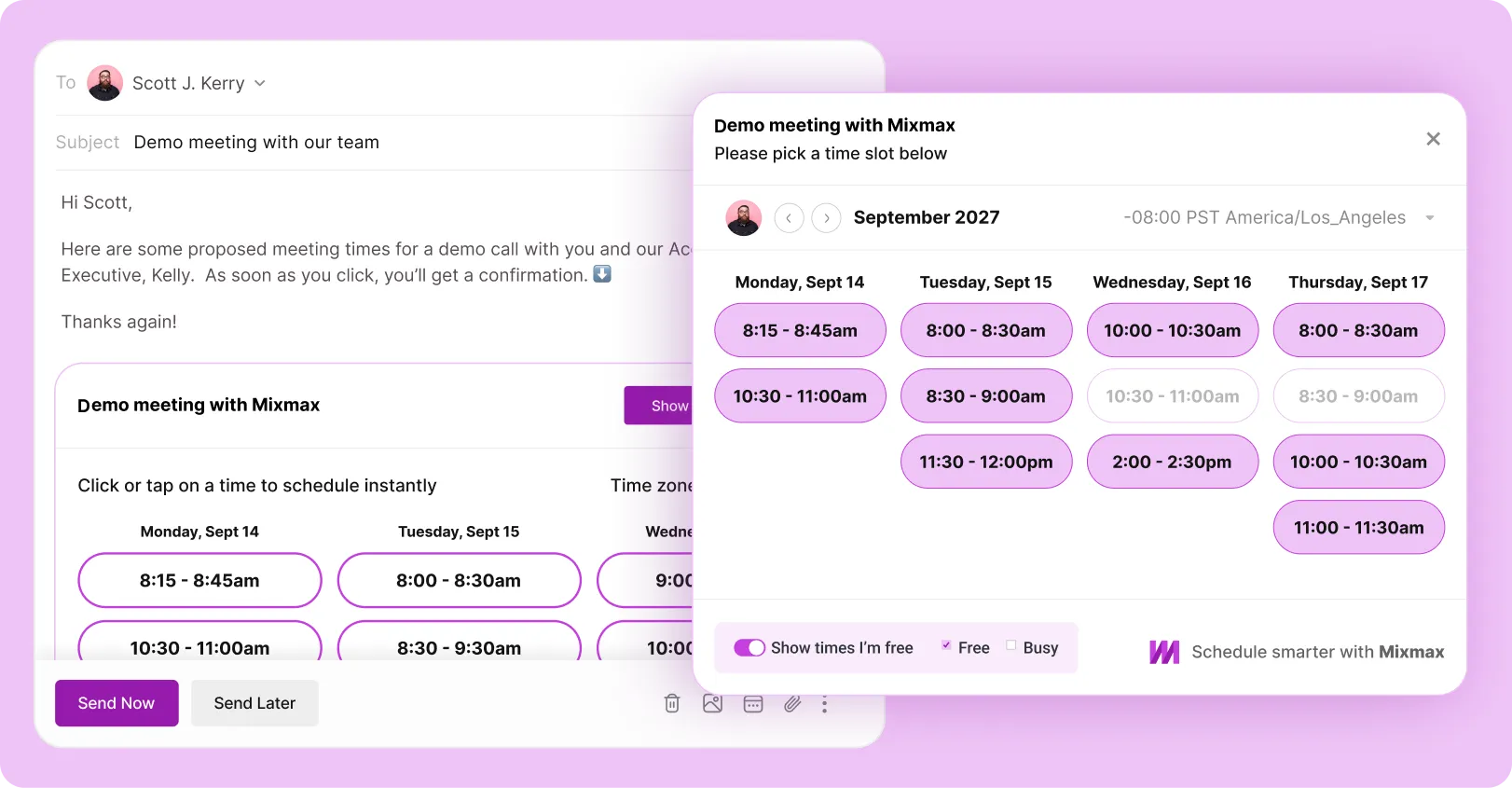
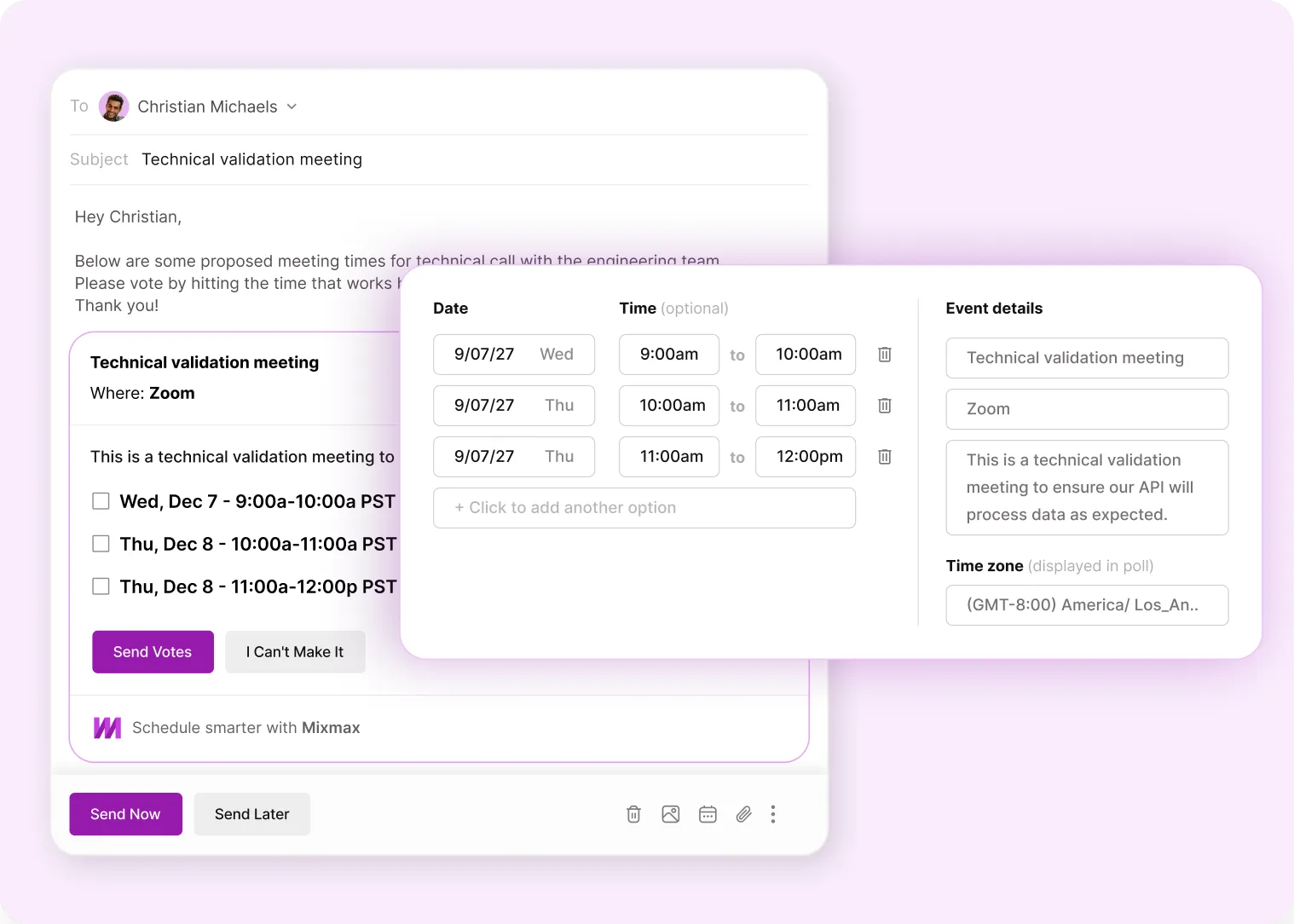
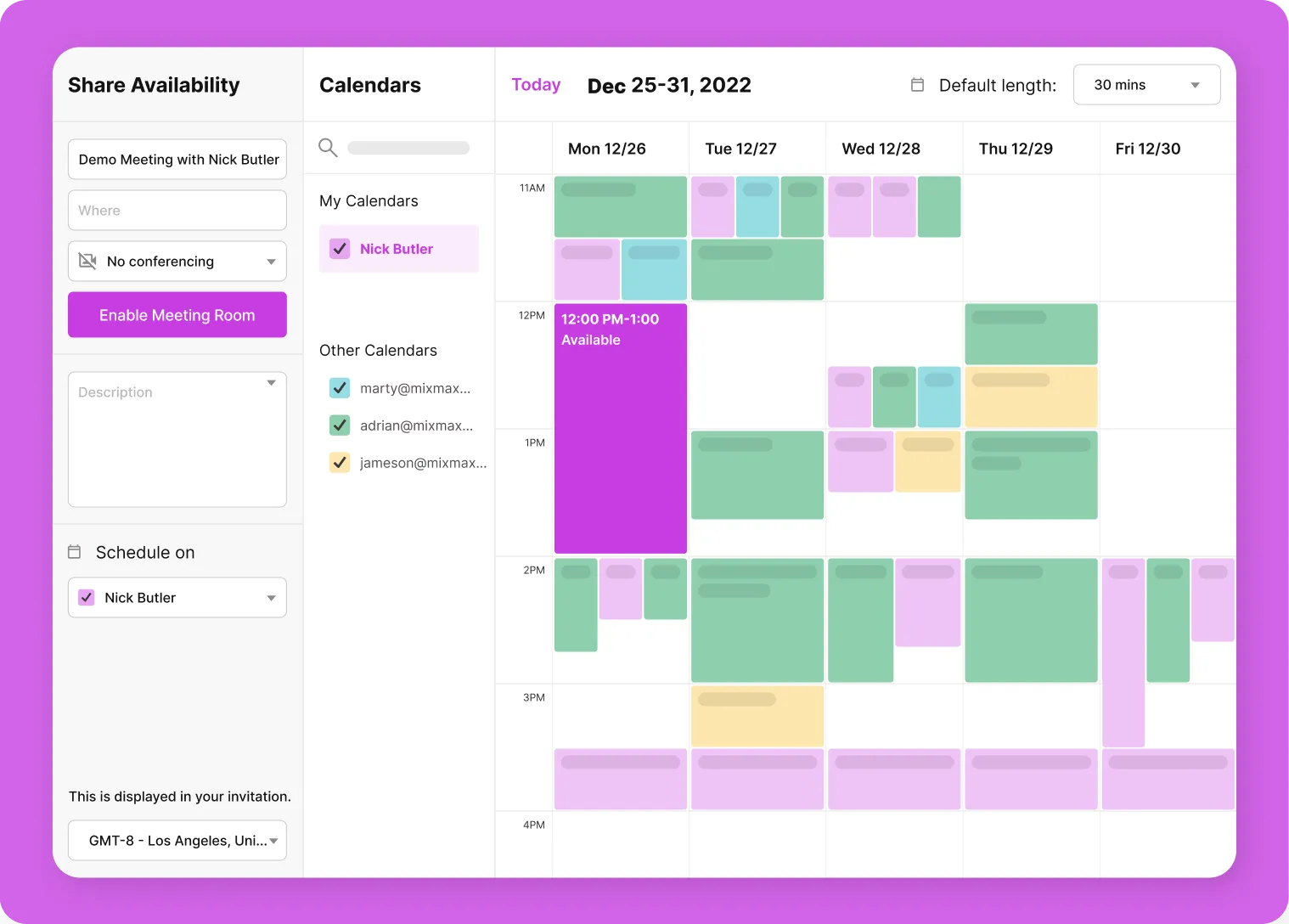
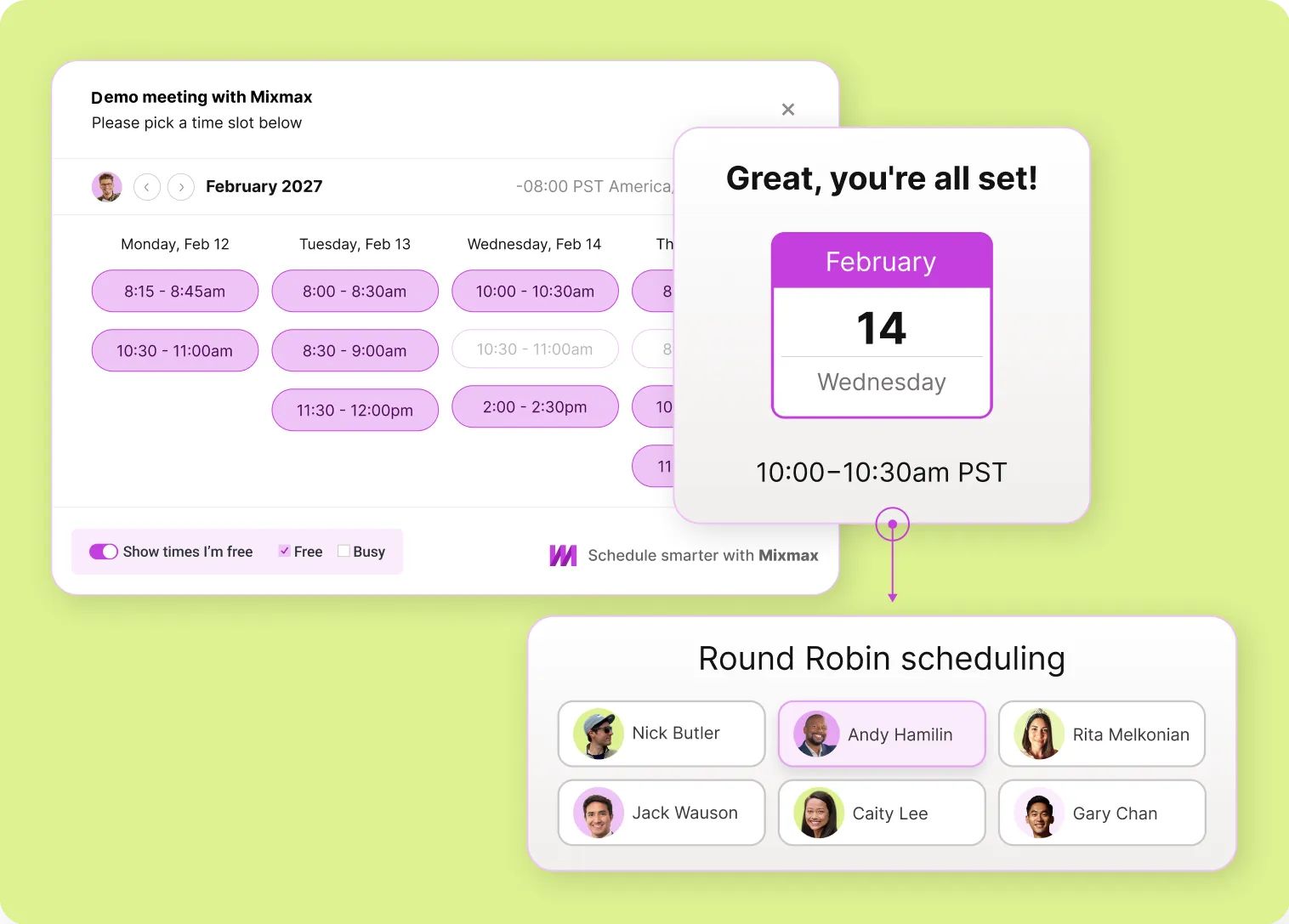
Recipients can select a time to meet and an invite automatically goes out. Mixmax saves me a ton of time.
Frequently asked questions
Which calendars does Mixmax work with?
Google Calendar and Outlook, through the Chrome extension or the Outlook add-in.
Can I have more than one scheduling link?
Yes. One per kind of meeting, each with its own length and hours.
Can I control when I’m bookable?
Yes. Set your hours, and a buffer between meetings.
Will I ever be double-booked?
No. Mixmax checks your calendar before it offers a time.
Does the invite include a video link?
Yes. Add Google Meet or Zoom once and each invite includes the link.
Do I need a CRM?
No. If you use Salesforce or HubSpot, booked meetings sync there.