• Sales

Salesfeed Integrations: A Plain-English Guide

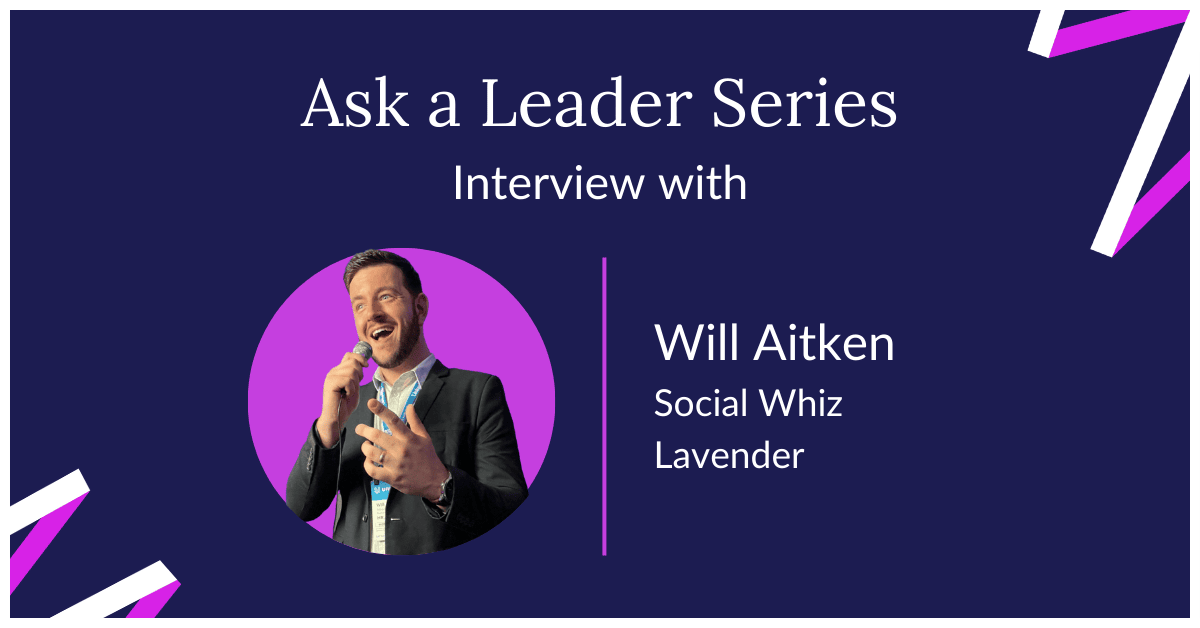
Will Aitken interview with Mixmax

Table of contents

    Learn more about Mixmax

    How do you sell ice to a Canadian in winter? According to Will Aitken from Lavender, you don’t. Instead, you ask questions to find out if they have a problem you can solve. This philosophy is the heart of modern selling. It’s about identifying a need, not pushing a product. Will is a true people whiz, and in our interview, he explains how to see buying signals and act on them. This often requires smart salesfeed integrations to get the right data. We also cover his biggest sales mistake and career advice he'd give his younger self.


    Understanding "Sales Feed" and Its Integrations

    The term "sales feed" can be a bit confusing because it means different things in different contexts. Sometimes, it refers to a publication or a news source that provides sales tips and industry updates. Other times, it describes a technology platform designed to give you a live "feed" of sales-related activity, like who is visiting your website. Understanding the difference is the first step in figuring out what kind of tool or information you actually need. It's all about separating the content you read from the platforms you use to take action on that information.

    Before you can act on sales intelligence, you need to decide what you're looking for. Are you trying to learn new strategies, or are you trying to identify active prospects? A publication can help with the first, but a platform is required for the second. This distinction helps you focus your search on tools that provide real-time data you can use to start conversations and book meetings, rather than just another article to read. The goal is to find something that gives your team a direct path from insight to outreach, turning passive interest into active engagement.

    Clarifying the Term: Publication vs. Platform

    When people talk about a "sales feed," they might be referring to a blog or an online magazine. But in the world of sales tech, it often means a platform that identifies anonymous website visitors. For example, a tool like Salesfeed is designed to show you which companies are browsing your site in real time. This is fundamentally different from a publication. It’s not about general advice; it’s about specific, actionable data on potential customers who are already showing interest in what you offer. This type of feed turns your website from a static brochure into a dynamic source of leads.

    Why Integrations are Critical for Sales Tools

    A sales tool is only as good as its ability to fit into your team's daily routine. This is where integrations become essential. A standalone platform that identifies website visitors is interesting, but if that data doesn't flow into your other tools, it creates more manual work. The best platforms connect with the software your team already relies on, like your CRM or email client. This connection allows information to move automatically, ensuring that valuable leads don't get lost and that reps can act on them immediately without having to switch between a dozen different tabs.

    Website Visitor Identification: Turning Clicks into Leads

    Imagine knowing which companies are on your website right now, what pages they're looking at, and how long they've been there. That's the power of website visitor identification tools. These platforms install a small piece of code on your site that tracks the IP addresses of your visitors and matches them to a database of companies. Instead of waiting for a prospect to fill out a form, you get a proactive alert that a target account is showing interest. This gives your sales team a huge advantage, allowing them to reach out with a relevant message at the exact moment the prospect is thinking about a solution.

    This technology transforms your marketing efforts into direct sales opportunities. A click on your pricing page is no longer just an anonymous data point in your analytics; it's a signal that a specific company is evaluating your product. For sales development reps (SDRs), this is gold. It provides a steady stream of warm leads who have already demonstrated intent. Instead of starting every conversation cold, reps can open with, "I saw someone from your company was looking at our features page," making the outreach timely and context-aware. It’s about working smarter, not just harder, to fill the pipeline.

    What is the Salesfeed Platform?

    Salesfeed is a specific example of a website visitor identification tool. Its main purpose is to give you a real-time view of the companies visiting your website, turning anonymous traffic into a list of potential leads. It goes beyond just listing company names by providing details on what pages they visit and how they navigate your site. This information helps you understand what each visitor is interested in, so you can tailor your follow-up accordingly. The platform is built to bridge the gap between your website and your pipeline, giving your sales team a head start on engaging interested prospects.

    Core Features: Real-Time View and Session Recording

    The standout feature of a platform like Salesfeed is its real-time visitor view. It’s like having a virtual window into your website traffic, showing you which companies are browsing at any given moment. Some tools even offer session recordings, allowing you to watch a visitor's entire journey through your site. This helps you spot what content is resonating and where prospects might be getting stuck. You can also set up rules to trigger alerts when a high-value company lands on your site, ensuring your team never misses an opportunity to engage a key account.

    Personalization and Automation Triggers

    Beyond just identifying visitors, some platforms allow you to personalize the website experience. Based on the company that's visiting, you can dynamically change the content they see, such as displaying specific case studies relevant to their industry. You can also set up automation triggers. For example, if a company from your target account list visits the pricing page, you can automatically create a task in your CRM for an account executive to follow up. These features help you move from simply identifying visitors to actively engaging them in a personalized way.

    Pricing and Market Focus

    When evaluating these tools, it's important to consider their pricing structure and market focus. Some platforms, like Salesfeed, do not have public pricing, requiring you to request a quote. This can make it difficult to compare costs and budget effectively. Additionally, it's crucial to know if the platform's database aligns with your target market. For instance, Salesfeed has a strong focus on the Dutch market, which might be perfect for businesses operating in that region but less useful for those with a global customer base. Always verify that the tool's data coverage matches your geographic needs.

    Salesfeed vs. Leadinfo: A Detailed Comparison

    When you're looking at website visitor identification, you'll find several players in the market, each with different strengths. Salesfeed and Leadinfo are two such platforms, and comparing them highlights what to look for. The core function is similar—both identify companies visiting your website. However, the differences lie in the depth of data they provide, their integration capabilities, and their geographic focus. Choosing the right one depends on whether you need a tool for a specific region or one with a broader, more global reach that can scale with your business.

    Data and Contact Information

    The quality of data is everything. A tool might identify a visiting company, but can it give you the contact information of the right person within that company? Some platforms provide rich profiles, including LinkedIn profiles and email addresses of key decision-makers, while others may only provide the company name. A platform with a narrow geographic focus, like Salesfeed's concentration on the Dutch market, may have excellent data for that region but fall short elsewhere. For businesses targeting a wider audience, a tool with a more extensive international database is a better fit.

    Privacy, Security, and Compliance

    In an era of GDPR and CCPA, you can't afford to ignore data privacy. Any tool that tracks user behavior must be compliant with international privacy regulations. Before implementing a visitor identification platform, verify its compliance standards. Does it provide clear information on how it collects and processes data? Does it help you stay compliant with consent requirements? A reputable provider will be transparent about its privacy practices and offer features that help you manage data responsibly, protecting both your business and your website visitors.

    Integration Capabilities and Global Reach

    A platform's ability to connect with your existing sales stack is a major factor. Does it integrate with your CRM, your email marketing tool, and your outreach platform? Strong integration capabilities mean that the data you collect is automatically put to work, creating new leads in Salesforce or adding prospects to a sequence. Furthermore, if your business operates globally, you need a tool with a database that reflects that. A limited, region-specific focus can become a significant roadblock as your company expands into new markets.

    Connecting with People, Not Just Accounts

    The ultimate goal is to connect with people, not just companies. The best tools help you do this by providing rich contact data alongside company identification. When you can see not only that a target account is on your site, but also the LinkedIn profile of the likely decision-maker, you can get to work. You can personalize your outreach based on their role and recent activity. This level of insight transforms a cold call into a warm, informed conversation, dramatically increasing your chances of booking a meeting and starting a real relationship.

    Product Feed Management for E-commerce Sales Channels

    Shifting gears to the e-commerce world, a "feed" takes on another meaning. Here, a product feed is a file containing all your product information—titles, descriptions, prices, images, and more—formatted for different sales channels. If you sell products online, you know that listing them on just one website isn't enough. You want to be everywhere your customers are, whether that's Google Shopping, Amazon, Meta, or TikTok. A product feed management platform is the key to making this happen without spending countless hours manually formatting and uploading data for each individual channel.

    These platforms act as a central hub for all your product data. You connect your online store, and the tool pulls in your product information. From there, it automates the process of creating and managing listings across hundreds of different marketplaces and advertising channels. This not only saves an incredible amount of time but also helps ensure your listings are accurate and consistent everywhere you sell. It’s an essential tool for any e-commerce business looking to scale its multichannel sales strategy efficiently and effectively, making sure your products look their best wherever they appear.

    Connecting Your Store to Google Shopping, Amazon, and Meta

    The main job of a product feed management tool is to act as a bridge between your e-commerce store and the channels where you want to sell. Platforms like GoDataFeed can connect your store to over 200 different channels, including major players like Google Shopping, Amazon, and Meta. This means you can manage your presence on all these sites from a single dashboard. Instead of logging into a dozen different seller accounts to update a price or change a product description, you make the change once, and the platform pushes it out everywhere.

    Automating and Optimizing Product Listings

    Each sales channel has its own unique requirements for product listings. A title that works well on your website might be too long for Google Shopping, or Amazon might require a specific data format that other channels don't. A product feed management platform handles this complexity for you. It can automatically optimize your product data for each channel's specific rules, improving your visibility and ad performance. This automation ensures your products are always presented in the best possible way, no matter where they appear.

    Automated Improvements for Better Listings

    Think of these platforms as an automated editing assistant. They use rules and templates to automatically improve your listings. For example, you can set up a rule to add keywords to your product titles, standardize your image sizes, or remove promotional text that isn't allowed on certain marketplaces. This automated optimization not only saves time but also helps your products rank higher in search results and convert better, driving more sales across all your channels without you having to manually tweak every single entry.

    How Sales Engagement Platforms Use Integrations

    For B2B sales teams, integrations are the glue that holds the entire sales process together. A sales engagement platform is supposed to make a rep's life easier, but it fails if it operates in a silo. The most effective platforms don't try to replace your CRM or your inbox; they work with them. They pull data from your CRM to personalize outreach and push activity back to keep records up to date. This two-way sync is what separates a helpful tool from just another piece of software that creates more admin work. True sales engagement happens when your tools talk to each other seamlessly.

    The goal is to create a single, unified workflow for the sales rep. When a rep can send an email, make a call, log a note, and schedule a meeting without leaving their primary workspace, they become faster and more effective. This is why the architecture of a sales engagement platform matters so much. Is it a separate application that reps have to log into, or does it live inside the tools they already use every day? The answer to that question often determines whether the platform gets adopted by the team or abandoned after a few weeks.

    The Salesloft Ecosystem: App Directory and APIs

    Salesloft is a well-known sales engagement platform that has built an extensive ecosystem of integrations. It connects with essential tools like Salesforce and LinkedIn Sales Navigator, allowing data to flow between them. This is a huge strength for large organizations that need deep, enterprise-grade connections between their systems. By creating a central hub for sales activities, Salesloft aims to provide managers with a comprehensive view of team performance and pipeline health. The platform is built as a standalone web application where reps go to execute their tasks, from building outreach cadences to analyzing deal progress.

    Connecting with Salesforce and LinkedIn Sales Navigator

    A key part of Salesloft's value is its deep integration with Salesforce. This connection ensures that activities performed in Salesloft, like emails sent and calls made, are automatically logged in the CRM. This saves reps from manual data entry and gives managers an accurate picture of what's happening in every account. Similarly, the integration with LinkedIn Sales Navigator allows reps to incorporate social selling steps into their outreach cadences, making it easier to connect with prospects on multiple fronts from within the Salesloft platform.

    Using Salesloft Connect within Email Clients

    To bridge the gap between its platform and the rep's inbox, Salesloft offers a feature called Salesloft Connect. This is a plugin for Gmail and Outlook that allows users to access some Salesloft features directly from their email client. Reps can use email templates, track opens and clicks, and log activities without having to switch back to the main Salesloft application for every single task. While the core workflow still lives within the Salesloft platform, this feature provides a convenient way to execute simple actions from the inbox.

    The Mixmax Approach: Execution Inside Gmail

    Mixmax takes a different approach. Instead of building a separate platform that connects to your inbox, Mixmax is built to work directly inside Gmail. This isn't just a plugin that adds a few features; Gmail *is* the platform. Reps never have to leave their inbox to build multi-step sequences, schedule meetings, or track engagement. This inbox-native design is critical because it eliminates the friction of switching between applications. When a tool lives where you already work, using it becomes a natural part of your daily routine, not a separate task you have to remember to do.

    AI-Powered Workflows and CRM Sync

    The real power comes from combining this inbox-native experience with intelligent automation. Mixmax uses AI-powered workflows to tell reps what to do next. It analyzes engagement signals—like who opened an email or clicked a link—and surfaces the highest-priority tasks right in their inbox. At the same time, it syncs every activity to Salesforce or HubSpot automatically. This means your CRM is always up-to-date without any manual data entry from your reps. It’s about giving reps clear guidance and taking admin work completely off their plate.

    Driving Adoption and Saving Reps Time

    The biggest challenge with any sales tool is getting reps to actually use it. Because Mixmax lives in Gmail, teams see 90% adoption in the first week. There's no new interface to learn and no change in habit required. This immediate adoption translates directly into saved time—over two hours per rep, per day, that was previously spent on admin work and figuring out who to follow up with. That's time they can now spend on what they do best: selling. It’s a simple equation: less time on admin work equals more time building relationships and closing deals with the help of the right tools.

    Improving Close Rates with Smarter Engagement

    When reps can focus on the right activities at the right time, the results speak for themselves. Mixmax customers see a 25% improvement in close rates. This happens because the platform helps reps create better engagement. With real-time signals, they know exactly when a prospect is interested and can follow up at the perfect moment. With features like one-click meeting scheduling embedded directly in emails, they remove the friction from booking a call. It all adds up to a more effective sales process that turns more conversations into closed-won deals.

    1. How would you sell ice to a Canadian in winter?

    My initial reaction is to not try to sell ice to a Canadian in winter as long as they have ice. I have an ethos, especially in B2B sales, that you shouldn't sell to everyone. Not everyone is a fit. And really what you should be looking for is people who have a very specific set of problems that you could help solve.

    Because if you try to sell to everyone, you go way too broad. Your messaging gets really wishy-washy. And ultimately, you won't close sales. You'll have more sales end in no decision because those people don't have a compelling reason for change.

    So for the most part, a lot of Canadians might not have a need for ice in the winter, because believe it or not, it's really cold where I live and there's a lot of ice around. Less now than there was a few years ago because of global warming, but let's not get into that.

    I would be specifically looking for a list of questions. I would be asking the questions to try and figure out if they really do have ice. Because I also don't wanna just assume they've got it covered. Because let's be honest, even if it is really cold in Canada, maybe they don't wanna be eating ice from the street. Maybe their freezer is broken.

    So I would be asking questions like, "Hey Canadian person," let's call you Zach, cause I know a Canadian called Zach. First of all, I try and get some context. "Do you even use ice at the moment? Do you use ice in your drinks? How are you currently using ice, if at all? Do you freeze your food? Do you include ice in your drinks?"

    "Yes."

    "Okay, how are you currently doing that today?"

    And you might go, "Well, I have a freezer."

    "Tell me more about that."

    "Well, typically with my freezer, I'll put in some trays of water."

    And I'll go, "Okay, interesting. So how often do you have to refill those trays?"

    And what I'm starting to do by asking those questions is paint a picture of how they're doing things today, and if they're doing them well, and if I hear, "Oh, I'm using ice trays and I'm refilling them in the sink and putting them in my freezer every day," well then that means I can say, "Okay, well what happens when you forget to fill the ice tray?"

    "I don't have any ice."

    "That must be frustrating. Tell me more about that."

    And I can start to create this gap, this problem that Zach wasn't thinking about. And that's that he forgets to sometimes refill the ice tray. His wife comes downstairs to make a nice glass of water. That creates tension in their relationship.

    Cause she asked him to refill the ice tray. He didn't. He forgot again. He said he would. And all of a sudden we've got this huge emotional gap that can be filled by my ice, my product, because of the questions I'm asking him. So I wouldn't talk about the ice, basically. I would ask him about his use for ice, if he uses ice, and how he does that today. And then ideally find a problem. 

    If I didn't find a problem, if I found that Zach has the best ice machine on the planet and his wife is so happy with how much ice is in their household and it's never broken–great. That's awesome. "I don't suppose you would know anyone who maybe doesn't have as good of an ice hookup as you, Zach?" and then I'd get a referral from them and actually find someone I could help.

    2. What's one of the worst responses you've gotten from a cold call?

    The one that sticks with me was actually in America. I was calling sales leaders. So you'd imagine sales leaders typically would have a bit more empathy for a cold call, right? And I called this person, and sometimes when you're calling you're a little bit zoned out, maybe doing some notes in Salesforce or whatever it may be.

    And I called someone, and they picked up the phone, and I was kinda like, "Oh, hey Jeff, how are you?" He was like, "Yeah, I'm good. Who's this?" And I was like, "It's Will Aitken here from Proposify (where I was working at the time). Just spotted that you're currently hiring folks on LinkedIn. I'm curious, as your team grows, how are you avoiding this problem?"

    And he went, "Sorry, is this a cold call?" I was like, "Yeah, it is. Yeah, sorry, my bad Jeff. Will Aitken from Proposify, it is a cold call." He said, "Why are you pretending that you know me?" I'm like, "Excuse me?" He's like, "Well, you said 'how have you been,' that suggests that we've spoken before."

    Even in my kind of surprised moment, I told myself that I'm pretty sure I didn't say that. So I was like, "Oh, um, I'm not sure I did. I said, 'How are you?' Granted not the best opener, Jeff. I'm sure, you know, salesperson to salesperson–can we start again?" And he said, "No, no, no. You did pretend you knew me," yada, yada yada. And he kind of gave me an education.

    "So why don't you lead with value?" He kind of gave me some coaching in a way, but it was from a very condescending, angry tone.

    So anyway, we finished the call and I went back and listened to the call recording in Gong.

    And sure enough, I had said, 'How are you?' I was right! And this is the problem when you let your ego get involved in sales. I kind of wanted to prove Jeff wrong because he had upset me. So then I sent Jeff the recording and said, "Hey, looks like we got misunderstood there, I went back and checked the call. I did actually say, 'How are you?' and I'm really hoping we could pick this back up, cause I'm certain we could help you in the x, y, and z areas."

    He replied and said, "You recorded my call without my permission. I'm in the state of California. It's illegal here, and I'm gonna sue you and have you fired." On LinkedIn, this whole message.

    I was awake, I couldn't sleep for a week. He reached out to my boss.

    Ultimately he stopped caring. But, oh boy. That kept me up at night for a long while thinking I was gonna lose my job, be sued, all kinds of stuff. So yeah, that was the worst one.

    3. What's the biggest mistake you've made in sales?

    The biggest mistakes I made in sales weren't the sales that I lost, because there's only one thing worse than losing a sale–it's closing a sale and then losing it.

    So I think the biggest mistake I've ever made in sales was selling someone who wasn't a fit, who ended up canceling. And at that point, you've celebrated with your team, everyone Slacks you with congratulations and kudos and a little emoji saying, "You made a sale, good job!"

    You've been paid the commission, or maybe you're thinking about how you're gonna spend that commission.

    And then you hear from the customer success manager that things weren't going as well as they'd hoped. And then they come back, they cancel because you can't work it out, and your commission gets called back.

    And then there's a question mark over all the sales that you close in the future–Is this really a fit? Can we trust Will's ability to put forward good-fit customers to the customer success team?

    So I feel like those are the biggest mistakes that I've made in sales. And one does stick out cause it was the biggest sale in company history. And even though the customer was the one who initiated the sale, I should have just stopped, slowed down, and confirmed a few things, because it would've been better to disqualify the opportunity, figure out we weren't a fit, and we couldn't do what they thought we could do.

    So my biggest mistake was that: closing a deal that shouldn't have been closed, not asking enough questions, and really not confirming fit before I put them through.

    4. What sales publications–other than Sales Feed–would you recommend?

    I've gotten a lot of value just from following the right people on LinkedIn. Folks like Belal Batrawy, Jen Allen–Challenger–she has a great podcast as well. And a lot of that stems from these trainers who have this following around them.

    But outside of that, Sales Hacker is a great resource. They do lots of webinars. They have a bit of community, they have a lot of written resources. JB Sales also, now rebranded as sellbetter.xyz. They do almost a webinar a day now, and those webinars have really good guests–sometimes myself, so, you know they're good–and they're on a wide variety of topics from sales development right through to negotiation and closing.

    Outside of that, I'm always a big fan of self-learning. So looking for courses that catch my eye. But also reading books that are sales-focused and seeing how you apply it.

    Consuming content is great, especially if you're a creator, cause you need new ideas and perspectives to make sure you're not becoming biased or out of touch. But also then actually taking it into a sales process and applying it, and then figuring out what works for you.

    You don't have to take everything you read or everything you hear from one person or one community as gospel. It's really about finding what works best for your style of sales, because if you sell out or you start doing things that you don't believe in, then you're not really sold on the idea and you're not really committed to it.

    That's where I think a lot of people get lost in sales, get burnt out, and ultimately become unhappy and fail in their careers.

    5. If you had a time machine, what advice would you give yourself?

    It's kind of funny because most people who end up in sales end up there accidentally. I started in sales as soon as I finished university, cause I had no idea what I wanted to do, and that's what led me here. And I'm really happy with where I'm at, so I wouldn't really change that much about what I had done and the steps I've taken.

    Now what I would tell myself to do differently is probably start creating or documenting my journey sooner. So being a content creator now on LinkedIn has opened up my entire life to the opportunity I work at now at Sales Feed, a lot of side income opportunities, and ultimately a hobby that I really enjoy, which is making and editing videos.

    So I wish I had just told myself to do that sooner so I could actually be maybe even further ahead than where I am now. Because I could probably be three times as well known, and have done three times as many events and speaking opportunities and all that stuff. But at the same time, that's probably a couple of years down the road for me now as well.

    So I don't have any regrets, but I would say start building that network, creating content, finding your voice, and connecting with people. Because I'll tell you what, through creating content, I have met people who have given me way more value than if I had never spoken to them.

    So I would say start reaching out to people, start having those conversations with people outside of your company. Cause your network is so powerful. If you were ever to be laid off or lose your job, then that security is massive. And you see this a lot, especially recently. There are a lot of tech layoffs, these folks losing their jobs, but because they know 10,000 people or have a following or are really good networkers, they've got stuff lined up already, and that gives you that security net.

    So that's what I probably recommend doing to myself sooner. Creating content, networking, and building a professional brand and network.


    Check out VP of Sales Kyle Parrish's interview for more expert tips and advice from our Ask a Leader series.

    Frequently Asked Questions

    What is a "sales feed"? The term can be confusing because it has two common meanings. It can refer to a publication like a blog or online magazine that offers sales tips and news. It can also describe a technology platform that gives you a live "feed" of sales activity, such as identifying which companies are visiting your website. The first helps you learn, while the second helps you find active prospects.

    How do website visitor identification tools work? These tools place a small piece of code on your website. When someone visits, the code identifies their IP address and matches it to a database of companies. This turns anonymous website traffic into a list of potential leads. Instead of waiting for someone to fill out a form, your sales team gets an alert that a specific company is showing interest, allowing for timely and relevant outreach.

    What's the difference between Mixmax and tools like Salesloft? The main difference is where the work happens. Salesloft is a separate web application that reps log into to manage their tasks. It has a plugin that adds features to your inbox, but the core platform is outside of it. Mixmax is built to work directly inside Gmail, meaning reps never have to switch applications to build sequences, schedule meetings, or track engagement. This inbox-native design leads to much higher adoption.

    Why are integrations so important for sales tools? Integrations are what make a sales tool truly useful. A tool that operates in a silo creates more manual work for your team. When a platform connects with your CRM (like Salesforce or HubSpot) and your inbox, data flows automatically. This keeps your records accurate without manual entry and allows reps to act on insights immediately, all from within their existing workflow.

    How can AI actually help a sales team? Instead of vague promises, practical AI helps reps focus on what matters. For example, AI-powered workflows can analyze engagement signals like email opens and clicks to surface the highest-priority accounts that need attention. This tells reps exactly what to do next, right in their inbox. It removes the guesswork and administrative work, freeing up more time for reps to sell.


    Key Takeaways

    • Sell by solving problems, not by pushing products: The most effective sales strategy is asking questions to uncover a prospect's specific challenges. If you can't find a problem your product solves, it's better to disqualify the lead than to close a deal that will ultimately fail.
    • A tool's value depends on its integrations: Sales tools are only useful if they fit into a rep's daily routine. Platforms that connect with your CRM and email client prevent manual work and ensure reps actually use them, which is why Mixmax sees 90% adoption in the first week.
    • Turn anonymous website traffic into actionable leads: Visitor identification tools show you which companies are browsing your site in real time. This allows your sales team to proactively reach out to interested accounts with timely, relevant messaging instead of waiting for a form fill.

    Related Articles

    Girl with Laptop

    Sign up to our newsletter to get fresh sales content delivered right to your inbox

    card_cta
    Horse
    Horse