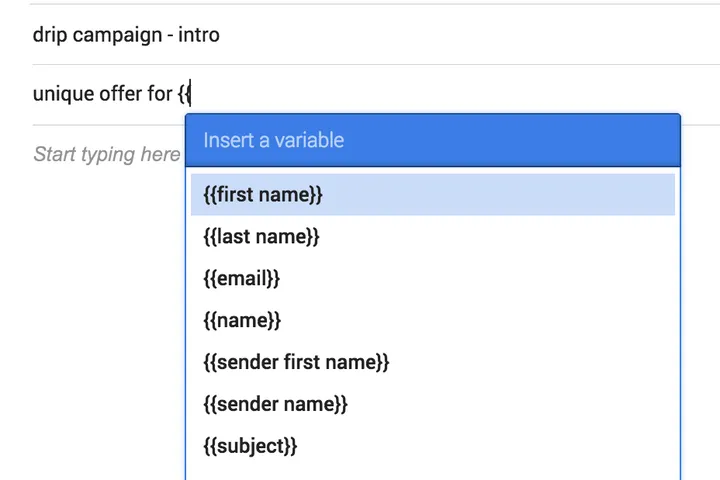
Your best salesperson has a secret weapon. It’s not luck—it’s a system. A repeatable process for every follow-up, discovery call, and pipeline update. What if you could clone that system for your entire team? That’s what real organization does. It stops you from relying on one person’s heroics and starts building a consistently high-performing team. This guide provides the how to be organized at work templates you need to standardize your best practices. These templates help every rep work as effectively as your top performer.
Work Smarter with New Template & Snooze Updates
Here are two big Mixmax improvements to help you organize work better.
First, you can now organize all of your templates into folders. This will help structure your workflow, and gives faster access to the right template (you can also use the keyboard shortcut /t).

We’ve put all of your existing templates into your “Personal” folder, and you can move them as you see fit in the Mixmax dashboard.

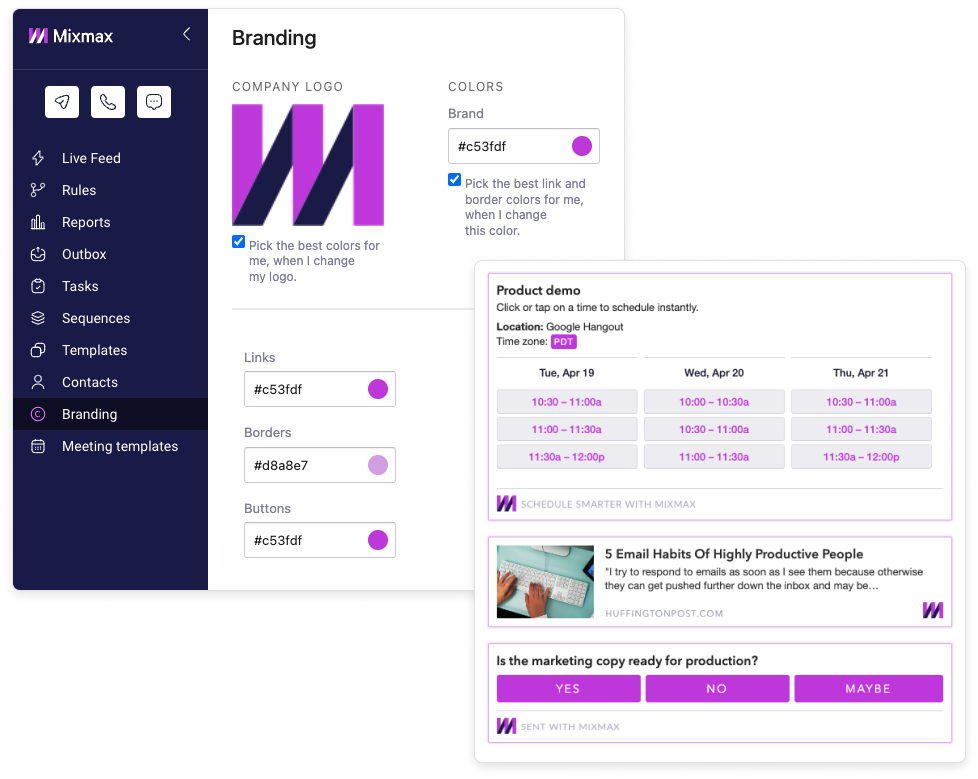
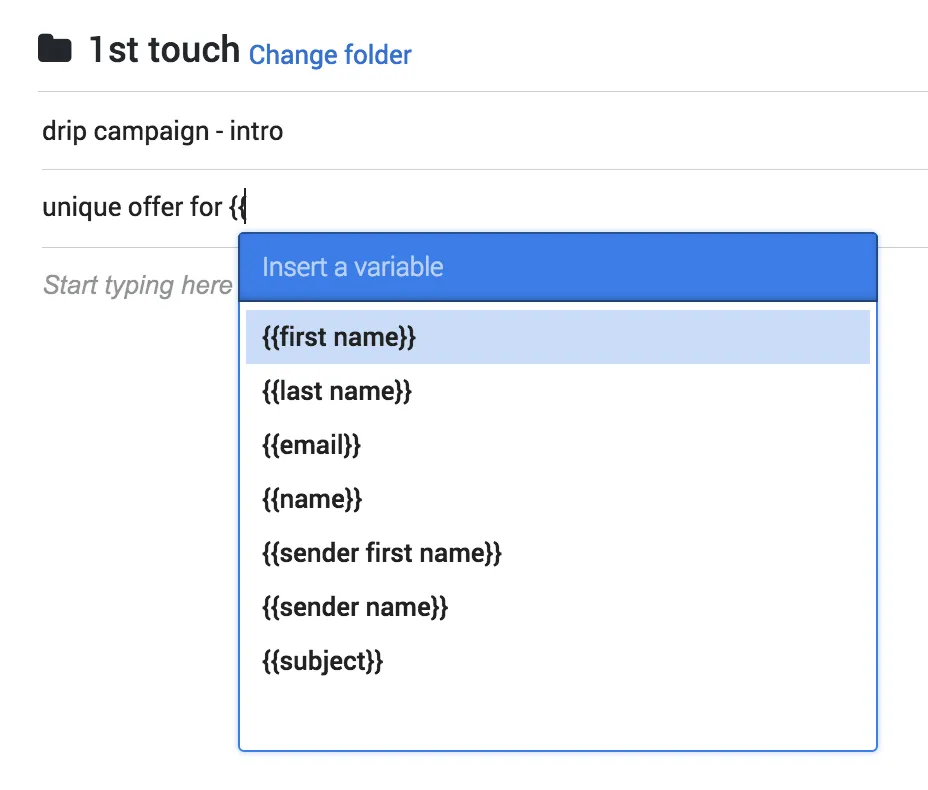
To ensure your team communicates consistently with customers and prospects, share templates with your team. Click here to learn how. Don’t forget, you’ll also save time by using variables, so that your templates type themselves :)
Second, our improved snooze feature will help you achieve “Inbox Zero” faster. When a snoozed email reappears in your inbox, it’ll be at the top of your inbox automatically without an additional notification email in the thread. This makes it much easier to reply to the conversation. Less clutter = more done.
What to expect next: See how well your team’s templates perform with analytics for open, click, download, and reply rates!
Pretty slick huh? If you like making people’s lives easier --- reach out to us at hello@mixmax.com and follow us @Mixmax.
Why Templates Are Your Secret Weapon for Organization
Feeling organized isn’t about having a perfectly clean desk; it’s about having a system that clears your mind for the work that matters. Templates are that system. They’re more than just pre-written emails or documents; they are frameworks for thinking and acting. Instead of staring at a blank page and wondering where to start, a template gives you a proven structure. This simple shift stops you from reinventing the wheel for every common task, whether you’re planning a project, managing your week, or sending a follow-up email. It’s about creating a personal and professional playbook that makes your best work repeatable and scalable.
Turn Big Goals into Clear, Actionable Steps
Big goals can feel overwhelming. A goal like “Increase Q3 sales” is motivating, but it isn’t actionable. A template for a work plan forces you to break it down. A good plan typically outlines your main goals, the specific tasks needed to get there, timelines, responsibilities, and resources. By using a template, you’re not just hoping you’ll hit your target; you’re building a step-by-step map to get there. This structure turns vague ambitions into a concrete checklist, ensuring that every action you take is directly connected to the larger objective you’re trying to achieve.
Save Time on Repetitive Tasks
Think about how many times you type a variation of the same email or create a similar project outline. Each instance might only take a few minutes, but those minutes add up to hours every week. Using templates for these repeated tasks can dramatically cut down on that wasted time. It’s the difference between cooking a meal from scratch every night and having your ingredients prepped and ready to go. When you have a solid toolkit of templates, you stop making small, repetitive decisions and save your mental energy for the strategic thinking that actually moves the needle.
Types of Templates for Managing Your Day
Your day is filled with competing priorities, and without a structure, it’s easy to get pulled into reactive work instead of focusing on what’s important. Templates for daily management act as a guardrail, helping you design your day with intention. Whether it’s a simple to-do list or a detailed schedule, these frameworks help you allocate your time and energy effectively. They provide a visual overview of your commitments, making it easier to see where your time is going and to make conscious choices about how you spend it. This approach helps you take control of your schedule before it takes control of you.
Task and Time Management Templates
The foundation of personal organization is knowing what you need to do and when you need to do it. Task and time management templates provide the structure for this. They range from simple daily planners to more complex systems, but the goal is always the same: to get your tasks out of your head and into a system you can trust. This frees up mental space and reduces the anxiety that comes from trying to remember every little thing. By externalizing your to-do list into a structured template, you can focus completely on the task at hand.
Daily, Weekly, and Monthly Planners
Planners are the classic organizational tool for a reason. A daily planner template helps you outline your day, ensuring you complete your most important tasks without getting sidetracked. This simple habit prevents constant task-switching, which can drain your focus and energy. A weekly planner gives you a broader view, helping you balance your workload across several days, while a monthly planner is perfect for tracking long-term deadlines and appointments. Using these templates together creates a layered system that keeps you on track from the big picture down to the smallest detail.
The 1-3-5 Rule for Daily Focus
If a long to-do list feels daunting, the 1-3-5 rule can bring immediate clarity. The idea is simple: each day, commit to completing one big task, three medium tasks, and five small tasks. This method, often used in Notion templates, forces you to prioritize what’s truly important instead of just being busy. By intentionally selecting your tasks, you ensure you’re making progress on significant projects while still knocking out the smaller items that need to get done. It provides a built-in sense of accomplishment and focus for your day.
Time Blocking Templates
Time blocking is a productivity method where you schedule every part of your day, treating your time like a budget. You can use a simple calendar template to block off specific chunks of time for specific tasks—prospecting from 9-11 a.m., team meetings at 1 p.m., deep work on a proposal from 2-4 p.m. This technique protects your focus time from interruptions and makes you more realistic about what you can accomplish in a day. Instead of a vague list of things to do, you have a concrete plan of when you’ll do them.
Prioritization Templates
Being organized isn’t just about getting more things done; it’s about getting the right things done. Prioritization templates are mental models that help you decide what to work on next. They provide a framework for evaluating tasks based on factors like urgency, importance, and effort. This is especially critical in a sales role, where you have to decide between following up on a hot lead, nurturing a long-term account, or handling administrative work. A good prioritization system ensures your most valuable activities always get the attention they deserve.
The Eisenhower Matrix
The Eisenhower Matrix is a powerful tool for prioritizing tasks. It divides your to-dos into four quadrants based on two questions: Is it urgent? Is it important? This simple framework helps you categorize your work: 1. Urgent and Important (Do it now), 2. Important but Not Urgent (Schedule it), 3. Urgent but Not Important (Delegate it), and 4. Not Urgent and Not Important (Delete it). Using this matrix as a template for your task list helps you move beyond reacting to what’s urgent and allows you to focus on activities that drive long-term success.
Templates for Managing Team Projects
When you’re working with a team, organization becomes even more critical. A lack of clarity on who is doing what by when can lead to missed deadlines, duplicated work, and frustration. Team project templates create a single source of truth that everyone can rely on. They standardize how work is assigned, tracked, and communicated, ensuring that everyone is aligned and moving in the same direction. These templates aren’t about rigid control; they’re about creating a shared understanding that empowers the team to collaborate effectively and efficiently.
Project Trackers
At its core, a project tracker is a template designed to give you a clear overview of a project’s status. It typically includes columns for tasks, owners, deadlines, and progress. Whether you build one in a spreadsheet or use a dedicated project management tool, a tracker template ensures that no task falls through the cracks. It provides immediate visibility into potential bottlenecks and helps keep everyone accountable. For sales teams launching a new campaign or product, a shared tracker is essential for coordinating efforts between marketing, sales, and customer success.
Kanban Boards
Kanban boards are a simple, visual way to manage workflow. The classic template consists of three columns: “To Do,” “In Progress,” and “Done.” Team members move tasks (represented as cards) from left to right as they work on them. This visual method makes it incredibly easy to see the status of every work item at a glance. It’s a flexible system that works for everything from software development to content creation, helping teams manage their workload without getting bogged down in complex processes. Tools like Trello and Asana have popularized this effective template.
Gantt Charts
For more complex projects with many moving parts and dependencies, a Gantt chart is the go-to template. A Gantt chart is a type of bar chart that illustrates a project schedule over time. It shows the start and finish dates of different tasks and highlights how they relate to one another. For example, you can see that Task B can’t start until Task A is complete. This is invaluable for planning multi-stage projects, like a product launch or a major account implementation, as it helps you map out a realistic timeline and allocate resources effectively.
Templates for Repeatable Business Processes
Every successful business runs on systems. Templates are the building blocks of those systems. They allow you to document and standardize your best practices, turning them into repeatable processes that anyone on the team can follow. This is how you scale excellence. Instead of relying on one top performer’s individual habits, you can capture what makes them successful in a template and share it with the entire team. This applies to everything from how you respond to customer inquiries to how you run sales calls, creating consistency and improving quality across the board.
Standardize Your Systems and Workflows
Standardizing your workflows with templates means you stop starting from scratch every time. When you have a template for a common process, like onboarding a new client or qualifying a lead, you create a consistent experience for both your customers and your team. It reduces errors, saves time, and makes it easier to train new hires. This systematic approach allows you to refine your processes over time. If you find a better way to do something, you can simply update the template, and the improvement is instantly adopted by the whole team.
Templates for Sales Outreach
In sales, consistency is key. Templates for sales outreach ensure that every prospect receives clear, on-brand communication. Whether it’s a cold outreach email, a follow-up sequence, or a proposal, having a set of proven templates helps reps work more efficiently. With a platform like Mixmax, you can create and share templates right within your inbox, using variables to personalize each message automatically. This allows your team to run effective outreach campaigns at scale while maintaining a high-quality, personal touch that gets replies.
Create Consistent Documents and Graphics
Your brand’s consistency goes beyond your email signature. Templates for documents like proposals, contracts, and one-pagers ensure a professional and uniform look in all your external communications. The same goes for graphics. Having templates for social media posts, presentation slides, or case studies makes it easy for anyone on the team to create materials that are visually aligned with your brand. This consistency builds trust and recognition with your audience, reinforcing your brand identity at every touchpoint.
Popular Methods for Getting Organized
Beyond individual templates, there are entire methodologies dedicated to helping people get organized. These systems provide a high-level philosophy for managing your tasks, time, and attention. They often rely on templates to put their principles into practice, but they offer a complete framework for how you approach your work. Adopting one of these methods can be a powerful way to build lasting organizational habits, as they give you a set of rules and routines to follow, reducing the daily guesswork of what to do next.
Getting Things Done (GTD)
Getting Things Done, or GTD, is a time management method created by David Allen. The core idea is to move all your tasks, ideas, and projects out of your mind and into an external system. The GTD workflow has five steps: Capture, Clarify, Organize, Reflect, and Engage. It’s a comprehensive system for managing your commitments, and you can use various templates—like project lists, next-action lists, and weekly review checklists—to implement it effectively. The goal is to achieve a state of “mind like water,” where you can be fully present with whatever you’re doing.
The Pomodoro Technique
The Pomodoro Technique is a simple yet effective method for improving focus and fighting procrastination. You work in focused, 25-minute intervals (called “Pomodoros”), separated by short breaks. After four Pomodoros, you take a longer break. This technique encourages you to work with time, rather than against it. While not a template in the traditional sense, it provides a rigid structure for your work sessions. It pairs perfectly with time-blocking templates, where you can schedule several Pomodoro sessions for your most important tasks.
Bullet Journaling
The Bullet Journal method is an analog system for organization that uses a simple notebook. It’s a flexible framework that combines a daily planner, to-do list, and diary. The system relies on a set of symbols to categorize entries—tasks, events, and notes—and uses different “collections” or templates for things like monthly logs, future logs, and habit trackers. It’s a completely customizable approach, allowing you to create a planner that is perfectly tailored to your own needs and preferences, all within a single notebook.
Organizational Strategies for ADHD
For individuals with ADHD, the structure provided by templates can be particularly beneficial. The executive function challenges associated with ADHD can make it difficult to initiate tasks, prioritize, and stay organized. Templates reduce the cognitive load required to start something new by providing a clear, pre-defined structure. Visual templates like Kanban boards, color-coded checklists, and time-blocking schedules can help make abstract tasks more concrete and manageable. These strategies provide the external scaffolding needed to support focus and follow-through.
Tools and Formats for Your Templates
Templates can exist in many forms, from a simple checklist in a notebook to a complex workflow in a software application. The right tool depends on the task and your personal preference. The good news is that you don’t need to buy expensive new software to get started. Many of the tools you already use every day have powerful templating features built right in. The key is to choose a format that is easy for you to access and use consistently, so that it becomes a natural part of your workflow.
Common Software and Apps
There is a huge ecosystem of software designed to help you get organized, and most of it is built around the concept of templates. Whether you’re using a dedicated project management tool, a note-taking app, or a simple spreadsheet, these platforms provide the foundation for building out your organizational systems. They make it easy to create, save, and share templates with your team, turning individual best practices into collective habits. The key is to find a tool that fits your team’s workflow and use it consistently.
Notion, Asana, and Trello
Tools like Notion, Asana, and Trello have become incredibly popular because they are highly flexible and template-driven. Trello uses the Kanban board model, making it great for visual workflow management. Asana is a more robust project management tool with templates for everything from event planning to product launches. Notion is a versatile all-in-one workspace where you can build custom databases, documents, and planners, and it has a massive community creating and sharing templates for virtually any use case you can imagine.
Excel and Google Sheets
Never underestimate the power of a good spreadsheet. For decades, Excel and Google Sheets have been the go-to tools for creating custom templates for tracking, planning, and analysis. You can build anything from a simple project budget to a complex sales pipeline tracker. Their flexibility is unmatched, and because most people are already familiar with them, they have a very low barrier to entry. There are also thousands of free, pre-made spreadsheet templates available online for almost any business or personal need.
Finding Templates in Your Existing Tools
The best way to start using templates is to look for them in the tools you already use every day. Your project management software likely has a template library for common project types. Your calendar app can save recurring event schedules. And your email client might have a feature for saving and reusing common replies. For example, you can explore a template collection to kickstart projects with ready-made tasks. By building templates into your existing workflow, you make them easy to adopt and turn them into a regular habit.
Frequently Asked Questions
I’m sold on using templates, but where’s the best place to start? Pick one small, repetitive task that you do every day. This could be your first follow-up email to a prospect or the agenda for your weekly team check-in. Create a single, simple template for just that one thing. The goal isn’t to organize your entire life overnight; it’s to solve one recurring problem and build the habit from there.
Will using templates for my sales emails make me sound like a robot? Not if you use them correctly. A good template is a starting point, not a script you send without thinking. It handles the 80% of the message that is always the same, which frees up your mental energy to personalize the crucial 20%. Using smart variables to automatically pull in names, companies, or other details ensures each message feels personal while saving you from typing the same framework over and over.
What’s the real difference between a template and a simple checklist? Think of it this way: a checklist tells you what to do, while a template shows you how to do it. A checklist is a list of items to cross off, like “send follow-up email.” A template is the actual structure of that email, with the key points and formatting already in place. It’s a repeatable framework, not just a list of tasks.
How can I get my team to actually use shared templates? Don’t just create templates and assign them to your team. Instead, build the first few templates with them. Ask your top performers to share their most effective emails and turn those into shared resources. When the team sees that the templates are based on proven, successful methods from their peers, adoption becomes much easier. It feels like a shared playbook, not a mandate from management.
Is it better to use a dedicated app like Notion or just a simple spreadsheet? The best tool is the one you and your team will consistently use. If your team lives in spreadsheets, start there. If they are already using a project management tool like Asana, build your templates there. The system is more important than the specific software. Start with what’s familiar to reduce friction, and only move to a more specialized tool if you hit a clear limitation.
Key Takeaways
- Standardize what works: Templates capture your best practices and turn them into a repeatable system. This stops you from starting from scratch on every task and saves your mental energy for the work that actually matters.
- Organize your day, then your team: Use personal templates like daily planners or the 1-3-5 rule to manage your own focus. For team projects, use shared templates like project trackers or Kanban boards to keep everyone aligned on goals and deadlines.
- Use the tools you already have: You don’t need a complex new app to get organized. Start by building templates directly into the software you use every day, like saving common email replies in Mixmax or creating a project plan in Google Sheets.