
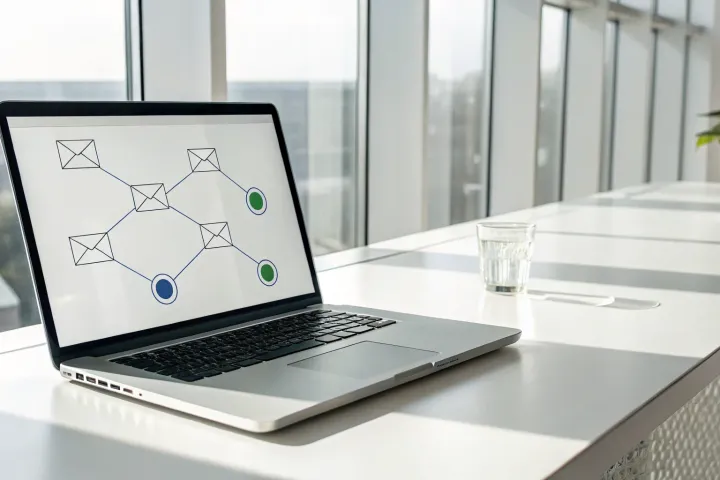
Your calendar reminders are a mess. Your prospect spreadsheet is a week out of date. And you just realized a promising deal went quiet because the follow-up is still sitting in your drafts. Relying on manual tracking is a recipe for letting good opportunities slip through the cracks. The solution isn’t more manual work; it’s finding the best tool for Gmail email sequences. These apps let you set up a simple multi-step sequence in Gmail that runs automatically. The moment a prospect replies, the sequence stops, so you can have a real conversation and run email sequences from Gmail without switching tools all day.
Key Takeaways
- Choose apps that live inside Gmail: Reps will actually use tools that don’t force them to switch tabs. This leads to higher adoption and saves hours of manual work every week.
- Demand data that drives action: A great app does more than send emails; it provides real-time engagement signals to show you who to focus on and has a bidirectional CRM sync to keep your pipeline data accurate automatically.
- Automate the follow-up, not the relationship: Use sequences to handle the tedious work of consistent outreach. This frees you to focus on personalizing messages and building real connections with prospects who are actually engaged.
What Are Gmail Sequence Apps & How Do They Work?
A Gmail sequence app turns your inbox into an automated outreach tool. At its core, an outreach sequence is a series of touchpoints, usually emails, sent to a prospect over a set period. The goal is not to spam them. It is to get a reply and start a real conversation. Instead of manually tracking who to follow up with and when, you build a multi-step campaign once. The app then sends each step automatically until the prospect replies.
This is where the magic happens. The moment a prospect responds, the app automatically stops the sequence for that contact. This prevents you from sending an awkward “Just checking in” email moments after they have already booked a meeting with you. Good sequence apps let you build campaigns with more than just emails. You can add steps to remind you to make a call, connect on LinkedIn, or complete another task.
These apps are built to work directly with your Google account. They handle the tedious work of follow-up, freeing you to focus on the prospects who are actually engaged. It’s the difference between manually checking your notes and having a system that tells you exactly what to do next.
Why You Need a Third-Party App (Gmail Can’t Do This Natively)
Let’s get one thing straight: Gmail does not have a built-in tool for sending email sequences. While you can use templates and the “schedule send” feature for individual messages, that’s a manual, one-by-one process. You still have to remember who to follow up with and when. A third-party app is what adds the automation layer, letting you build a full campaign of follow-ups that run on their own, right from your inbox. The best part? The sequence automatically stops the moment someone replies, so you can take over with a personal touch. This is where tools like Mixmax come in, adding AI-powered workflows that not only send the emails but also tell you which prospects are most engaged, so you know exactly where to focus your time.
Stop Switching Tabs: Why In-Gmail Apps Are Better
Most sales tools live in a separate browser tab. Reps are forced to switch back and forth between their inbox and the sales platform, creating friction and killing productivity. The biggest problem with this model is that reps often just stop using the tool. An app that works inside Gmail wins because it meets reps where they already are. There is no new interface to learn and no context switching. This is why teams see adoption rates of 90% in the first week with inbox-native tools. It’s not another platform to log into; it’s a smarter inbox. This also helps your emails feel more authentic, as they are sent directly from your account, which can improve how they are sorted by systems like Gmail’s classifiers.
Automation vs. Manual Follow-Ups: Which Is Better?
Relying on manual follow-ups is a surefire way to let deals slip through the cracks. It’s nearly impossible to remember every single prospect who needs a nudge. An effective sequence requires automation to ensure consistent timing and save you from hours of tedious work. When done right, an evergreen email sequence is one of the most valuable assets you can build. It’s a growth lever you can set once and let run. An AI-powered workflow handles the repetitive tasks, so you can focus on the human side of selling. This is not about replacing conversations; it is about automating the busywork so you have more time for them.
Who Uses Email Sequences? (It’s Not Just for Sales)
While sales reps live and breathe by their outreach sequences, they are far from the only ones who benefit. At its heart, a sequence is a tool for anyone who needs to communicate with a group of people consistently over time. It’s for anyone who has ever thought, “I really need to follow up with them,” but then gets pulled into another task. The power of automated, timed follow-up applies to countless roles. From marketing and recruiting to running a small business, sequences are the key to staying organized, saving time, and making sure important connections don’t get lost in a busy inbox.
Marketing and Customer Support Teams
Marketing teams use sequences to guide new subscribers and potential customers through the early stages of their journey. Instead of a single welcome email, they can build a multi-step onboarding series that introduces the brand, highlights key content, and nurtures leads without manual intervention. For customer support, sequences are perfect for proactive communication. A support team can automatically send a follow-up email a week after a ticket is closed to check in, or they can create a sequence that shares helpful tips with new users over their first 30 days. This creates a consistent experience and improves customer engagement without adding to the team’s workload.
Recruiters and Job Seekers
The world of recruiting is all about managing a large pipeline of people. Recruiters use email sequences to connect with potential candidates, send reminders for interviews, and keep applicants informed about their status. By automating the initial outreach and follow-ups, they can focus their energy on the candidates who respond and are genuinely interested. This also allows them to test which messages get the best response rates, constantly improving their approach. It ensures every candidate gets a timely response, which protects the company’s reputation and provides a better candidate experience, even for those who aren’t a fit for the role.
Real Estate, Non-Profits, and Education
Sequences are also a powerful tool in industries built on relationships. A real estate agent can set up sequences to send market updates to potential buyers or check in with past clients. For non-profits, automated email series are essential for running fundraising campaigns and maintaining donor engagement with regular updates on their impact. In education, administrative staff can automate announcements and reminders to students and parents, ensuring critical information is delivered on time. In all these cases, sequences solve the same core problem: how to maintain a personal connection with a large group of people without spending hours on manual email follow-ups every single day.
Your Checklist for the Best Gmail Sequence App
Not all sequence apps are built the same. Many are just glorified autoresponders that add another tab to your browser. The best tools work inside Gmail and do more than just send emails on a schedule. They give you the signals and automation you need to turn cold outreach into real conversations.
When you’re evaluating options, don’t get distracted by long feature lists. Focus on the four things that actually make a difference in booking more meetings and closing deals.
Track Engagement the Moment It Happens
An outreach sequence is designed to move a prospect from awareness to engagement. But if you can’t see that engagement happening, you’re flying blind. Sending a follow-up without knowing if your prospect opened the first email is a waste of time. Look for a tool that gives you real-time engagement signals right inside Gmail. You should be able to see who opens your emails, clicks your links, and downloads your attachments, instantly. This isn’t just about vanity metrics. It’s about timing. Knowing a prospect just re-opened your proposal from three weeks ago is a signal to pick up the phone. That’s how you turn a cold lead into a warm conversation.
Beyond Replies: Tracking Opens and Clicks
While a reply is the ultimate goal, most prospects won’t respond to your first email. The real work is in the follow-up, and you can’t do that effectively if you’re flying blind. This is where tracking opens and clicks becomes critical. These aren’t just vanity metrics; they are buying signals that tell you exactly who is interested and when. Knowing that a prospect has opened your email five times in the last hour, or just clicked the link to your pricing page, is the cue you need to act. The right tool provides these signals in real time, right inside your inbox. It’s the difference between guessing who to call next and knowing precisely when to pick up the phone because a prospect just re-engaged with a proposal you sent weeks ago. That’s how you turn a cold lead into a warm conversation.
A CRM Sync That *Actually* Works
If your sequence app doesn’t talk to your CRM, you’ve just created more work for yourself. Reps spend hours on manual data entry, logging calls and emails instead of selling. This leads to an out-of-date CRM and managers who have no real visibility into the pipeline. A great Gmail sequence app syncs bidirectionally with Salesforce and HubSpot, automatically logging every email, meeting, and touchpoint. This isn’t just a convenience, it’s a necessity. It frees up hours of your reps’ time every day and ensures your pipeline data is always accurate. No more chasing reps for updates. No more guessing which deals are at risk. The data is just there, where it should be.
Don’t Forget Google Sheets Integration
While a direct CRM connection is the gold standard, let’s be honest: many great prospecting lists start their life in a simple Google Sheet. The best sequence apps don’t fight this reality; they embrace it. Look for a tool that lets you import your contacts directly from Google Sheets or a CSV file. This lets you move from a spreadsheet to a live sequence in minutes, without wrestling with clunky import tools. This is a key reason inbox-native tools see such high adoption. They fit into the workflow you already have instead of forcing you into a new one. When you organize your sheet with columns for names, companies, and other details, you can pull that data into your sequences for messages that feel personal, not robotic.
Use AI for Smarter Timing and Personalization
AI is more than a buzzword. In a sequence app, it should have a specific job: helping you get more replies. This means using data to send emails when they are most likely to be opened and read. It also means helping you personalize outreach at scale without sounding like a robot. Instead of generic claims, look for specific AI features. Does the tool offer AI-powered workflows that can trigger tasks based on prospect behavior? Can it analyze your past engagement to suggest the best time to send the next email in a sequence? Good AI doesn’t replace the seller. It gives them the insights to be more effective with every email they send.
Look for Tools That Go Beyond Email (Calls, LinkedIn, etc.)
Your buyers don’t just live in their email inboxes. They’re on LinkedIn, they answer the phone, and they attend events. A truly effective outreach strategy uses multiple channels, and your sequence tool should support that. Look for an app that lets you build multichannel sequences with steps for email, phone calls, and LinkedIn tasks. This keeps all your touchpoints for a single prospect in one place. Instead of having your email cadence in one tool and your call list in another, you have a single workflow that guides you through every step. This ensures no prospect falls through the cracks and gives you a complete picture of your outreach efforts, not just a slice of it.
Flexibility and Control
Can You Edit or Cancel a Live Sequence?
You hit “start” on a sequence for a key account, and five minutes later, you get an out-of-office reply with new contact information. The last thing you want is for your automated emails to keep firing off to the wrong person. A rigid system can do more harm than good. This is why the flexibility to change your mind is so important. A great sequence app gives you the power to pause, edit, or cancel a sequence for any contact, even after it’s live. This control allows for a more dynamic and responsive approach to your outreach. You can adapt your messaging on the fly, ensuring your communication is always relevant, personal, and effective.
Easy Unsubscribe Options and GDPR Compliance
No one likes feeling trapped in an email chain they can’t escape. More importantly, respecting a prospect’s choice to opt out is a legal requirement. Regulations like GDPR are not just suggestions; they are rules that carry real penalties. Any professional sequence app must provide a clear and simple unsubscribe option in every email. This isn’t just about staying compliant. It’s about building trust. Giving prospects an easy way out shows that you respect their inbox and their autonomy. It strengthens your brand’s reputation and ensures you’re focusing your efforts on a list of people who are genuinely interested in what you have to say.
The Best Gmail Email Sequence Tools, Reviewed
Choosing the right sequence app is about more than just features. It’s about finding a tool your reps will actually use, every day. The best apps work where your team already lives: inside Gmail. They automate the busywork without forcing reps to learn a new platform or constantly switch tabs. Here’s a breakdown of the top contenders and who they’re built for, so you can find the right fit for your team.
Mixmax: AI-Powered Sequences Inside Gmail
Mixmax is built for sales teams that want to book more meetings and close deals without leaving their inbox. It’s not a separate app with a Gmail plugin; it lives directly inside Gmail. This means reps can build multi-step outreach campaigns with email, phone, and LinkedIn steps right where they already work. The result is near-perfect adoption. Mixmax uses AI to tell you the best time to send your emails and which accounts need your attention now. It’s a full sales execution platform, offering AI-powered workflows that help reps focus on the right activities to move deals forward, not just send more email.
Limitations to Consider
While Mixmax is a powerful tool for teams on Gmail, it’s not a one-size-fits-all solution. It’s built specifically for sales teams that use Gmail and sync with Salesforce or HubSpot. If your company runs on Outlook or a different CRM, you won’t get the full benefit of its inbox-native design and deep integrations. Also, Mixmax is an execution platform, not a contact database. You’ll need to bring your own prospect lists; it’s designed to make your outreach more effective, not to find the contacts for you. Finally, it’s built to empower sellers, not replace them. If you’re looking for a tool to completely automate every interaction, you might find Mixmax requires a more hands-on approach to get the best results.
Streak: A CRM With Basic Sequencing
Streak is a CRM that lives inside your Gmail inbox. Its main strength is turning your email into a simple pipeline management tool. For teams that need a lightweight CRM and don’t want to leave Gmail, it’s a convenient option. Streak offers basic email sequencing, allowing you to schedule a simple series of follow-ups. However, it’s a CRM first and an engagement tool second. You won’t find advanced features like AI-driven send times, real-time engagement alerts, or multi-channel steps. It’s a solid starting point for managing customer relationships in Gmail, but teams often outgrow its basic sequencing capabilities.
Yesware: Email Tracking and Simple Campaigns
Yesware is one of the original email tools for Gmail, focused on email tracking, templates, and simple campaigns. It’s an entry-level tool that helps reps see who opens their emails and clicks on links. While it works inside Gmail, its more powerful features come with a catch. For example, Salesforce integration is only available on its expensive enterprise plan. Yesware lacks the AI features needed to prioritize accounts or coach reps on the next best action. It’s a good tool for individuals or small teams just starting with email tracking, but it doesn’t provide the automation or intelligence growing sales teams need.
Mailshake: Automation for Cold Outreach
Mailshake is a tool designed specifically for one job: cold email outreach. It excels at automating high-volume campaigns and follow-ups to new prospects. If your team’s primary goal is to generate leads through cold email, Mailshake provides the focused tools to do it effectively. The main trade-off is that it’s a separate platform. Reps have to work outside of Gmail to build and manage their campaigns, which can create friction and hurt adoption. It’s a powerful tool for pure prospecting, but it’s not built to manage the full sales cycle or help reps engage with active deals in their inbox.
Limitations to Consider
While Mixmax is a powerful tool for teams on Gmail, it’s not a one-size-fits-all solution. It’s built specifically for sales teams that use Gmail and sync with Salesforce or HubSpot. If your company runs on Outlook or a different CRM, you won’t get the full benefit of its inbox-native design and deep integrations. Also, Mixmax is an execution platform, not a contact database. You’ll need to bring your own prospect lists; it’s designed to make your outreach more effective, not to find the contacts for you. Finally, it’s built to empower sellers, not replace them. If you’re looking for a tool to completely automate every interaction, you might find Mixmax requires a more hands-on approach to get the best results.
Apollo: A Contact Database With a Gmail Add-On
Apollo’s biggest strength is its massive B2B contact database. It’s a powerful tool for finding prospects and their contact information. It also includes sequencing features and a Gmail add-on to help you run outreach campaigns. However, Apollo is a data platform first and an engagement tool second. The sequencing is a feature, not the core product. This means it lacks the deep, inbox-native workflow and deal management capabilities of a true sales execution platform. For teams that need contact data with basic sequencing, Apollo is a strong contender. But teams focused on full-cycle selling often hit its limits quickly.
Gmass: A Mail Merge Tool Inside Gmail
Gmass operates as a powerful mail merge tool that lives right inside your Gmail account. For users who want to manage their outreach without leaving their inbox, it’s a popular choice. It allows you to send email sequences, personalize messages with spreadsheet data, and automate your follow-ups. If your main goal is to send mass emails from your existing Gmail interface, Gmass handles the core job of sending and scheduling. However, it’s primarily a mail merge tool, not a full sales execution platform. It lacks the deep CRM integration and real-time engagement signals that tell you which accounts to focus on. It’s great for getting messages out the door, but it won’t give you the insights to manage your entire pipeline.
Lemlist: Personalization and AI Content
Lemlist has carved out a niche for itself with a strong focus on creative personalization. It’s known for helping reps create highly customized email sequences, including personalized images and videos, to stand out in a crowded inbox. The platform also uses AI to help generate content, which can be a useful starting point for crafting your outreach. While Lemlist is excellent for building engaging drip campaigns, the workflow often requires you to work within their separate platform to set up these creative assets. For teams that need to manage the entire sales cycle from first touch to closed-won, this context switching can create friction. It’s a powerful tool for top-of-funnel creativity, but it’s less focused on the full-cycle, inbox-native workflow.
Reply.io: A Sales Engagement Platform with a Free Tier
Reply.io is a sales engagement platform that offers a solid set of features, including personalized cold emails, sequencing, and automated follow-ups. One of its biggest draws is the free plan, which makes it an accessible entry point for individuals or small teams just getting started with email automation. This allows you to test out sequencing without an immediate financial commitment. However, as teams grow, they often find they need more than what a free or basic tier can offer. While Reply.io is a capable tool, it operates as a separate platform with a Chrome extension, rather than living natively in your inbox. This can lead to the same adoption challenges that plague other tools that force reps to switch tabs.
Salesloft: An Enterprise-Grade Platform
Salesloft is a powerful platform built for large, complex sales organizations. It offers a deep feature set, including a robust cadence builder, conversation intelligence, and advanced analytics designed for enterprise needs. If you’re a large company with a dedicated sales ops team to manage the tool, Salesloft is a major player. The trade-off is its complexity and cost. It’s a separate web application, not an inbox-native tool, which can lead to the classic adoption problem where reps resist using it. Pricing is significantly higher than other options, and core features like the dialer often cost extra. It’s a tool built for enterprise governance, not for the speed and agility that growing teams who live in Gmail need.
Limitations to Consider
Many email sequence tools are just glorified autoresponders that force you to work in another browser tab. This creates a clunky workflow where reps are constantly switching between their inbox and the sequencing platform. The result? Reps get frustrated and stop using the tool, leaving you with an expensive piece of software and an out-of-date CRM. The best tools work inside Gmail because that’s where sellers spend their day. When a tool is part of the existing workflow, reps actually use it. This is why inbox-native platforms see 90% adoption in the first week, saving reps over two hours a day on manual admin work and ensuring your pipeline data is always accurate.
Outreach: A Complex Tool for Large Teams
Outreach is another heavyweight in the sales engagement space, designed for large sales teams with complex needs. It offers powerful multi-channel communication features and advanced sales insights. While it has a Chrome extension, the core workflow lives in the separate Outreach platform, not in Gmail. This fundamental difference is where teams often run into trouble. The complexity and high cost can be justified for an enterprise with a dedicated team to manage it, but its biggest weakness is adoption. Reps are supposed to use it, but they often don’t. For teams that need a tool reps will actually use every day, the friction of a separate platform is a major hurdle. It’s a powerful system, but it’s not built for the rep-centric, inbox-native workflow.
Other Tools to Know
Beyond the major players, the email sequencing space is full of specialized tools. Each is designed to solve a specific piece of the outreach puzzle. Here are a few others to be aware of as you do your research.
Snov.io, Klenty, and SmartReach
Tools like Snov.io, Klenty, and SmartReach each have their own unique strengths. Snov.io combines an email finder with drip campaigns, making it useful for teams that need both data and outreach in one place. Klenty positions itself as a sales engagement platform for smaller teams who want an alternative to the enterprise complexity of Salesloft or Outreach. SmartReach, meanwhile, puts a heavy emphasis on cold email deliverability and inbox rotation. While these tools are effective for their specific use cases, they often focus on one part of the sales process, rather than providing a single platform to manage the entire sales motion from first touch to closed-won.
A Note on HubSpot and Mailchimp
HubSpot and Mailchimp are fantastic marketing automation platforms, but they aren’t the right fit for cold email outreach. These tools are built to nurture inbound leads and manage lists of people who have explicitly opted in to receive marketing content. Their infrastructure and terms of service are designed around permission-based marketing. Using them for high-volume cold emailing can lead to poor deliverability or even get your account suspended. It’s a classic case of needing the right tool for the job. For sales outreach, you need a platform that is purpose-built for engaging cold prospects and starting one-to-one conversations.
Tools to Approach with Caution
When choosing a tool, it’s critical to do your own research and check recent user reviews. The sales tech landscape changes quickly, and a platform that was great last year might have issues today. For example, some users on forums like Reddit have reported negative experiences with certain tools, citing reliability issues. Before you commit, spend time on sites like G2 and Capterra to read unbiased feedback from current users. This due diligence ensures you’re investing in a reliable platform that will actually help your team, not create more problems.
What Results Can You Actually Expect?
Investing in a new tool only makes sense if it delivers real, measurable results. A good Gmail sequence app isn’t just about sending more emails; it’s about starting more conversations and closing more deals. When you move from manual follow-ups to an automated, intelligent system, you change the math on your outreach. You stop guessing and start operating with data. Here’s a look at the specific outcomes you should be aiming for.
Get More Replies (Think 52% vs. the 2% Average)
The industry average reply rate for cold outreach is a dismal 2-3%. It’s a lot of work for very little return. The right sequence app completely changes this. By delivering a series of relevant touchpoints over time, you move a prospect from awareness to engagement. Instead of a single, easily ignored email, you’re telling a story. This is how Mixmax users see reply rates as high as 52%. It’s not about sending more spam; it’s about building a thoughtful outreach sequence that earns a response. Consistent, timely follow-ups show you’re serious and keep you top of mind, dramatically increasing your chances of starting a conversation.
Send Emails When They’ll Actually Be Opened
An email sent at 2 a.m. is an email that gets buried. Timing is everything. A great sequence app takes the guesswork out of your send times. It considers your prospect’s time zone and can even analyze past engagement to predict the perfect moment to land in their inbox. This is key for optimizing your campaigns. For example, Mixmax’s Smart Send feature automatically sends emails when they are most likely to be opened, helping users achieve open rates of 67%. Instead of blasting your entire list at once, you can let the app’s engagement signals do the work, ensuring every message has the best possible chance of being seen and read by a real person.
The 48-Hour Reply Window
If a prospect is going to reply, they will likely do it within two days. Data shows that 90% of people who reply to emails do so within 48 hours. This window is a critical signal. If you have not heard back, it does not mean the conversation is over, but it does mean your first email did not land. This is the moment most manual follow-up plans fall apart. You get busy, another fire starts, and that prospect gets forgotten. But for a system, this is just the trigger for the next step.
This is why spacing your follow-ups 2-3 days apart is so effective. It respects the 48-hour window without being pushy. But tracking this for dozens or hundreds of prospects is impossible to do by hand. When you use an automated system, you stop guessing and start operating with data. The platform handles the timing, ensuring your follow-up arrives at the perfect moment. It shows you’re serious and keeps you top of mind, which is how you dramatically increase your chances of starting a real conversation. It’s the difference between hoping for a reply and having a strategy to earn one.
Personalize at Scale Without Sounding Fake
Automation often gets a bad rap for sounding robotic, but it doesn’t have to. The goal is to build interest and establish credibility, not to send generic blasts. Modern sequence apps make it easy to personalize your outreach at scale using custom fields for names, companies, and job titles. You can create templates that feel personal and then let the app fill in the details. This allows you to focus on providing personalized value in each step of your sequence. The result is an email that feels like it was written just for them, even when you’re reaching out to hundreds of prospects. It’s the key to prompting action without sacrificing authenticity.
Automate Follow-Ups, Not Relationships
The real power of automation is that it frees you up to be more human. No one is good at remembering to follow up with 50 different people at the perfect interval. An effective sequence handles the consistent timing and follow-ups for you, ensuring no one falls through the cracks. This doesn’t replace the relationship; it creates the space for one to develop. By using AI-powered workflows to manage the prospecting journey, you can stop worrying about the administrative tasks and focus your energy on the prospects who are actively engaged. You can jump in with a personal note or a phone call when the time is right, building a real connection that a simple email never could.
The Power of Persistence
Let’s be real: very few deals close on the first email. The real work happens in the follow-up, but trying to manually track every prospect is a recipe for disaster. You’ll forget who needs a nudge, and promising leads will go cold simply because you got busy. This is where persistence, powered by automation, becomes your secret weapon. A well-crafted sequence ensures you stay top of mind by delivering a series of helpful touchpoints over time. It shows you’re serious and organized, telling a story instead of sending a single, easily ignored email. By using AI-powered workflows to manage this process, you ensure no one falls through the cracks, turning persistence from a chore into an automated asset that consistently starts conversations.
How Much Do Gmail Sequence Apps Cost?
The price for a Gmail sequence app can range from free to over $100 per user per month. The right plan depends on your team’s size, your sales process, and the results you need to drive. Most tools follow a tiered model, with more features and fewer limits at each step up. Here’s how to think about the cost.
The Truth About Free Plans
Free plans are a great way to test drive an app, but they come with serious limitations. Most free tiers cap the number of emails you can track or the number of active sequences you can run. They almost never include a CRM sync, which is essential for any serious sales team. While some apps offer a more generous free plan with features like AI-drafted nudges, they are the exception. Think of a free plan as a preview. It gives you a feel for the interface, but it won’t run your team’s outreach engine.
What to Expect: Pricing for Growing Teams
Once you move to a paid plan, you can expect to pay between $29 and $89 per user per month. This is where you unlock the features that actually save time and book meetings. Paid plans typically include unlimited sequences, real-time engagement tracking, and that critical CRM sync. For growing teams, the best tools also add collaboration features. Good sequences integrate with a broader set of tools for your team, like shared templates and team-wide analytics. This is the price point where an app stops being a personal productivity tool and becomes a true sales execution platform.
Enterprise Plans: How to Calculate Your ROI
Top-tier plans can cost $89 per user or more, but the focus here shifts from cost to return on investment. A great evergreen email sequence that consistently books meetings is a revenue-generating asset, not an expense. To calculate ROI, look at the outcomes. If a tool saves each rep two hours per day on admin work, that’s 10 extra hours of selling time per week. If it improves your close rate by 25%, the tool pays for itself in a single deal. Enterprise plans are for teams that understand this math and are ready to invest in a platform that drives measurable growth.
How to Choose the Right Gmail Sequence Tool for Your Team
The right sequence app isn’t a one-size-fits-all solution. The best tool for a solo SDR is different from what a 30-person sales team needs. Your choice depends on your team’s size, your budget, and what you’re trying to accomplish. Are you focused on pure cold outreach, or do you need to manage the full sales cycle from first touch to close? Answering that question is the first step. Below, we break down what to look for based on your team’s structure and some key features that apply to everyone. This will help you find an app that your reps will actually use, one that delivers real results without creating more admin work.
Best for Solo Reps and Small Teams
If you’re a solo rep or part of a small team, you need a tool that’s simple, affordable, and works right away. You don’t have time for a complicated setup or a platform that requires a dedicated manager. Look for apps with generous free plans that give you core features like tracking and basic sequencing. Some tools are built specifically for this, offering AI-drafted nudges and full mobile compatibility so you can work from anywhere. The key is finding a tool that lives where you already work: your inbox. This way, you can run sequences and track engagement without constantly switching tabs, saving you hours of admin work every week.
Best for Growing Sales Teams (10-50 Reps)
When your team grows, your needs change. You’re no longer just thinking about individual performance; you’re focused on consistency, collaboration, and visibility across the entire team. The right app for a growing team goes beyond simple email flows. According to Gmelius, the best tools integrate all the features that support team collaboration and productivity. Look for shared templates to keep messaging consistent, team-wide reporting to see what’s working, and features that let reps collaborate on deals in real time. A solid CRM sync is non-negotiable here, as it ensures your pipeline data is always accurate for forecasting.
What to Consider Besides Team Size
Team size is a good starting point, but it’s not the only factor. A great sequence app should also adapt to your prospects and your strategy. For example, understanding your audience’s time zones is critical for getting opens. A good tool will let you schedule sends for the right time, no matter where your prospect is. You also need the ability to adjust your email sequences based on real-time performance data. Another powerful feature to look for is the ability to create evergreen campaigns. These are automated sequences that trigger when someone takes a specific action, like downloading a file. This is where AI-powered workflows become essential, letting you build smart, automated follow-ups that feel personal and timely.
Best for Other Professionals (Marketing, Recruiting, etc.)
Email sequences aren’t just for sales reps. If you’re in marketing, you can use them to nurture new subscribers or re-engage a cold list. Recruiters can build automated outreach to candidates for hard-to-fill roles, ensuring consistent follow-up without spending hours in their inbox. The principle is the same across professions: automate the tedious work of consistent outreach so you can focus on building real connections. The best tools let you create AI-powered workflows that include steps for email, phone calls, and LinkedIn tasks. This frees you up to personalize your messages and focus on the people who are actually engaged, whether they’re a potential customer, a new hire, or a future partner.
How to Set Up a Gmail Sequence That Gets Replies
A good sequence is more than a series of automated emails. It’s a planned conversation designed to guide a prospect from awareness to a real meeting. The goal isn’t just to send messages; it’s to get replies and start building a relationship. Doing this manually is slow and full of errors. An effective sequence requires automation to ensure your timing is consistent and your message is delivered perfectly every time. When you build a sequence, you’re creating a repeatable playbook for turning cold contacts into warm leads.
The best sequence apps work inside your inbox, so you can build and manage these automated touchpoints without switching between different tools. This setup saves you hours of admin work and keeps you focused on the prospects who are actually engaging. It also means you have all the context you need in one place. You can see who opened your email, when they clicked a link, and if they replied, all without leaving Gmail. The following steps will show you how to build a sequence that feels personal, avoids the spam folder, and gets the replies you need to fill your pipeline.
Before You Automate: Cold Emailing Best Practices
Before you hit ‘send’ on a 500-person sequence, you need to lay the groundwork. Jumping straight to automation without a solid strategy is like building a house on sand. It’s the fastest way to land your domain on a spam list and burn through valuable leads. The most successful outreach campaigns start with a few manual, thoughtful steps. This foundational work ensures that when you do flip the switch on your AI-powered workflows, your messages actually land in the inbox and get the replies you’re looking for.
Start Manually to Test Your Message
Think of your first few dozen emails as a laboratory. Before you automate anything, you need a hypothesis to test. Start by sending emails manually to a small, targeted group of prospects. Try different subject lines. Experiment with your opening sentence. Test a direct call-to-action versus a softer one. Track everything. This isn’t about closing deals yet; it’s about gathering data on what makes your audience tick. This manual process allows you to test your messaging and find what resonates. Once you find a message that consistently gets opens and replies, you have a winning formula ready to scale with automation.
Warm Up Your Domain First
Email providers like Gmail are constantly watching. A brand-new domain that suddenly starts sending hundreds of emails a day looks like a spammer. To avoid the spam folder, you need to warm up your domain first. This means starting slow. Send just a handful of personalized emails each day from your account. Gradually increase this number over a few weeks. This process builds a positive sender reputation, signaling to email providers that you’re a legitimate person sending valuable messages, not a robot blasting out junk mail. It’s a critical step that ensures your carefully crafted sequences actually get seen by your prospects.
Respect Sending Limits to Avoid the Spam Folder
It’s tempting to think that more emails equal more meetings, but it’s a trap. The success of your outreach depends on your strategy and the value you provide, not the volume you send. Blasting thousands of generic emails will damage your sender reputation and get you ignored. Instead, focus on a smaller, more targeted list. A well-researched, personalized email to the right person is worth a hundred generic blasts. Respecting sending limits isn’t just about avoiding spam filters; it’s a mindset. It forces you to focus on quality, which is what ultimately earns replies and builds real relationships.
Step 1: Pick Your Templates and Set Up Tracking
Don’t start from a blank page. Use proven email templates as your foundation. This saves you time and gives you a structure that works. But remember, a template is a starting point, not a script. Personalize the first line, reference a specific detail about their company, and make it clear you’ve done your homework. The goal is to sound like a human, not a robot.
Once your templates are ready, the next step is tracking. You can’t improve what you don’t measure. Make sure your tool tracks email opens, clicks, and replies in real time. These engagement signals tell you who is interested and when to follow up. Seeing that a prospect opened your email five times in an hour is a clear sign to pick up the phone.
Step 2: Build Your First Automated Workflow
Now it’s time to connect your templates into a sequence. An automated workflow is a series of touchpoints, including emails, phone call reminders, and LinkedIn tasks, that are delivered over a set period. You can create an evergreen sequence that automatically enrolls a new contact when they take a specific action, like downloading a whitepaper. This ensures no lead falls through the cracks.
Building these AI-powered workflows inside Gmail means you don’t have to learn a new platform. You can set up multi-step, multichannel sequences right from your compose window. The system handles the timing and delivery, freeing you from manual follow-ups and letting you focus on the prospects who respond. This consistency is key to moving deals forward.
How to Time Your Follow-Ups
An email sent at the wrong time is an email that gets buried. Effective follow-up isn’t just about what you say; it’s about when you say it. Instead of guessing with a rigid “wait three days” schedule, a great sequence app uses data to send messages when they are most likely to be opened. It can analyze a prospect’s time zone and past engagement to predict the perfect moment to land in their inbox. This is where you can build AI-powered workflows that handle the timing for you. This consistent, intelligent approach ensures no one falls through the cracks and leads to higher open rates. It automates the tedious work of checking a calendar, freeing you to focus on the prospects who are actually engaged and ready to talk.
Step 3: Test, Optimize, and Repeat
Your first sequence is just the beginning. The highest-performing sales teams are constantly testing and refining their outreach. Start by A/B testing one variable at a time. Test your subject lines, your call-to-action, or the delay between steps. Small changes can lead to significant improvements in your reply rates.
Pay close attention to your performance metrics to see what’s working. Are you getting more opens in the morning? Are shorter emails getting more replies? Use this data to make real-time adjustments. Many sales execution platforms also use AI to optimize send times based on when your recipient is most likely to engage, taking the guesswork out of timing. This continuous optimization is how you turn a good sequence into a great one.
Common Gmail Sequence Mistakes (And How to Avoid Them)
Email sequence apps are powerful, but they aren’t magic. The difference between a sequence that books meetings and one that gets ignored often comes down to avoiding a few common mistakes. It’s easy to get excited about automation and forget the human on the other end of the email. Setting up your tech correctly is just as important as writing a great message. Getting this wrong can do more than just waste your time; it can hurt your sender reputation and damage relationships with potential customers.
Think of it this way: a great sequence app gives you the tools to build a system for outreach. But if you build that system on a shaky foundation, it’s going to collapse. The most common points of failure aren’t usually the software itself, but how reps use it. They move too fast, cut corners on personalization, or neglect the technical setup that keeps everything running smoothly. Before you hit “send” on your next sequence, make sure you aren’t falling into these traps. We’ll cover the three biggest ones: sounding like a robot, landing in the spam folder, and fighting with a broken CRM sync.
Mistake 1: You Sound Like a Robot
Automation is meant to save you time, not to strip the humanity from your outreach. An effective Gmail email sequence needs both consistent timing and real personalization. Too many reps lean on automation and forget to customize their messages, resulting in a robotic tone that makes prospects tune out immediately. Your prospects are smart; they can spot a generic, mass-blasted email in seconds.
The fix is to go beyond just using a {first_name} field. True personalization shows you’ve done your homework. Mention a recent article they wrote, a company milestone, or a shared connection. Use templates as a starting point, not a script. A good sequence app gives you the structure to follow up consistently while making it easy to add a custom, human touch to every single email before it goes out.
Mistake 2: Your Emails Land in Spam
If your emails sound robotic, there’s a good chance they’ll end up in the spam folder. Email providers are getting smarter about filtering out low-effort outreach. A lack of personalization is a major red flag that can tank your deliverability. If your emails don’t even make it to the primary inbox, your open rates, reply rates, and sender reputation will all suffer.
To stay out of spam, start by writing a better, more personal email. Avoid using spam trigger words and excessive links. Also, check your technical setup. Make sure your domain is properly authenticated (with SPF, DKIM, and DMARC records). Some sequence apps also help by automatically spacing out your emails, so your sending behavior looks more natural to email clients. This simple step can make a huge difference in your email deliverability rates.
Mistake 3: Your CRM Sync Is Broken
Your sequence app and your CRM need to be best friends. When they aren’t talking to each other, chaos follows. A broken or one-way sync means your systems are out of date. You might keep emailing a prospect who already replied, or worse, you could accidentally put a new customer into a cold outreach sequence. These mistakes make you look disorganized and can instantly kill a deal.
When your sales outreach isn’t logged correctly, your pipeline data becomes a work of fiction. You can’t trust your reports, and your manager can’t get a clear view of what’s happening. Look for a tool that offers a deep, bidirectional sync with your CRM. This ensures that when a prospect replies in Gmail, they are automatically unenrolled from the sequence and the activity is logged in Salesforce or HubSpot without you lifting a finger.
Related Articles
- Sequences Directly in Gmail and Inbox | Mixmax
- Sales Email Sequences Made Easy | Mixmax
- 7 Sales Email Sequence Examples to Help You Close More Deals | Mixmax
- Gmail Follow Up Reminder Hacks That Help You Close More Deals | Mixmax
- Gmail Integration with Salesforce Lightning: A Guide
Frequently Asked Questions
Will using a sequence app make my emails land in the spam folder? The tool itself doesn’t cause your emails to go to spam; how you use it does. If you send thousands of generic, impersonal emails, you’ll trigger spam filters, no matter what app you use. The key is to prioritize quality over quantity. A good sequence app helps you stay out of the spam folder by enabling personalization at scale and spacing out your sends so your activity looks natural. Focus on writing relevant, human-sounding messages, and the technology will handle the rest.
Is a sequence app just for cold prospecting, or can I use it for other things? While they are fantastic for cold outreach, that’s only the beginning. You can use sequences to manage the entire sales cycle. Think about nurturing warm leads that marketing sends over, re-engaging quiet deals in your pipeline, or even onboarding new customers. Any process that involves a series of timed touchpoints can be automated with a sequence. This frees you up to focus on strategy instead of manually tracking follow-ups for every contact.
How is a Gmail sequence app different from my CRM? Think of your CRM (like Salesforce or HubSpot) as your system of record. It’s the central database that stores all your customer information and history. A sequence app is your system of action. It lives in your inbox and uses the data from your CRM to execute your outreach. It automates the sending, tracking, and follow-ups, then logs all that activity back to your CRM automatically. One stores the data; the other helps you act on it.
How much time does it really take to set up and manage a sequence? Building your first thoughtful sequence might take an hour or two. You need to write compelling copy, think through the timing between steps, and add personalization. The real value comes after that initial investment. Once a sequence is live, it runs on its own, saving you countless hours of manual follow-up each week. The best part is creating evergreen campaigns that you build once and use forever.
If the sequence is automated, when do I step in and do the ‘human’ work? The sequence handles the repetitive work so you can focus on the high-impact, human work. The app’s job is to get a response or signal interest. Your job is to act on it. When the app alerts you that a prospect has opened your email ten times or just clicked a link in a proposal you sent last month, that’s your cue. You pause the automation, pick up the phone, or write a truly personal, one-to-one email. The automation creates the opportunity; your personal touch closes the deal.



