
Mixmax for Small teams
Help your whole team follow up on time.
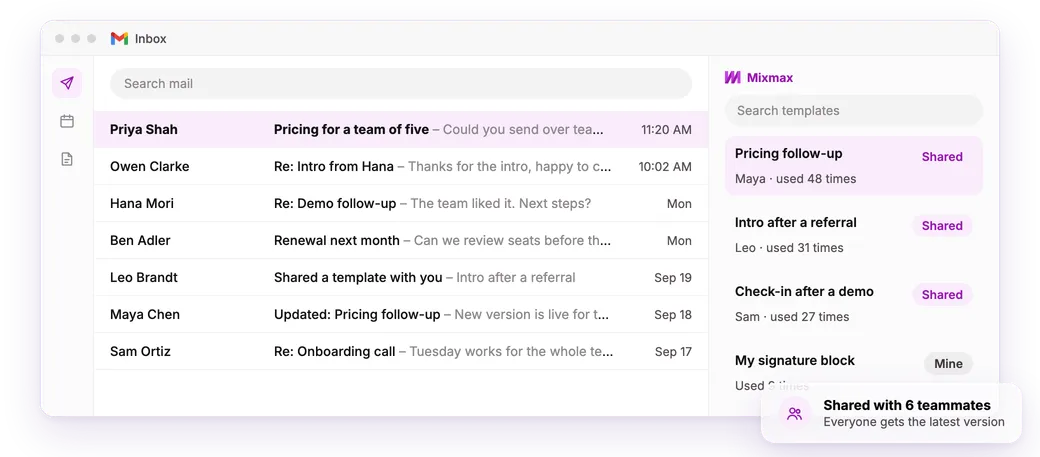
Everyone gets tracking, reminders and scheduling in their own Gmail. Share the templates that get replies, and pay one bill.
✓ Set up the same day✓ Works with or without a CRM✓ Add teammates any time
- 4.6★ on G2 from 1,400+ reviews
- #1 on G2 for ease of use and setup
- Teams of 3–5 book about 2× the meetings per person vs. people using Mixmax alone
What is Mixmax for small teams?
Mixmax is a lightweight platform inside Gmail that your whole team can share. Everyone gets tracking, reminders, sequences and scheduling in their own inbox. The team shares templates, and one person handles seats and billing. No CRM required.
Who it's for
Made for small teams that do their own outreach
A few people, a lot of email, and nobody whose job is running the tools.
A few people who all sell
Everyone chases their own deals. They all get the same setup in Gmail on day one.
Coworkers who each bought a seat
It happens more than you'd think. Move everyone into one workspace, with shared templates and one bill.
Account management, customer success and recruiting
Renewals, check-ins and candidates need follow-up too. The same reminders and scheduling work for them.
How it works
How small teams use Mixmax
-
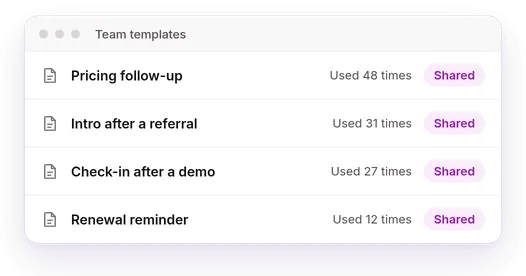
Share what works
Save your best emails as team templates, so a new hire sends the one that gets replies.
-
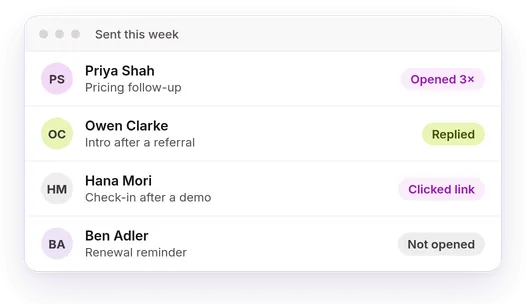
See who's interested
Everyone sees opens, clicks and replies on their own emails.
-
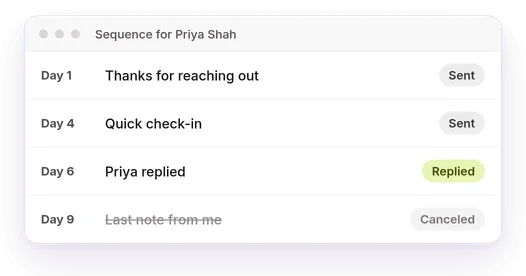
Follow up on a schedule
Sequences send the next email on the day you set and stop when someone replies.
-
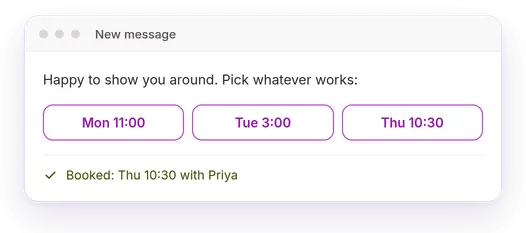
Book the call
Open times go right in the email. Nobody trades five messages to find a slot.
What small teams get
Everything in Mixmax, plus what it takes to share it.
- Tracking, reminders and scheduling for every seat
- Team templates and sequences
- LinkedIn steps in sequences
- One workspace, one bill
- HubSpot, Salesforce or Pipedrive sync
- Sequences written from a short prompt
Run it from your AI. Anyone on the team can use Mixmax from Claude or ChatGPT.
Works with the tools your team already uses
-
 Gmail
Gmail -
 Google Calendar
 -
 Zoom
Zoom -
 Slack
Slack -
 LinkedIn
 -
 HubSpot
 -
 Salesforce
 -
 Pipedrive
 -
 Zapier
 -

 Claude and ChatGPT
How Mixmax stacks up
Compared with what small teams usually try first.
| Everyone's own tools | A shared spreadsheet | A heavyweight sales platform | Mixmax | |
|---|---|---|---|---|
| Shared templates and sequences | No | No | Yes | Yes |
| Follow-ups stop when someone replies | No | No | Yes | Yes |
| Lives inside Gmail | Yes | No | No | Yes |
| No admin needed | Yes | No | No | Yes |
| Working the same day | Yes | Yes | No | Yes |
Mixmax has been revolutionary for our company. Prospecting used to take so much time that we paused the program, but now Mixmax makes it easy.
Alteia set up Mixmax in one day and booked 3× more meetings.
Frequently asked questions
How many people can use it?
As many as you need. Most teams start with one or two seats and add people as they go.
Can we share templates and sequences?
Yes. Save them to the team, and everyone can use them from their own Gmail.
Some of us already pay separately. Can we combine?
Yes. Move everyone into one workspace with one bill.
Do we need a CRM?
No. Connect HubSpot, Salesforce or Pipedrive later if you start using one.
How long does setup take?
A few minutes per person. Each teammate adds Mixmax to Gmail, and most teams are running the same day.