
Mixmax for Individuals
Stop forgetting to send follow-up emails.
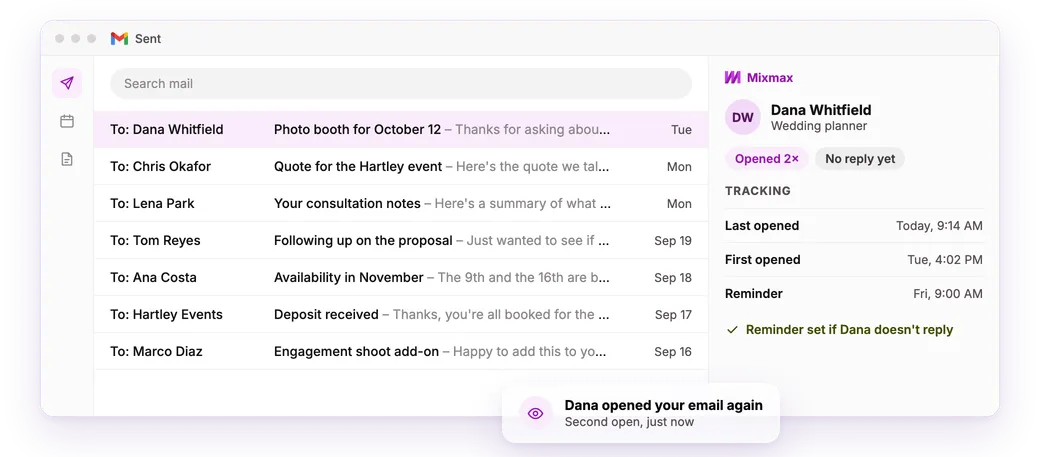
Mixmax works inside Gmail. See who opened your email, get a reminder when they don't reply, or have it send the follow-up for you.
✓ Follow-up reminders on the free plan✓ No credit card✓ Set up in ten minutes
- 4.6★ on G2 from 1,400+ reviews
- #1 on G2 for ease of use and setup
- Works inside Gmail with nothing new to learn
What is Mixmax for individuals?
Mixmax is a lightweight platform inside Gmail for people who send a lot of email on their own. It tracks opens, reminds you when someone hasn't replied, sends scheduled follow-ups and books meetings from inside the email. Reminders are free, and you don't need a CRM.
Who it's for
Built for anyone who runs their own inbox
No team to hand things off to. No one else watching for replies.
Freelancers and consultants
The proposal went out Tuesday. It's been opened twice, with no reply. On Friday, Mixmax reminds you to follow up.
Small business owners
Someone asked about an October date, got your prices and went silent. A follow-up four days later keeps you in the running.
Salespeople with their own seat
Your company doesn't pay for a sales tool, so you bought one. It runs in your work Gmail and syncs to your CRM.
How it works
Four steps, all inside Gmail
-
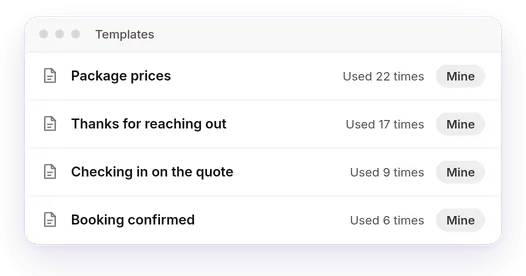
Write it in Gmail
Same address, same signature. Save your go-to replies as templates.
-
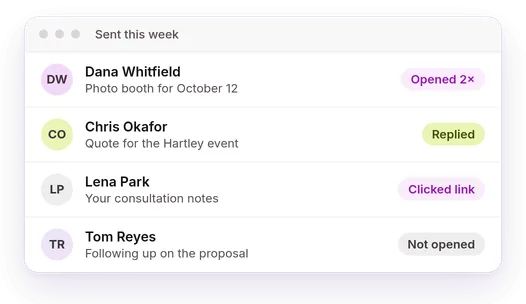
See who opened it
Opens, clicks and replies for each person, with an alert when they open it again.
-
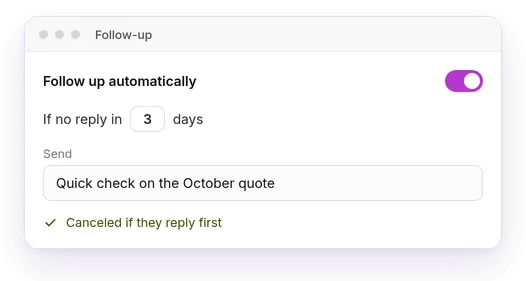
Follow up on time
Get a reminder, or schedule a follow-up that cancels itself if they reply.
-
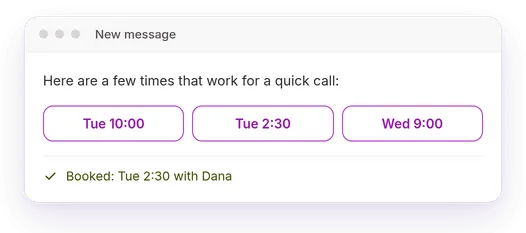
Book the meeting
Put your open times in the email. They pick one, and it's on your calendar.
Works with the tools you already use
-
 Gmail
Gmail -
 Google Calendar
 -
 Zoom
Zoom -
 Slack
Slack -
 Salesforce
 -
 HubSpot
 -
 Pipedrive
 -

 Claude and ChatGPT
How Mixmax stacks up
Compared with the usual ways of keeping track.
| A to-do list | A free email tracker | A heavyweight sales platform | Mixmax | |
|---|---|---|---|---|
| See who opened and clicked | No | Yes | Yes | Yes |
| Reminds you when there's no reply | No | No | Yes | Yes |
| Sends the follow-up for you | No | No | Yes | Yes |
| Lives inside Gmail | No | Yes | No | Yes |
| Working in ten minutes | Yes | Yes | No | Yes |
In our business, following up with people directly translates to more matches and happier clients. Before Mixmax we would have to manually follow up with our clients.
Three Day Rule's matchmakers work with 50% more clients.
Frequently asked questions
Is Mixmax only for sales teams?
No. Most people buy Mixmax for themselves, one seat at a time. Freelancers, consultants, business owners and salespeople use it to track replies and follow up on time.
Are follow-up reminders free?
Yes. Reminders, email tracking, templates and scheduling are on the free plan, with monthly limits. Paid plans raise the limits.
Does it work with my Gmail?
Yes. Mixmax adds to the Gmail you already use. Your address, inbox and signature stay the same.
Will people know the follow-up was scheduled?
No. It sends from your address, in the same thread. If they've already replied, it doesn't send.
Do I need a CRM?
No. Mixmax works on its own. You can connect Salesforce, HubSpot or Pipedrive later.