
Mixmax for Agencies
Pitch your services. Follow up with everyone you pitch.
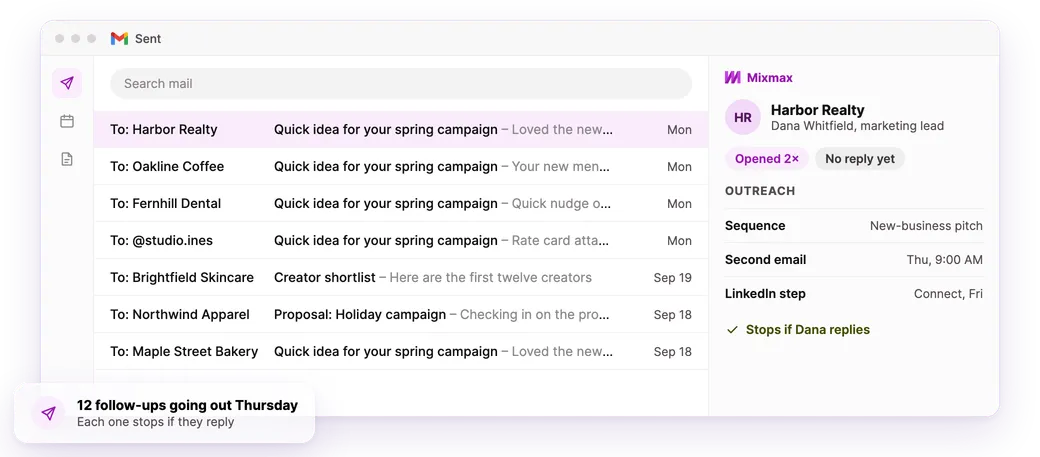
Mixmax sends your second and third email on the day you pick and stops when someone replies. Every email still comes from you.
✓ One seat or the whole agency✓ No credit card✓ Set up in ten minutes
- 4.6★ on G2 from 1,400+ reviews
- #1 on G2 for ease of use and setup
- Works inside Gmail with nothing new to learn
What is Mixmax for agencies?
Mixmax is a lightweight platform inside Gmail for agencies that pitch their own work. It tracks opens, sends follow-ups on schedule and books calls in one click, so every pitch and client thread keeps moving. It works with or without a CRM.
Who it's for
For agencies that live in the inbox
Your clients pay for your attention, and every email has your name on it.
Forty pitches out this week
Brands, creators, property owners, new clients. Most won't answer the first email, so Mixmax sends the second and third on schedule.
The proposal that's “under review”
The client said they'd get back to you. Three weeks later, a short follow-up puts it back on their desk.
The clients you serve every month
Updates, check-ins and renewals. Notes and next steps stay on the thread, and calls book in one click.
How it works
How agencies use Mixmax
-
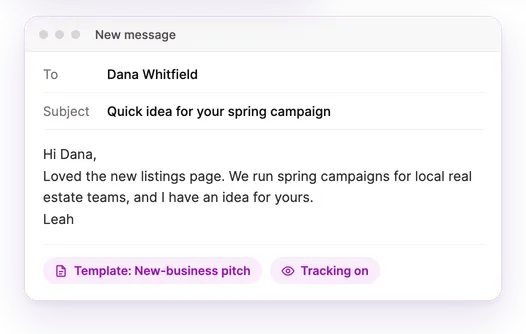
Write the pitch
Templates cover the parts you repeat. The personal line is still yours.
-
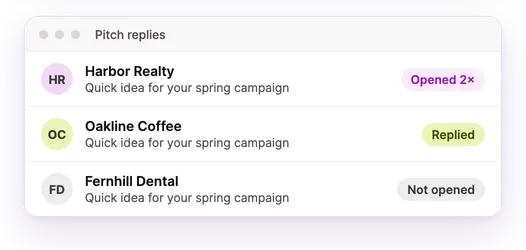
See who's reading
Opens, clicks and replies for every pitch and client.
-
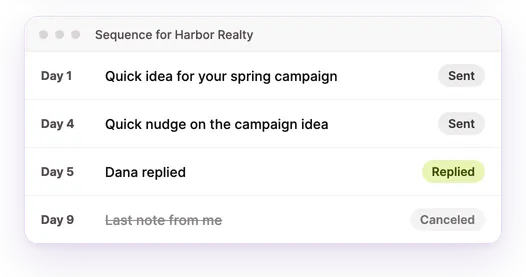
Send the second and third email
They go out from you, in the same thread, and stop when someone replies.
-
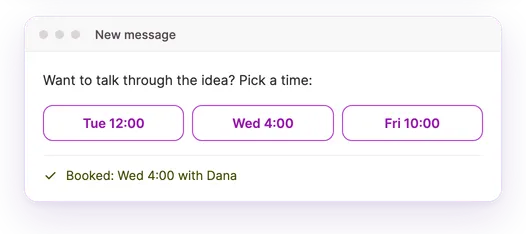
Book the call
Put your open times in the email. Your CRM stays up to date if you use one.
Room for the whole agency
Start with one seat and add people as you grow.
- Each person gets their own seat and tracking
- Shared templates, so everyone sends what works
- LinkedIn steps in sequences
- One bill as you add people
Works with the tools you already use
-
 Gmail
Gmail -
 LinkedIn
 -
 Google Calendar
 -
 Slack
Slack -
 Zoom
Zoom -
 Google Sheets
 -
 HubSpot
 -
 Salesforce
 -
 Pipedrive
 -

 Claude and ChatGPT
How Mixmax stacks up
Compared with what agencies usually try first.
| A tracker sheet | A free email tracker | Bulk email tools | Mixmax | |
|---|---|---|---|---|
| See who opened and clicked | No | Yes | Yes | Yes |
| Follow-ups stop when they reply | No | No | Yes | Yes |
| Sends from your own inbox | Yes | Yes | Often a spare domain | Yes |
| Lives inside Gmail | No | Yes | No | Yes |
Mixmax is an important partner that allows us to maintain our friendly, relational voice while also operating at scale.
Frequently asked questions
Will the people you pitch know a follow-up was automated?
No. It sends from your own address, in the same thread. If someone replies, the next one doesn't go out.
Can I personalize every email and still use a sequence?
Yes. Templates fill in the parts you type every day. The line that shows you did your homework stays yours.
Can I add LinkedIn steps?
Yes. A sequence can include a LinkedIn connection request or InMail. Mixmax reminds you when it's time to send them.
Can my whole team use it?
Yes. Everyone gets their own seat and tracking, and templates can be shared. Many agencies start with one seat.
Do I need a CRM?
No. Mixmax works on its own inside Gmail. It syncs with HubSpot, Salesforce or Pipedrive if you use one.