
Mixmax for Sellers
Never lose a deal to a forgotten follow-up.
See who's reading your emails and send follow-ups on schedule, right inside Gmail. Meetings and replies log to Salesforce or HubSpot for you.
✓ Syncs to Salesforce and HubSpot✓ No credit card✓ Set up in ten minutes
- 4.6★ on G2 from 1,400+ reviews
- #1 on G2 for ease of use and setup
- Works inside Gmail with nothing new to learn
What is Mixmax for sellers?
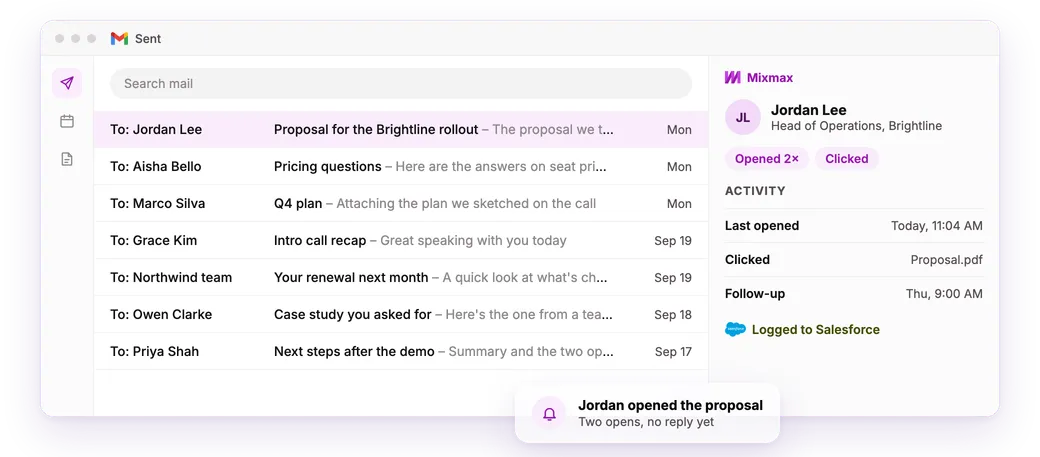
Mixmax is a lightweight platform inside Gmail for people who sell. It tracks opens and clicks, sends follow-ups on schedule and stops them when someone replies. Meetings book in one click, and it all logs to your CRM.
Who it's for
For people who run their own deals
Whether you're the only salesperson or one of forty, the follow-up is yours to send.
You're the first salesperson
No one to hand a thread to, and no one to catch the one you drop. Mixmax sends the follow-up while you're on a call.
You bought your own seat
Your company doesn't give you a sales tool, so you pay for one. Your team can join later.
You look after existing customers
Renewals, check-ins and upsells. Your last email, notes and next step stay on the thread.
How it works
From first email to booked meeting
-
Send the first email
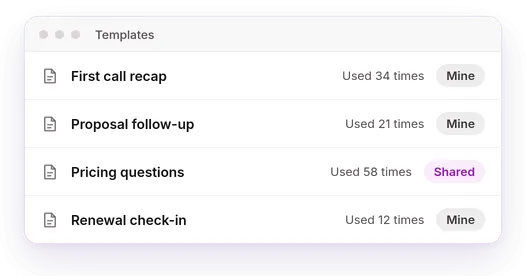
One email or a sequence to forty. Templates handle the ones you send every week.
-
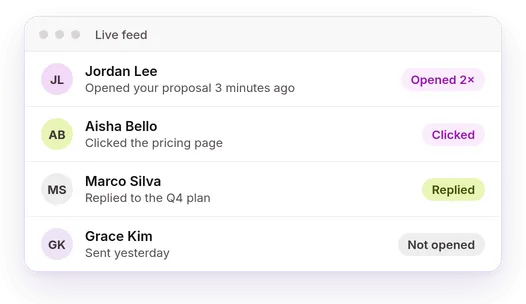
See who's interested
Opens, clicks and replies for each person, so you call the ones who are reading.
-
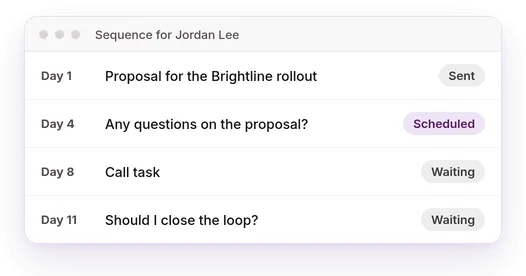
Follow up before they go cold
Send the next email in three days if they don't reply. It stops when they answer.
-
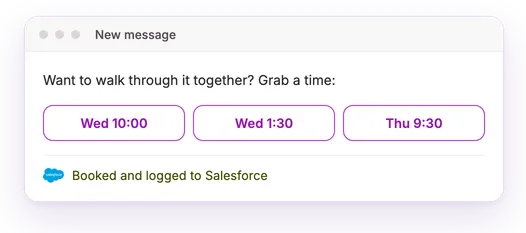
Book it and log it
They pick a time inside your email. The meeting and thread land in your CRM.
Works with the tools you already use
-
 Gmail
Gmail -
 Salesforce
 -
 HubSpot
 -
 Pipedrive
 -
 Zoho
Zoho -
 Google Calendar
 -
 Zoom
Zoom -
 Slack
Slack -
 LinkedIn
 -
 Dialpad
 -

 Claude and ChatGPT
How Mixmax stacks up
Compared with what most sellers have tried.
| Gmail and a spreadsheet | A free email tracker | A heavyweight sales platform | Mixmax | |
|---|---|---|---|---|
| See who opened and clicked | No | Yes | Yes | Yes |
| Follow-ups stop when they reply | No | No | Yes | Yes |
| Logs to Salesforce or HubSpot | No | No | Yes | Yes |
| Lives inside Gmail | Yes | Yes | No | Yes |
| Working in ten minutes | Yes | Yes | No | Yes |
My favorite feature is the 'remind me' functionality, which I use on every single email that I send. It allows me to stay on top of my accounts to make sure I get the response that I need.
Gong's team gets a 52% reply rate on sequences.
Frequently asked questions
Does Mixmax sync with Salesforce and HubSpot?
Yes. Emails, replies, meetings and sequence steps log automatically. Mixmax isn't a CRM. It keeps yours up to date.
Do I have to leave Gmail?
No. Tracking, templates, follow-ups and scheduling all work in Gmail. Longer sequences and reports live in the web app.
What happens when someone replies?
The sequence stops for that person. Nobody gets a “just checking in” after they've answered.
How is this different from a big sales platform?
Big platforms take weeks to set up and need someone to run them. Mixmax adds to Gmail and works the same day.
Can I try it first?
Yes. Start with a full trial, no credit card. Then keep the free plan or pick a paid one.