You probably write dozens of emails every day. You open a new message, type a subject line, add a greeting, write the body, and finish with a closing. But what if you could skip most of that? For a short email, the most effective strategy is to put your entire point in the subject line and leave the body blank. This small change saves you time and, more importantly, saves your recipient’s time. It’s the first step toward rethinking your entire email process. How you structure your subject and compose email content says a lot about you.
Why Shorter Emails Win
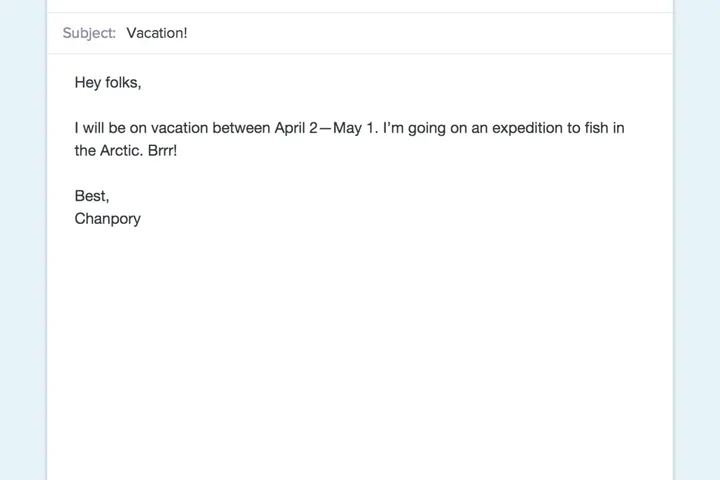
A standard email to tell folks “I’m going on vacation” might look like this:
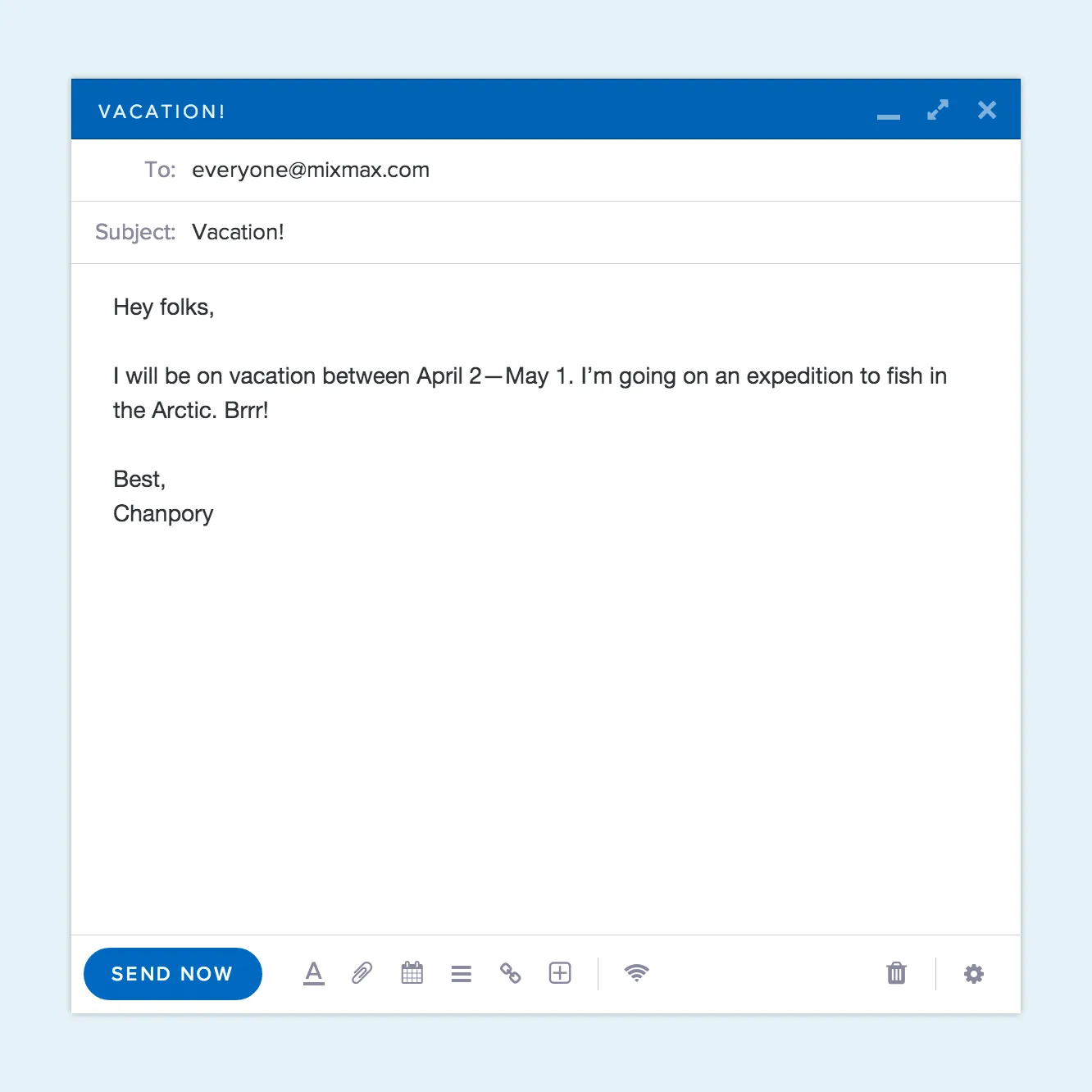
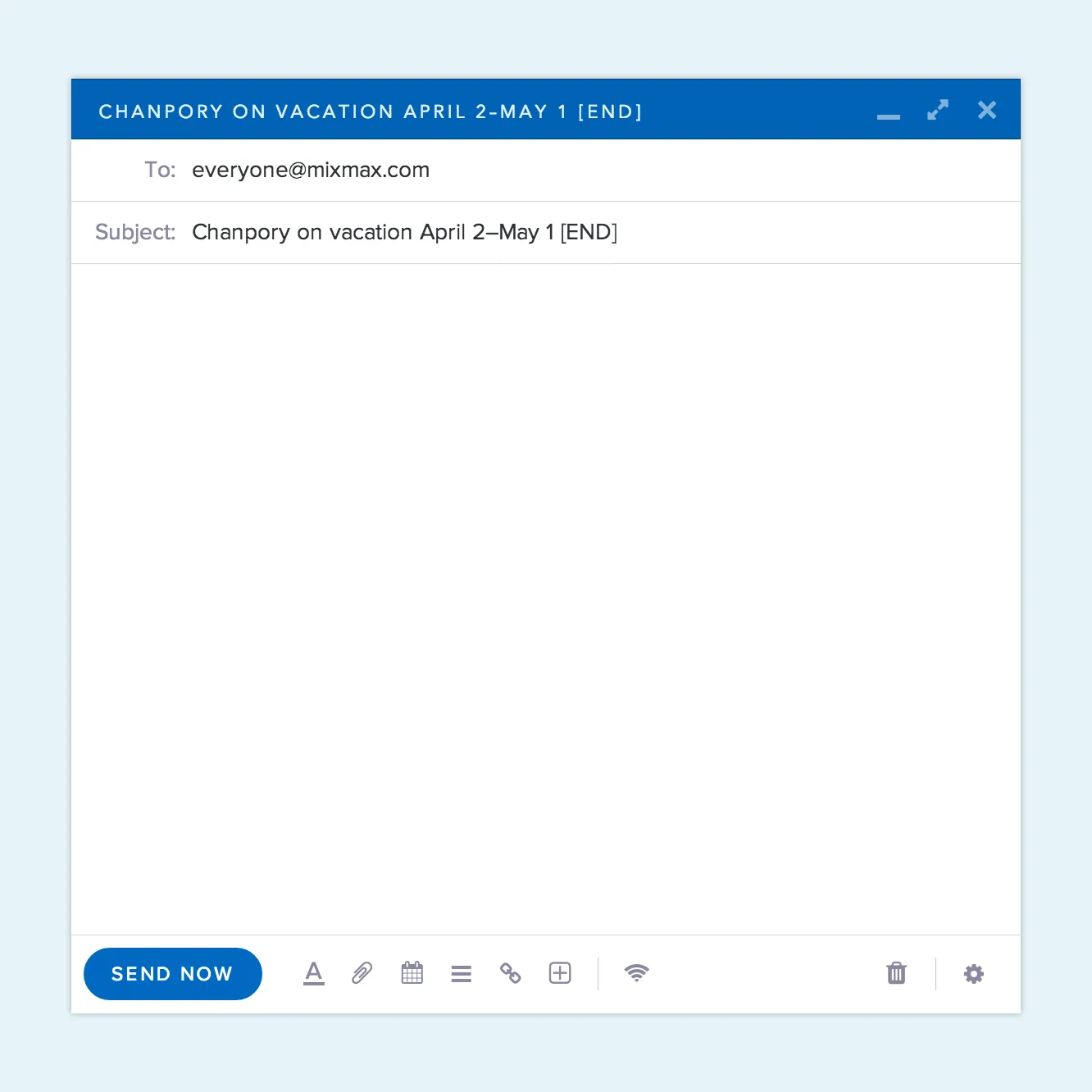
That’s a lot of work to just say “I’m going to be gone for two weeks”. Instead, put the main point in the subject line followed by “ [ END]” or “ [ EOM]”, which is short for “end of message”. Leave the body blank, hit send, and you’re done:
Related Post: 7 Tips to Make Follow-Up Emails More Effective
The Standard Parts of an Email
Even when you’re sending a quick message, most emails follow a standard structure. Think of it as the basic grammar of email communication. Getting these parts right shows professionalism and makes your message easier for the recipient to understand. It’s not about being overly formal; it’s about being clear and respecting the other person’s time. From the initial greeting to your final sign-off, each component has a role to play in making sure your point lands exactly as you intended. Mastering this simple format helps you write effective emails faster, so you can spend less time managing your inbox and more time on the work that actually moves deals forward.
Greetings and Salutations
Starting your email on the right foot is simple: just address the person you’re writing to directly. A friendly and professional opening sets the tone for the entire message. If you’re unsure how to address someone, a quick look at how they sign their own emails can give you a clue. It’s always better to be safe and use their full name if you’re not sure about titles or gender. A simple “Hi [First Name],” or “Hello [First Name],” works perfectly in most professional settings. This small step shows respect and ensures your message feels personal, not like a generic blast sent to a faceless list.
Writing the Email Body
The body of your email is where you make your point, and the key is to be concise. No one wants to read a wall of text. Aim to keep your paragraphs short, around four to five sentences each, with every sentence serving a clear purpose. This is where having a library of templates and snippets comes in handy. For common messages, like follow-ups or meeting requests, using a pre-written template ensures you include all necessary information without extra fluff. This practice not only saves you time but also helps you maintain a consistent and professional voice across all your communications, getting you closer to a reply.
Closings
How you end your email is just as important as how you begin it. A strong closing leaves a good final impression and, most importantly, tells the recipient what to do next. This is your call-to-action. Are you asking for a reply, a decision, or for them to book a meeting? State it clearly. You can make it even easier for them by including a one-click scheduling link right in your email. After your call-to-action, use a polite closing phrase. Simple options like “Best,” “Sincerely,” or “Regards,” are always a safe bet for maintaining a professional tone.
Email Signatures
Your email signature is your digital business card. At a minimum, it should include your full name. For professional correspondence, adding your job title, company, and a link to your website or LinkedIn profile is standard practice. This gives the recipient all the context they need without you having to type it out every single time. Using a tool that standardizes signatures across your team can ensure everyone’s contact information is consistent and on-brand. Keep it clean and simple; a cluttered signature can be distracting and look unprofessional, undermining the clarity of your message.
Formatting for Readability
How your email looks matters. A message that’s hard to read is a message that’s easy to ignore. Good formatting makes your content scannable and helps your main points stand out. The goal is to guide your reader’s eye through the text effortlessly. Using plenty of white space, breaking up long paragraphs, and choosing a clean font are all simple ways to improve the reader’s experience. Think about your own inbox—you’re much more likely to engage with an email that is neatly organized and easy on the eyes than one that looks like a solid block of text.
For maximum clarity, use a “block format,” where all text is aligned to the left. Use single spacing for your lines and add an extra blank line between paragraphs instead of indenting them. According to a guide on professional email, this use of white space makes the entire message much easier to digest. Also, pay close attention to your subject line. Since many people read emails on their phones, it’s best to keep subject lines short and to the point—ideally under 40 characters. A clear, concise subject line not only grabs attention but also gives the recipient a reason to open your message in the first place.
They Save Time and Earn You Respect
At first, it seems like a subject-line email doesn’t save you much time. It’s only 15 seconds or so less than writing a full email. But seconds add up to a lot in a year. Imagine all the quick emails you send annually, and you’ll realize you could be spending the time working, eating, or doing dance battles. More importantly, you’re saving your recipient’s time by not compelling them to take the extra step to open the email.
Keep it Short for Mobile Viewers
Most emails are first seen on a phone. If your subject line is too long, it will get cut off, and your message will be lost. A good rule of thumb is to keep it under 50 characters. This forces you to be direct and clear about your email’s purpose. According to Grammarly, a professional subject line should use clear and short language to get the point across quickly. Think of it as a headline for your message; it needs to grab attention and communicate value in just a few words. Before you hit send, glance at your subject line and ask yourself: “If this was all someone saw, would they know what this email is about?”
Use Numbers and Questions
Two simple tricks can make your subject lines stand out in a crowded inbox: numbers and questions. People are naturally drawn to numbers because they set clear expectations. A subject line like “3 quick questions about your Q4 goals” is more concrete and easier to process than “A few questions.” Similarly, posing a direct question engages the reader’s curiosity and makes the email feel more like the start of a conversation. As MailerLite points out, this approach makes your email feel more personal and less like a mass broadcast, prompting the recipient to open it to find the answer.
Personalize Your Subject Line
Personalization goes beyond just using a recipient’s first name. While that’s a good start, true personalization shows you’ve done your homework. Mention their company, a recent article they wrote, or a mutual connection. A subject line like “Great post on LinkedIn, [Name]” or “[Mutual Connection] suggested I reach out” immediately builds rapport and proves your email isn’t just another automated blast. This small effort signals that you value their specific work and perspective, making them far more likely to engage with your message. It’s the difference between a cold email and a warm introduction.
Use the Preheader for Extra Impact
The preheader is that short line of text that appears next to the subject line in most email clients, and it’s incredibly valuable real estate. Many people forget about it, which means it often defaults to something generic like “View this email in your browser.” Instead, use this space to add context or a compelling call to action that complements your subject line. If your subject is “Your meeting is confirmed,” the preheader could be “Here’s the agenda and a link to join.” This gives recipients more information at a glance and another reason to open your email.
What to Avoid in a Subject Line
Just as important as what you include is what you leave out. Avoid anything that looks like spam. That means no writing in ALL CAPS, using excessive exclamation points, or including cheesy, sales-heavy phrases like “Once in a lifetime offer!” These tactics don’t create urgency; they create suspicion and can land your email in the junk folder. The goal is to sound like a human, not a robot. Keep your tone professional and direct. A simple, honest subject line will always perform better than one that tries too hard to grab attention with flashy tricks.
Email Etiquette and Best Practices
Beyond the subject line, the way you compose and send your email says a lot about you. Good email etiquette isn’t about following stuffy, outdated rules; it’s about showing respect for the other person’s time and attention. Every email you send is a reflection of your professionalism and helps build your relationships. Getting the small details right—from who you include in the “To” field to giving your message a final proofread—can make a huge difference in how your message is received. These practices ensure your communication is always clear, respectful, and effective.
Understanding CC and BCC
Knowing when to use Carbon Copy (CC) and Blind Carbon Copy (BCC) is a fundamental part of professional communication. Use CC when you want to keep someone in the loop, but they aren’t the primary recipient. For example, you might CC your manager on a project update sent to a client. BCC is for when you need to include someone without the other recipients knowing. This is often used for privacy or when adding an email to a database. However, a better way to log sales activity is with a tool that offers automatic CRM sync. That way, your conversations are recorded without you having to remember to BCC Salesforce every time.
Proofread Everything
A single typo can undermine the credibility of your entire message. Before you send any email, take a moment to read it over one last time. Check for spelling mistakes, grammatical errors, and typos. Reading your message out loud is a great way to catch awkward phrasing or sentences that don’t make sense. This small step shows that you are detail-oriented and respect the recipient enough to send a polished, professional message. As the experts at Stripo suggest, a quick proofread is one of the easiest ways to maintain a professional image and ensure your message is understood exactly as you intended.
When to Use Attachments
Attachments can be a pain. They clog up inboxes, can be flagged by spam filters, and are hard to track. Before you attach a file, ask if it’s truly necessary. Often, it’s better to upload the document to a cloud service and share a link instead. This keeps your email lightweight and allows you to see who has clicked the link to view the document, giving you valuable engagement signals. If you must send an attachment, be mindful of the file size and type to ensure the recipient can easily open it on their device.
Test Your Subject Lines
You don’t have to guess which subject lines work best. The most effective sales reps treat their outreach like a science experiment. Try A/B testing different subject lines to see what resonates with your audience. For example, you could send one version with a question and another with a number to see which gets a higher open rate. Over time, you’ll gather data that tells you exactly what works. Tools with built-in analytics can show you the open and reply rates for every email in your multichannel sequences, taking the guesswork out of your follow-up.
Advanced Email Features That Save Time
Writing a great email is only half the battle. The other half is doing it efficiently, so you can spend more time selling and less time on administrative tasks. Your inbox can be much more than just a place to send and receive messages. With the right tools, it becomes a command center that helps you work faster and smarter. Features like templates and email scheduling aren’t just nice to have; they are essential for any serious sales professional looking to get hours back in their day and focus on what matters: closing deals.
Use Email Templates for Consistency
How much time do you spend writing the same emails over and over? Whether it’s a follow-up after a demo or a confirmation for a meeting, templates can save you a massive amount of time. They also ensure your messaging is consistent and on-brand across your entire team. Instead of rewriting from scratch, you can insert a pre-written template with a single click. With Mixmax, you can create and share templates with your team right inside Gmail, which helps save reps more than two hours a day on average. This means less time on repetitive tasks and more time building relationships with customers.
Schedule Emails to Send Later
Just because you’re working late doesn’t mean your prospect wants an email at 10 PM. Email scheduling lets you write messages when it’s convenient for you and have them delivered when it’s most effective for the recipient. This is perfect for communicating across time zones or ensuring your email lands at the top of their inbox first thing in the morning. Some tools even offer AI-powered scheduling that analyzes past engagement to determine the perfect time to send a message to each individual. Using this approach can lead to much higher open rates—we’ve seen Smart Send achieve 67% open rates, far above the industry average.
Frequently Asked Questions
Is it rude to send an email with only a subject line? Not at all, as long as you do it correctly. The key is to add “[EOM]” (end of message) to your subject line. This signals to the recipient that they don’t need to open the email to get the full story. It shows you respect their time by delivering the message in the most efficient way possible. It’s a move that busy people appreciate.
What if my message is too complex for a short email? Some topics naturally require more detail. The goal isn’t always to write a five-word email; it’s to be as concise as possible. If you need to write a longer message, focus on clarity. Break your text into short paragraphs, use plenty of white space, and have one clear call-to-action. A well-structured email is easy to scan, even if it contains important details.
Will using email templates make my outreach sound generic? Only if you use them incorrectly. Think of a template as a starting point, not the final product. A good template handles the 80% of your message that’s repetitive, like your greeting, closing, and basic value proposition. This frees you up to spend your time on the most important 20%: a personalized opening line or a specific reference that shows you’ve done your research.
How do I know the best time to send an email? While sending an email to land at the top of someone’s inbox in the morning is a good general rule, it’s not a perfect science. The best time to send an email is when your specific recipient is most likely to read it. The most effective way to figure this out is by using tools that analyze past engagement data to predict the optimal send time for each individual contact.
Besides keeping it short, what’s the most important part of a good subject line? Relevance. Your subject line must feel like it was written specifically for the person receiving it. Personalization is the best way to achieve this. Mentioning their company, a recent accomplishment, or a mutual connection immediately separates your email from the hundreds of generic blasts in their inbox. It proves you’re a real person who has taken the time to learn something about them.
Key Takeaways
- Embrace the subject-only email: For quick updates, put your entire message in the subject line and add
[EOM]for “end of message”. It’s a simple change that saves you and your recipient valuable time. - Write subject lines that earn a click: Make your subject lines specific and personal. Using numbers and direct questions helps your message stand out in a crowded inbox and encourages a response.
- Stop doing manual email work: Use tools like templates, email scheduling, and automatic CRM sync to handle repetitive tasks. This frees up hours every day so you can focus on the work that actually closes deals.