
Measure what matters
Learn which sequences and reps are getting engagement and booking meetings. Pinpoint what is working and roll it out across the rest of the team.
Why Reporting
Stop guessing what is driving deals
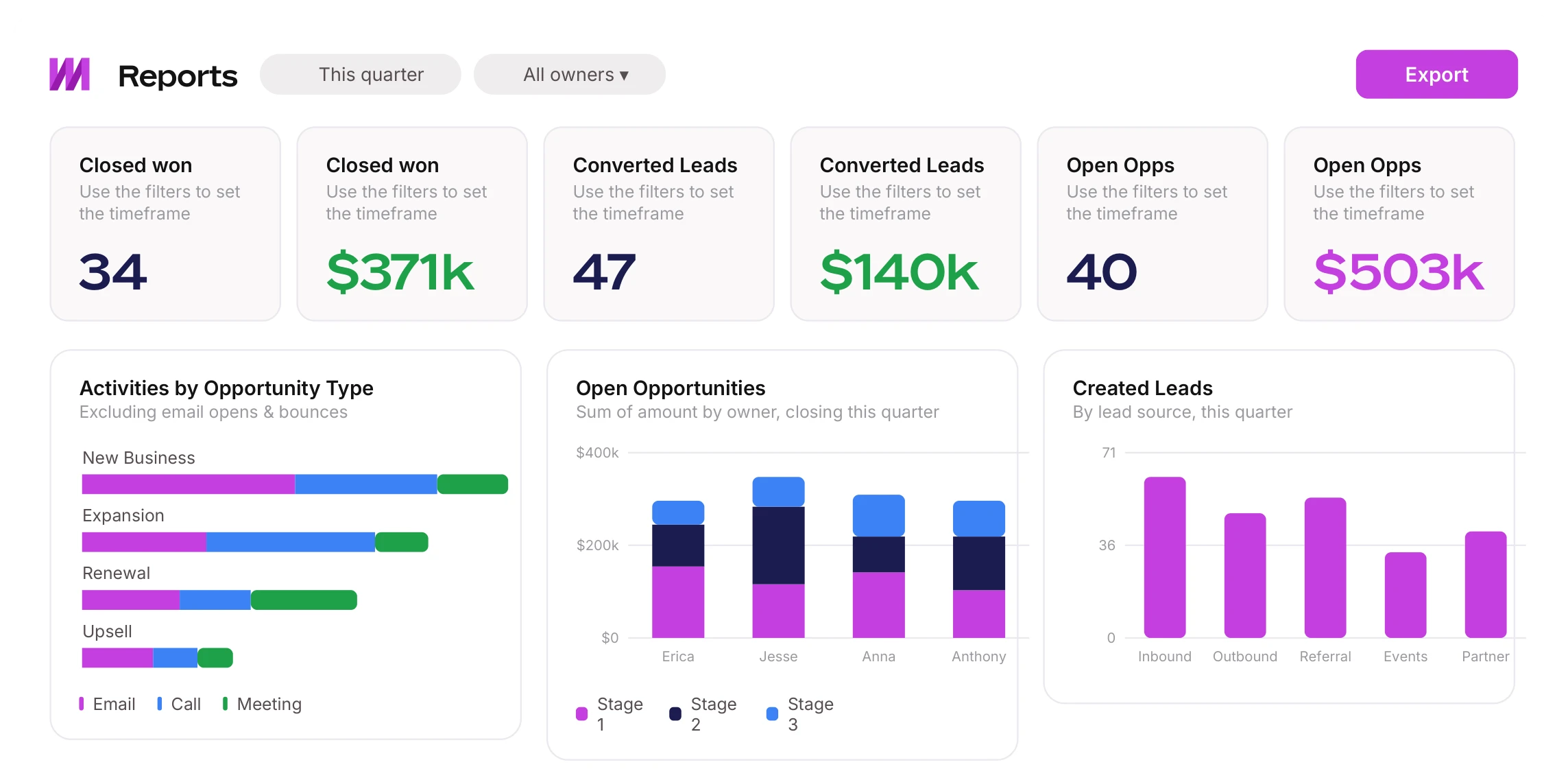
Mixmax reporting shows you which sequences convert, which reps are executing, and where activity turns into revenue — so you can make decisions on data, not gut feel.
See who is actually performing
Know which reps book the most meetings and which sequences convert. Break it down by individual, team, or department, and coach with data instead of gut feel.
Double down on what works
Spot the messages, templates, and sequences getting the most engagement, then roll them out to the whole team so everyone runs your best plays.
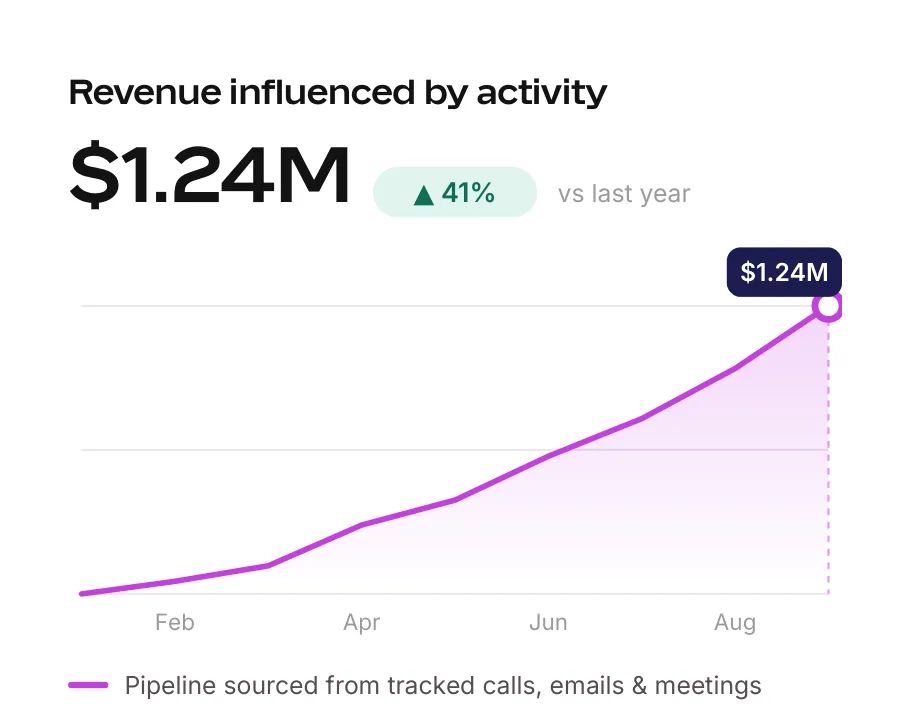
Connect activity to revenue
Tie calls, emails, and meetings back to pipeline in Salesforce with Mixmax Insights, so you can prove what is actually driving deals.
Reporting built for revenue teams
Turn sales activity into insight you can act on — and pipeline you can measure
Track sales engagement trends
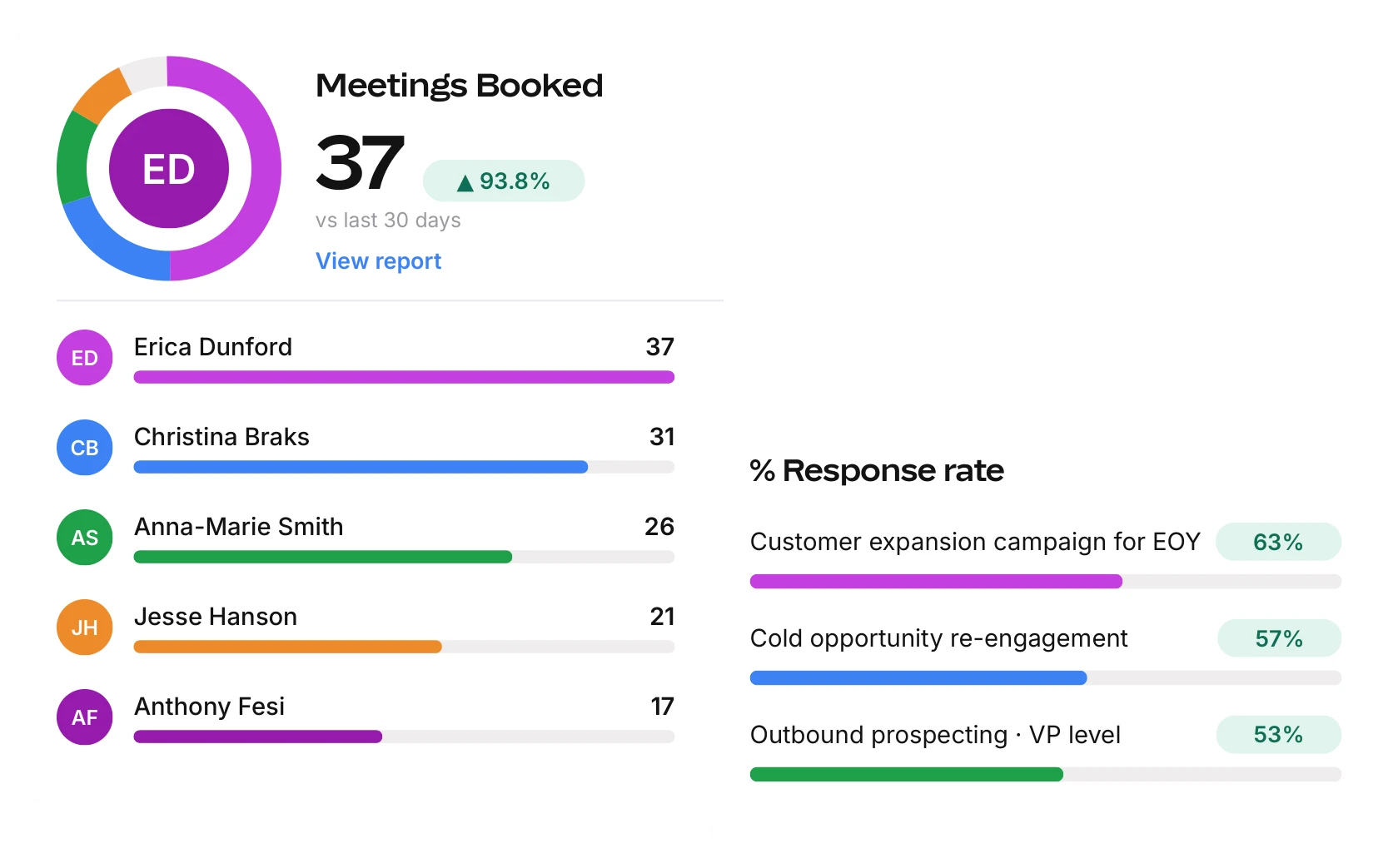
Access a leaderboard to see which reps book the most meetings, and review performance insights by individual, team, or department. Give reps real-time email tracking — see who is opening, forwarding, or clicking content in their emails.
Scale top-performing content
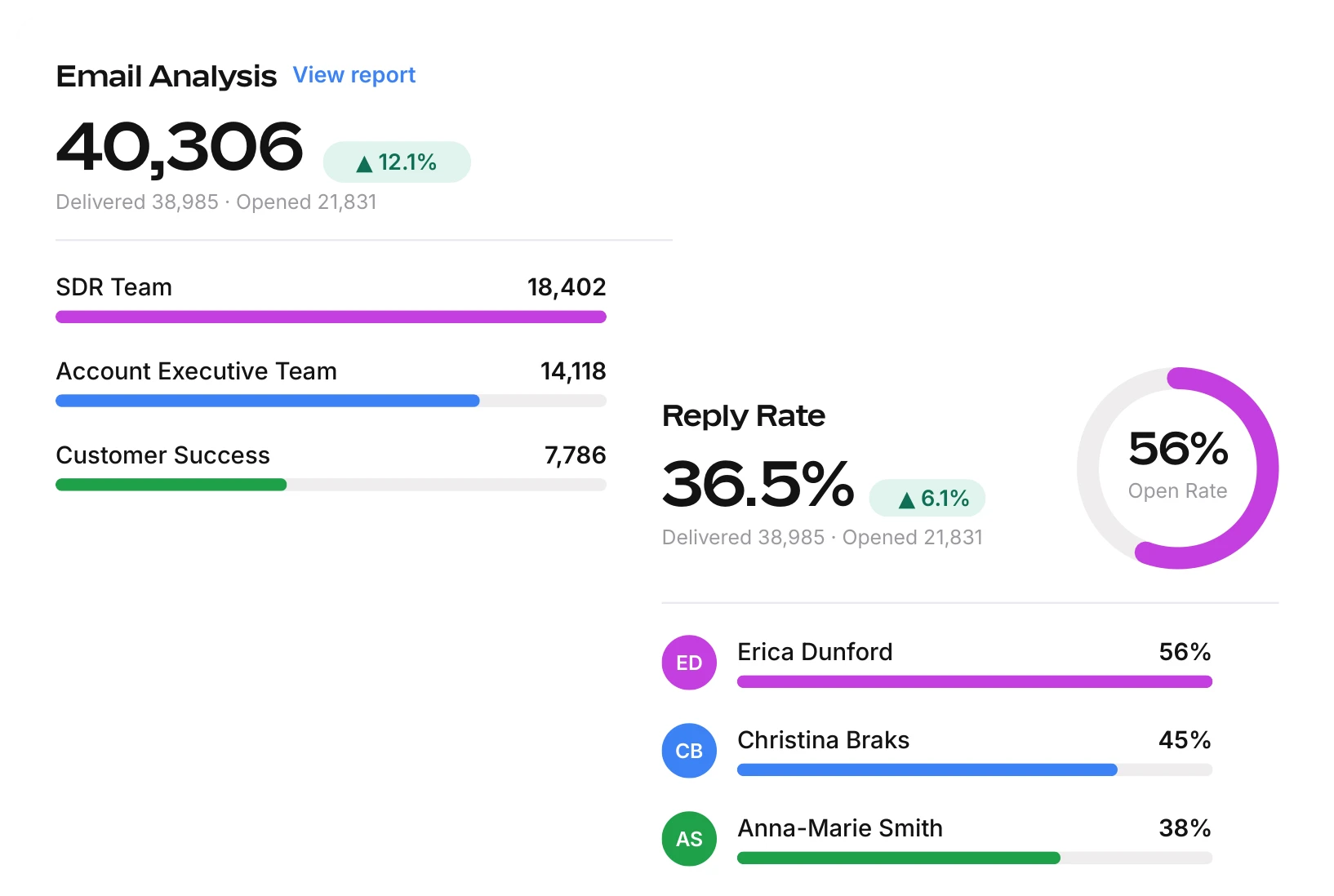
Report on which messages and attachments are getting the most engagement and results. Share sequences, templates, and other content to level up your team.
Connect activities to revenue with Mixmax Insights
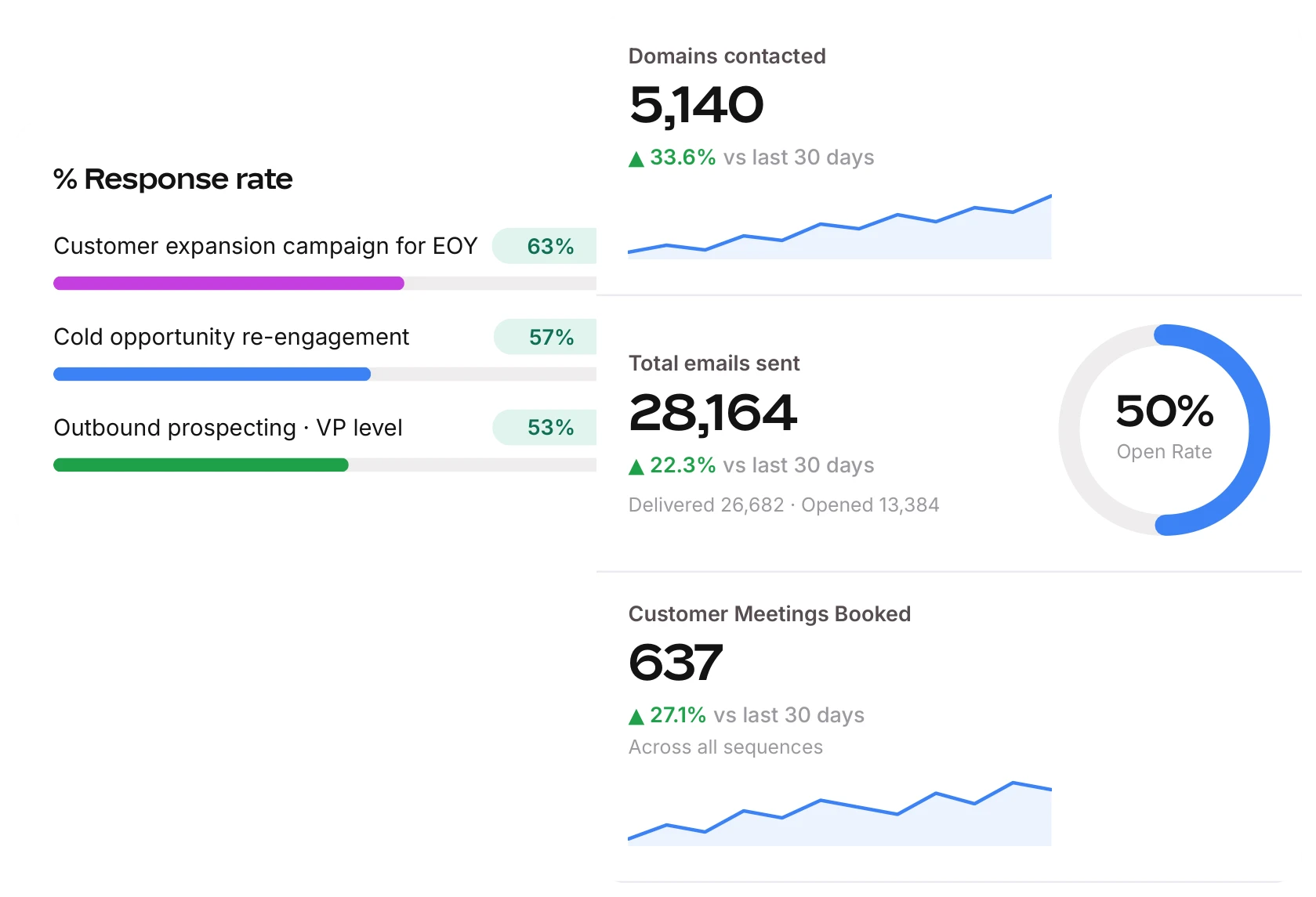
Install over 30 Salesforce reports with one click. Monitor daily, weekly, and monthly metrics, including the number of calls, emails, LinkedIn outreach, and scheduled meetings.

Frequently asked questions
-
What reporting does Mixmax include?
Mixmax reports on sequence performance, rep and team activity, email engagement (opens, forwards, clicks, and replies), and meetings booked. With Mixmax Insights, it also surfaces Salesforce-based revenue metrics so you can connect activity to pipeline.
-
Can I see how individual reps and teams are performing?
Yes. A leaderboard shows which reps book the most meetings, and you can review performance insights by individual, team, or department to see who is executing and who needs coaching.
-
Does Mixmax reporting work with Salesforce?
Yes. Mixmax Insights installs over 30 Salesforce reports in one click and tracks daily, weekly, and monthly metrics — including calls, emails, LinkedIn outreach, and scheduled meetings.
-
Can I track email opens, clicks, and replies?
Yes. Real-time email tracking shows who is opening, forwarding, or clicking content in your reps’ emails, so your team can follow up at the right moment.
-
How is this different from the analytics already in my CRM?
Mixmax captures engagement at the source — every email, sequence step, and meeting — then ties it back to pipeline in Salesforce. You see what reps actually do, not just what gets logged manually after the fact.
Reimagine your GTM strategy
See how Mixmax turns everyday sales activity into pipeline you can measure