We’re excited to share fantastic new updates that make managing contacts and automating workflows easier than ever, helping you get the most out of the Mixmax and HubSpot integration.
Automatic sequence enrollment
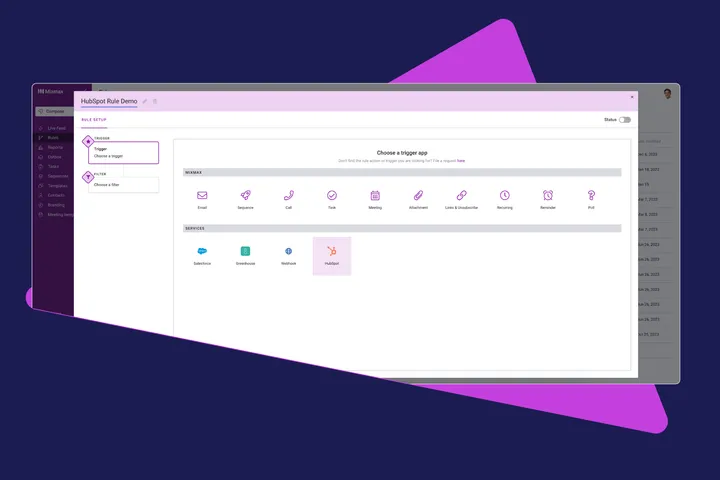

As your HubSpot list grows, you can now automatically add HubSpot Contacts to Mixmax Sequences, or remove/unsubscribe them as needed. This allows you to effortlessly nurture your leads and ensure they receive the right messages at the right time.
You can also filter contacts by any HubSpot property, ensuring your outreach remains relevant and personalized, boosting your chances of creating new opportunities for your team.
Plus, the creation of new HubSpot contacts can trigger various actions, such as sending an email template, Slack, email, or SMS notification, and the creation of a manual email task. Learn more.
 Increased visibility and accessibility
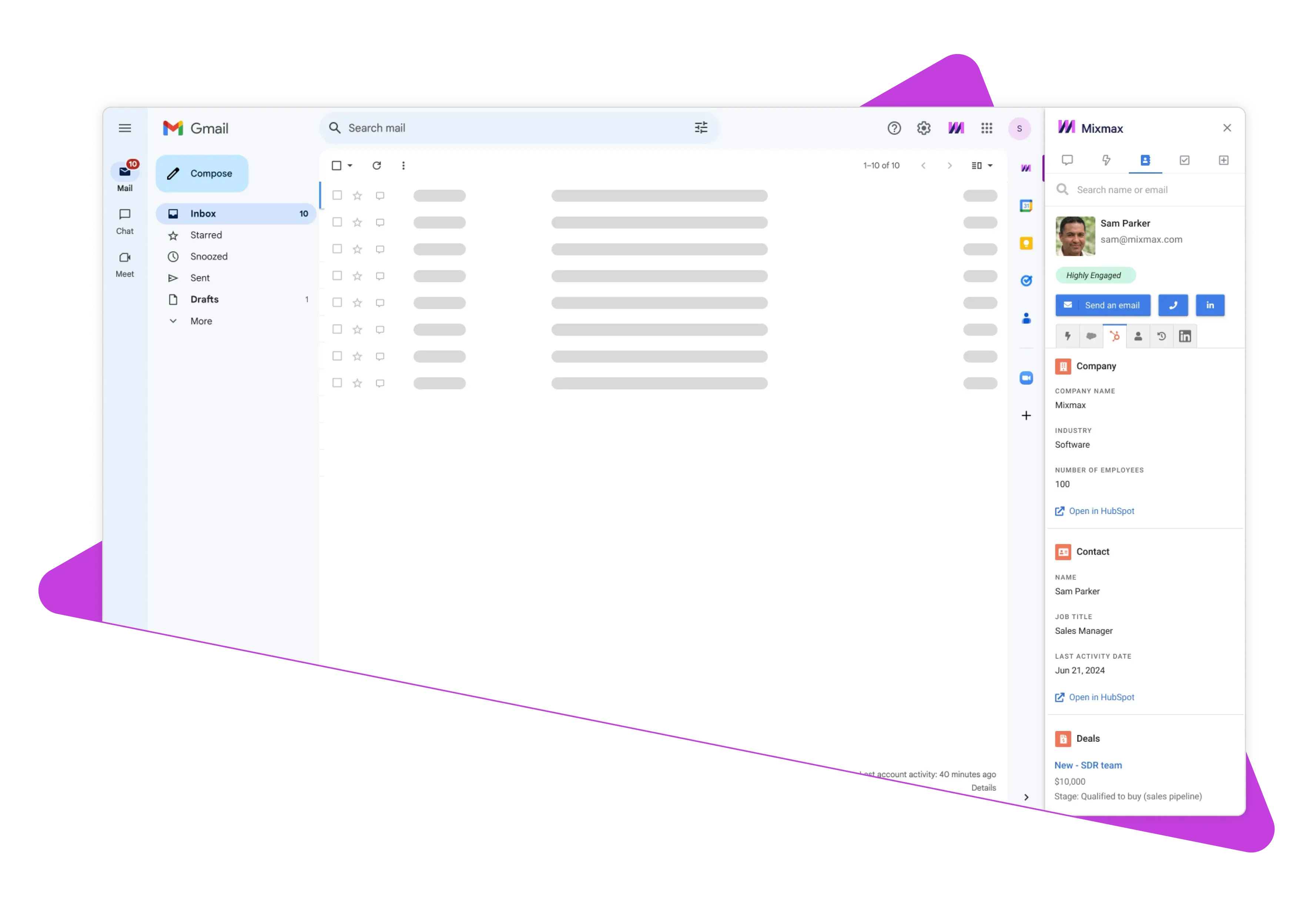
No more tab-switching! Navigate to the People section in the Mixmax Sidebar and select the HubSpot tab to view all your contacts, companies, and details from the five most recent deals.
Customize which fields are visible in the Sidebar to tailor your view to your specific needs.
✨ This help article explains how to customize which fields are visible in the Sidebar.
 ➡️ Go to your personal Integrations settings and enable both automatic and manual workflows. This feature is available on Growth+CRM and Enterprise plans, allowing you to streamline your processes and improve efficiency.