









Stop copying meeting notes into AI prompts. The Mixmax MCP server gives Claude and ChatGPT direct access to full transcripts, key points, and action items from every call — so AI answers come from what was actually said.

Context Stays Complete
Every meeting generates a full transcript, auto-summary, and action item list in Mixmax. The MCP server delivers all three to your AI tool — no manual copying, no missing context, no 'I think they said something about pricing.'

Query Any Meeting
Ask your AI 'what did Jane say about the timeline?' or 'list all action items from the Acme calls this month' and get answers pulled from real transcript data across your meeting history.

Follow-Ups Reference Reality
AI drafts follow-up emails that mention the specific topics discussed, questions raised, and next steps agreed on — because it has the transcript, not a vague prompt about 'the meeting.'
Full transcripts, queryable history, AI-drafted follow-ups, and pre-call context — all powered by real meeting data flowing through the Mixmax MCP server.
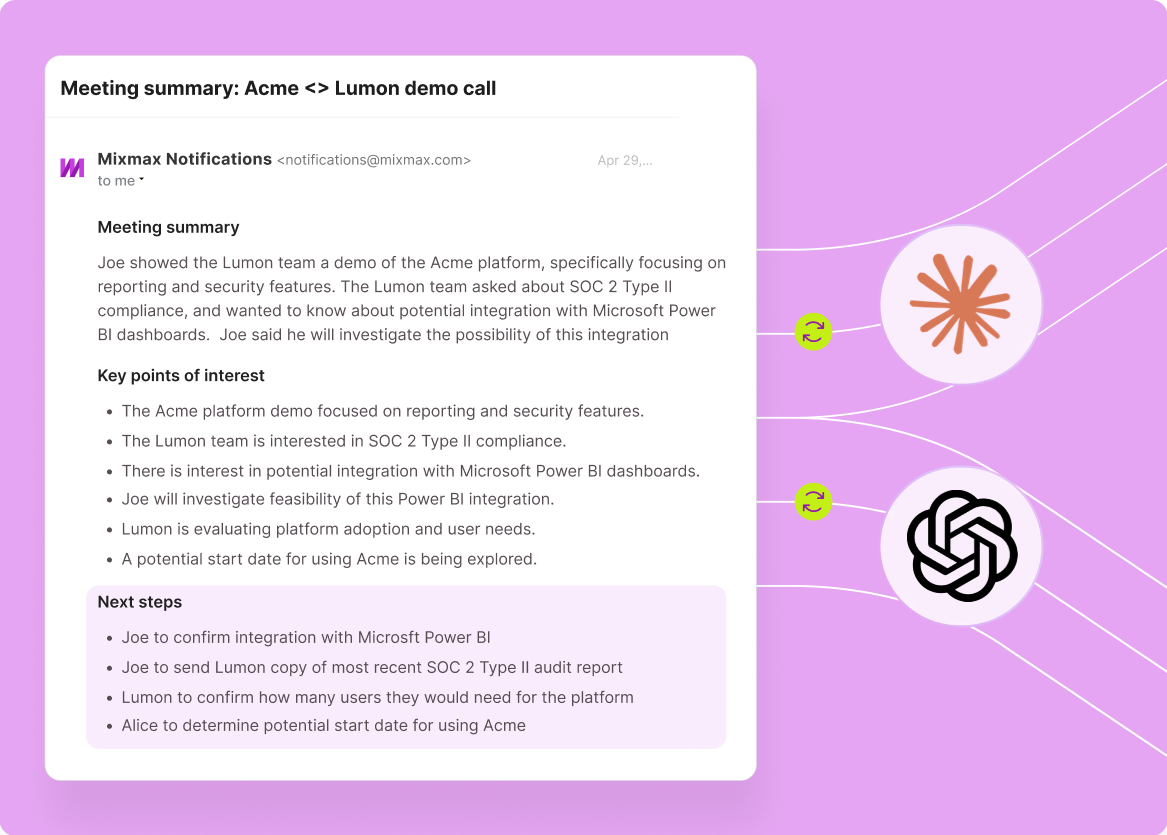
1 / 4 Context Stays Complete
Every meeting generates a full transcript, auto-summary, and action item list in Mixmax. The MCP server delivers all three to your AI tool — no manual copying, no missing context, no 'I think they said something about pricing.'
- Full transcript delivered
- Auto-summary included
- Action items attached
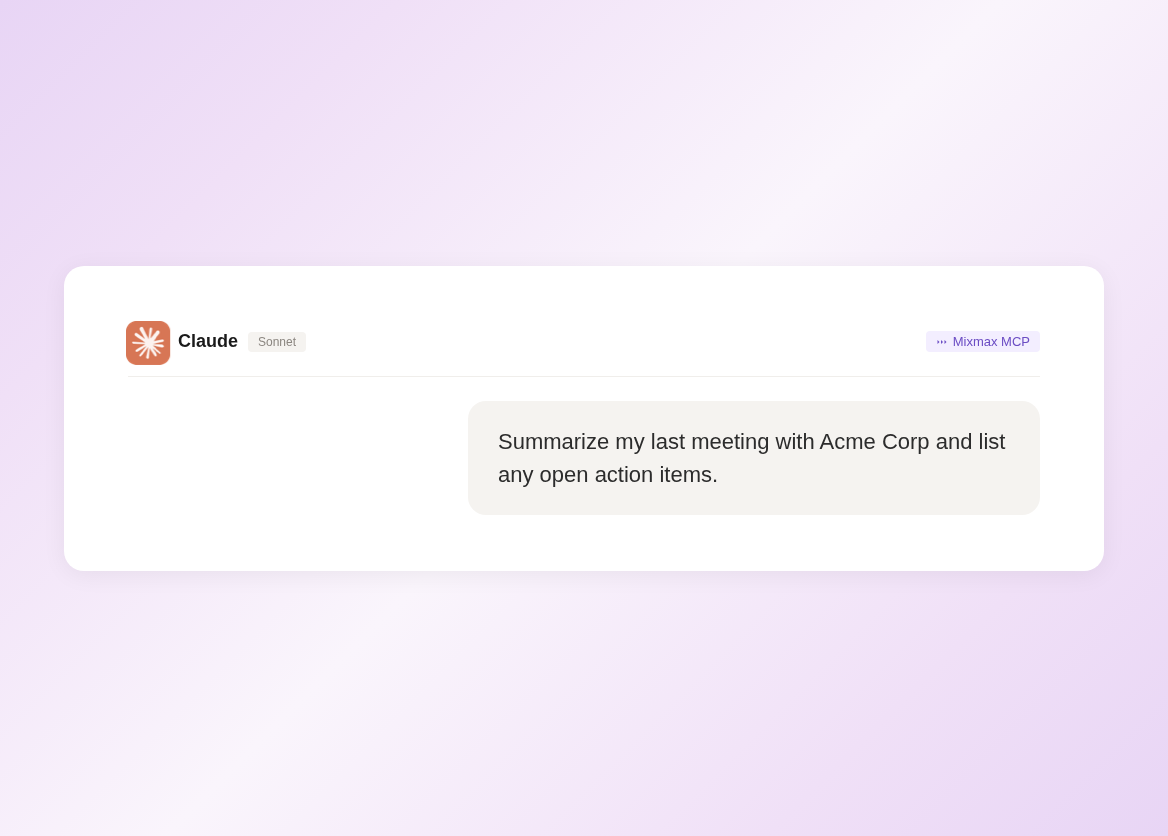
2 / 4 Query Any Meeting
Ask your AI 'what did Jane say about the timeline?' or 'list all action items from the Acme calls this month' and get answers pulled from real transcript data across your meeting history.
- Search across meetings
- Natural language queries
- Answers from transcripts

3 / 4 Follow-Ups Reference Reality
AI drafts follow-up emails that mention the specific topics discussed, questions raised, and next steps agreed on — because it has the transcript, not a vague prompt about 'the meeting.'
- Specific topics referenced
- Action items included
- Review and send, not rewrite

4 / 4 Prep Takes Seconds
Before your next call, AI pulls the last meeting's transcript, outstanding action items, and engagement activity since then — generating a prep brief without the usual tab dance between Salesforce, Gmail, and your note app.
- Last meeting context pulled
- Outstanding items surfaced
- One-prompt prep briefs

Frequently asked questions
What meeting data does the Mixmax MCP server expose?
The Mixmax MCP server provides access to full meeting transcripts, auto-generated summaries, extracted action items with owner assignments, attendee lists, and meeting metadata (date, duration, participants). All of this is generated by Mixmax Meeting Copilot after each call and made available to any MCP-compatible AI tool.
Which AI tools work with Mixmax meeting transcripts?
Any tool that supports the Model Context Protocol — including Claude (Desktop and Code), ChatGPT, Cursor, and Windsurf. The MCP server is an open standard, so as more AI tools adopt MCP support, they'll work with Mixmax data automatically.
Do I need Meeting Copilot to use this?
Yes. Meeting Copilot is the Mixmax feature that generates transcripts, summaries, and action items from your calls. The MCP server makes that data available to external AI tools. Without Meeting Copilot, there's no meeting data to serve. Meeting Copilot is included in Mixmax Suite at $89 per user per month.
How is this different from copy-pasting meeting notes into ChatGPT?
Three differences. First, completeness: MCP delivers the full transcript, not whatever you remembered to copy. Second, queryability: you can ask about any meeting in your history, not just the one you pasted. Third, automation: the data flows without you doing anything — no copying, no formatting, no context window management.
Is my meeting data secure when accessed through MCP?
Yes. The MCP server authenticates with your Mixmax credentials and only serves data you have permission to access. Data is transmitted over encrypted connections. Your meeting transcripts are not stored by the AI tool — they're pulled on demand and processed in the AI's context window.
Can I access meeting transcripts from teammates' calls?
You can access transcripts from meetings you were invited to or that were shared with you in Mixmax. You cannot access another rep's private meetings unless they've explicitly shared access. The same permission model that governs Mixmax Meeting Copilot applies to the MCP server.

Meeting context that travels with you
See how the Mixmax MCP server connects meeting transcripts, summaries, and action items to Claude and ChatGPT — so every AI output is grounded in what was actually said.

