









Stop pasting sales data into ChatGPT prompts. The Mixmax MCP server gives ChatGPT direct access to meeting transcripts, sequence analytics, and engagement signals — so your outputs are grounded in reality.

Context Comes Live
ChatGPT pulls your meeting transcripts, engagement signals, and sequence data in real time from Mixmax — no manual input required. Every prompt has the full picture.

Questions Get Answered
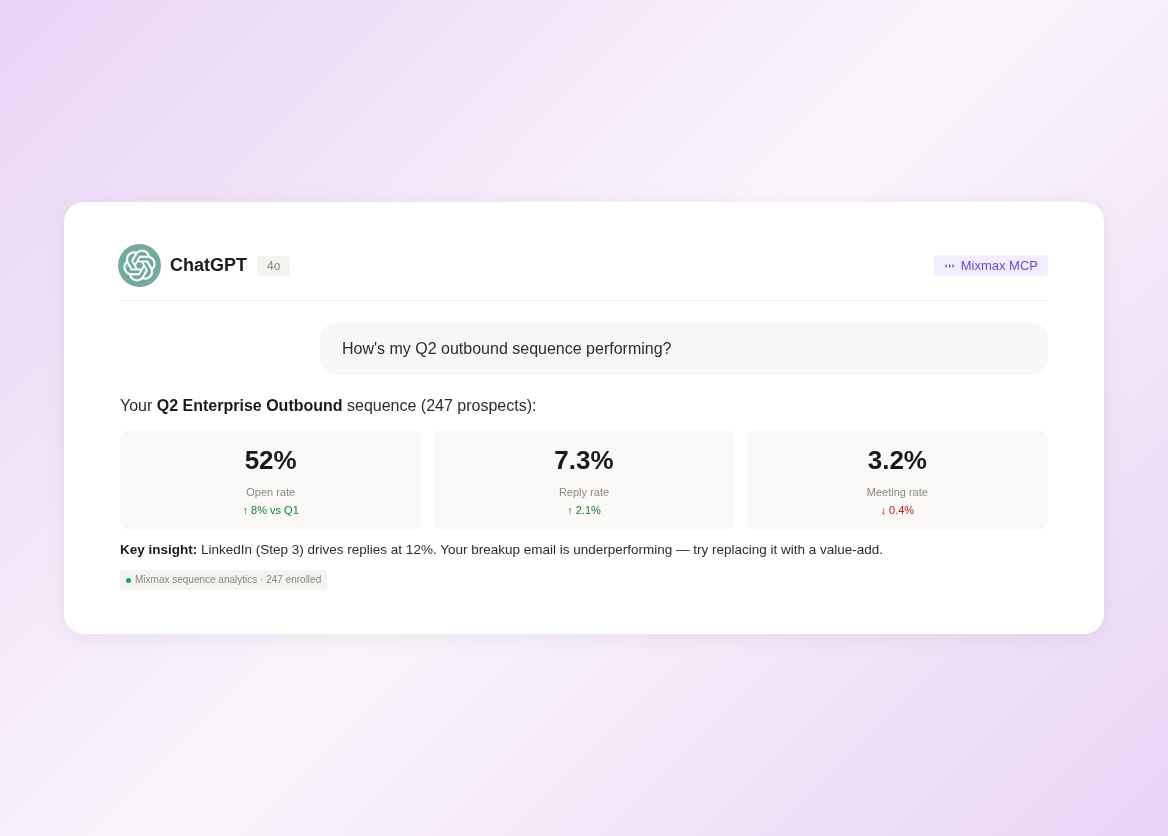
Ask ChatGPT 'how's my Q2 outbound sequence performing?' or 'which deals had engagement but no follow-up?' and get structured answers pulled from your actual Mixmax data.

Real Data Writes
ChatGPT generates follow-ups referencing specific meeting topics, optimization suggestions based on your best-performing sequences, and deal summaries backed by engagement data.
Live data queries, meeting context, sequence analysis, and data-grounded drafts — all through the Mixmax MCP server in ChatGPT.
1 / 4 Context Comes Live
ChatGPT pulls your meeting transcripts, engagement signals, and sequence data in real time from Mixmax — no manual input required. Every prompt has the full picture.
- Real-time data access
- Complete meeting context
- Engagement signals included
2 / 4 Questions Get Answered
Ask ChatGPT 'how's my Q2 outbound sequence performing?' or 'which deals had engagement but no follow-up?' and get structured answers pulled from your actual Mixmax data.
- Sequence performance queries
- Deal engagement analysis
- Activity summaries

3 / 4 Real Data Writes
ChatGPT generates follow-ups referencing specific meeting topics, optimization suggestions based on your best-performing sequences, and deal summaries backed by engagement data.
- Meeting-grounded follow-ups
- Data-driven sequence suggestions
- Engagement-backed summaries

4 / 4 Connection Stays Simple
Authenticate with your Mixmax credentials in ChatGPT's MCP settings. The server connects automatically. No API keys, no coding, no IT ticket — working in minutes.
- One-step authentication
- No technical setup
- Works in ChatGPT Plus/Teams

Frequently asked questions
How do I connect Mixmax to ChatGPT?
Configure the Mixmax MCP server in ChatGPT's settings (under MCP servers or integrations). Authenticate with your Mixmax credentials. ChatGPT connects automatically and can start querying your sales data. No API keys, no code. Setup takes under five minutes.
What Mixmax data can ChatGPT access?
ChatGPT can access meeting transcripts and summaries, sequence performance data, email engagement signals, CRM activity logs, and scheduling data. All data that Mixmax captures about your sales activity is available through MCP.
Does this work with ChatGPT Plus and Teams?
MCP support in ChatGPT requires a plan that includes MCP server connections. Check OpenAI's current plan comparison for MCP availability. The Mixmax MCP server works with any ChatGPT plan that supports MCP.
Is my sales data secure when accessed through ChatGPT?
Yes. The MCP server authenticates with your Mixmax credentials and only serves data you have permission to access. Data is transmitted over encrypted connections and processed in ChatGPT's context window.
Do I need a specific Mixmax plan for ChatGPT integration?
The MCP server is available on Mixmax Suite ($89 per user per month). All MCP data sources — meetings, sequences, engagement, CRM activity — are included. No enterprise add-on required.
How is ChatGPT MCP different from a custom GPT with Mixmax data?
Custom GPTs use static uploaded data that goes stale immediately. MCP provides a live connection — ChatGPT pulls current data from Mixmax each time you ask a question. The data is always fresh, always complete, and requires zero maintenance to keep updated.

Your sales data, live in ChatGPT
See how the Mixmax MCP server connects meeting transcripts, sequences, and engagement signals to ChatGPT — so every prompt runs on real data.

