
Email sequencing software built for Gmail
Mixmax is email sequencing software that runs inside Gmail and syncs to Salesforce, so multi-step outreach, follow-up timing, and reply tracking all live where reps already work.
Mixmax works inside Gmail and syncs to Salesforce.







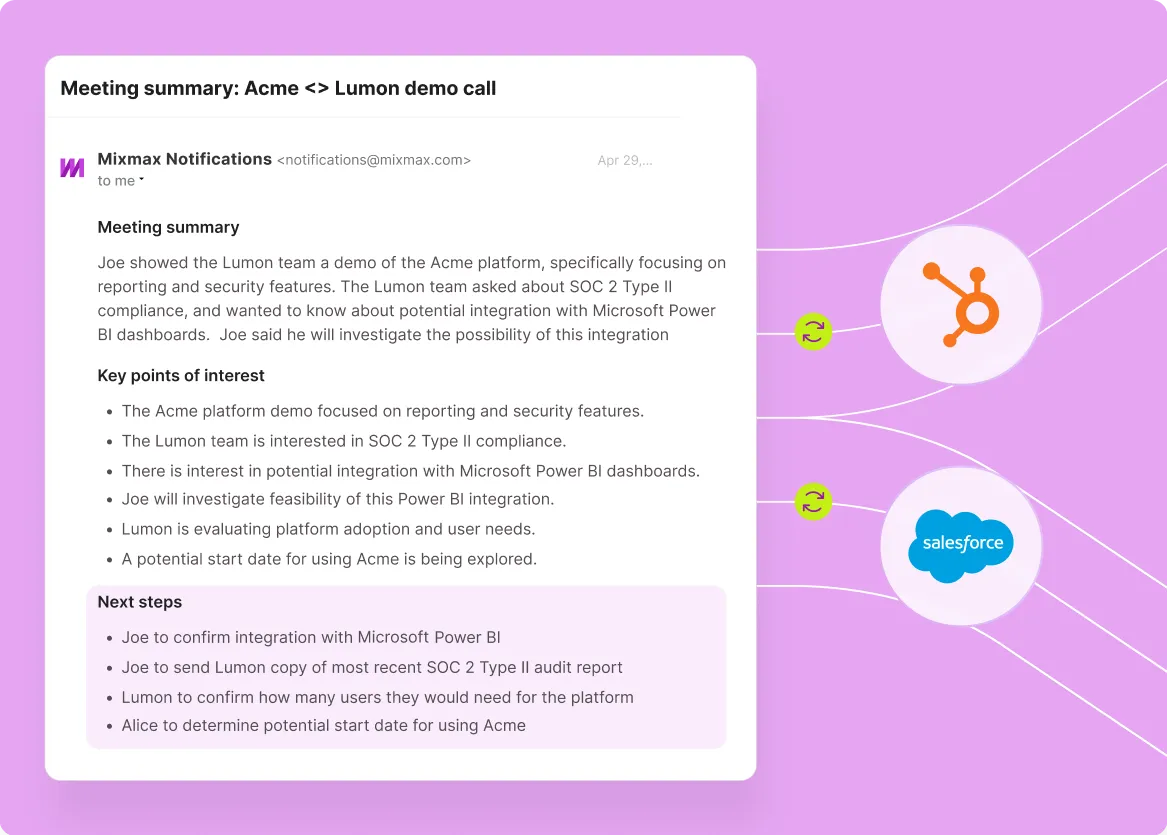
Build, send, and measure multi-step sequences without leaving the inbox. Mixmax works inside Gmail and syncs to Salesforce, so every reply, open, and meeting lands in the CRM automatically.

Sequences Send Themselves
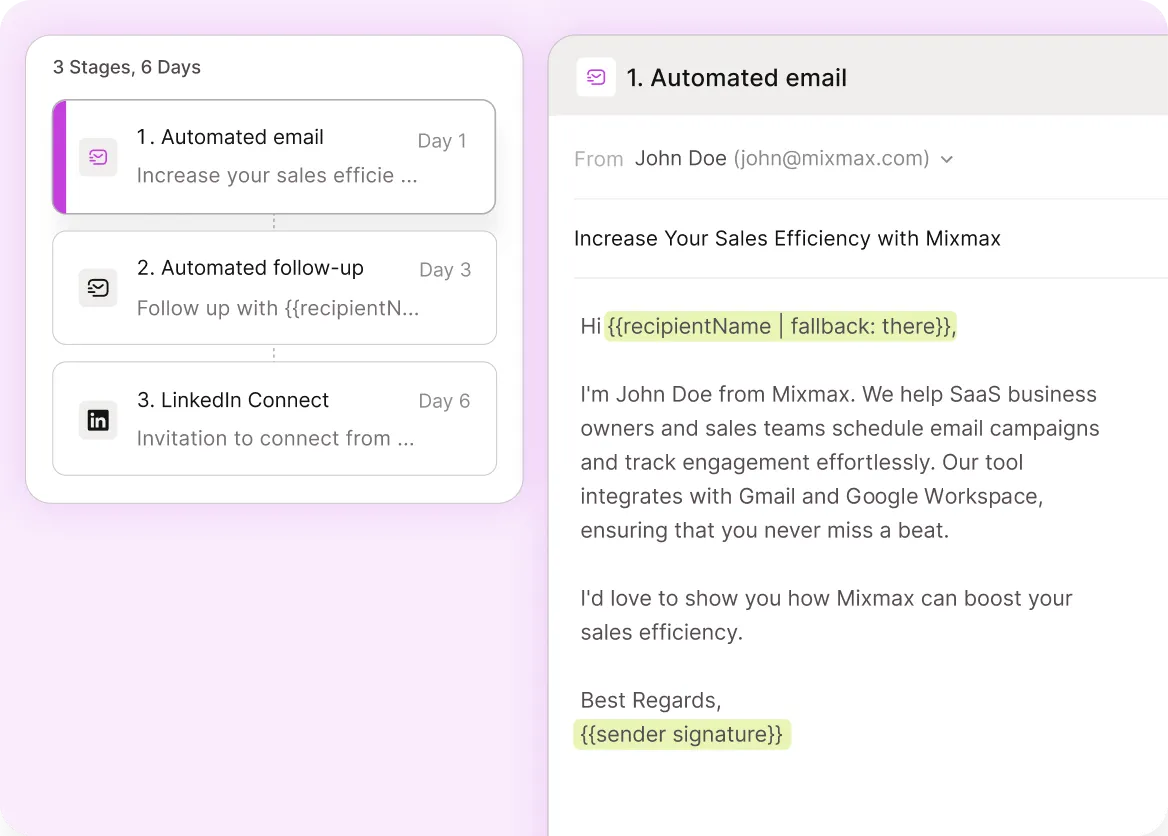
Multi-step cadences with personalization, A/B variants, and conditional pauses run automatically from Gmail. Reps build the cadence once and let it work.

Replies Come Faster
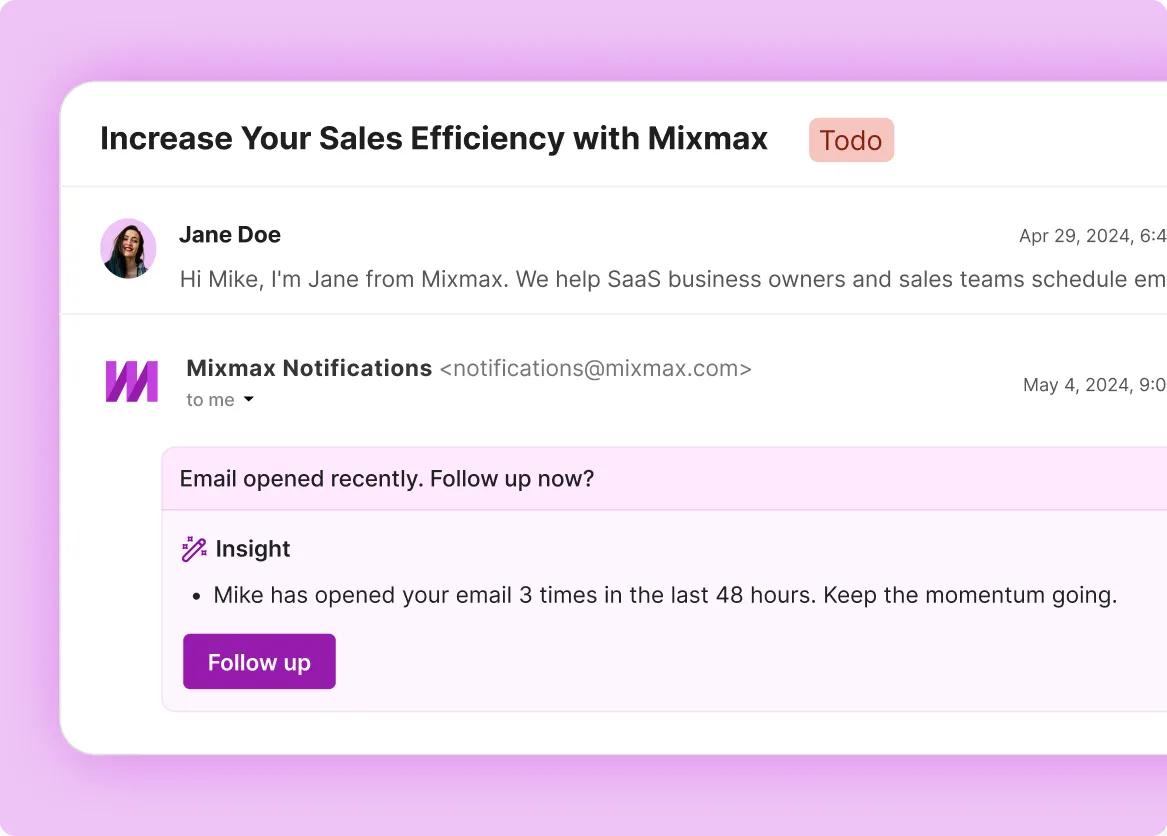
See opens, clicks, and link engagement on every sequence step in real time, so reps follow up on the threads that are actually warming up.

Timing Lifts Replies
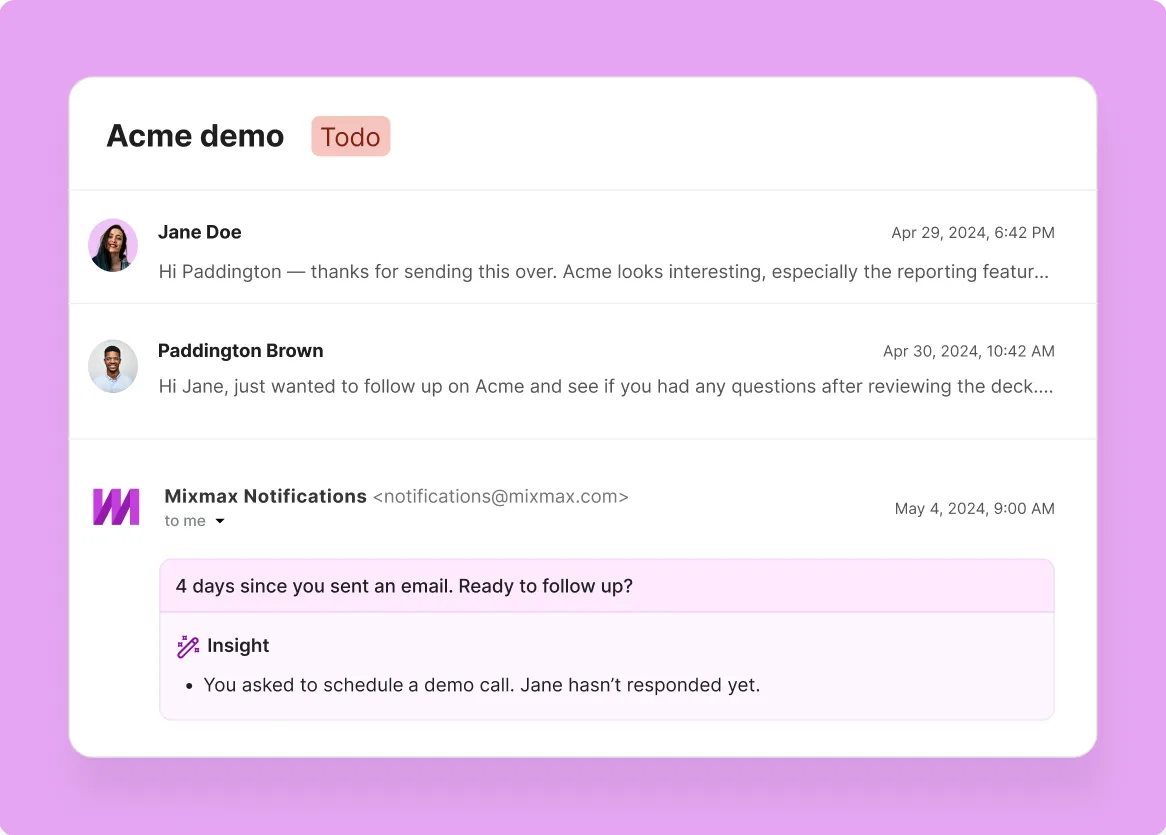
Smart Send picks the time each prospect is most likely to open, lifting open rates to 67% on average. Sequence steps land when buyers are actually paying attention.
Everything you need to run email sequences from Gmail
Build sequences, time the follow-ups, track every signal, and capture activity to Salesforce—without leaving the inbox or learning a second app.
-
1 / 4
Sequences Send Themselves
Multi-step cadences with personalization, A/B variants, and conditional pauses run automatically from Gmail. Reps build the cadence once and let it work.
- Email, LinkedIn, and call steps
- Personalization tokens that work
- Auto-pause on reply
More than 1,000 5-star reviews

-


Leslie Venetz
Founder
The Sales-Led GTM Agency



Frequently asked questions
-
What is email sequencing software and why use it inside Gmail?
Email sequencing software automates multi-step outreach—a series of emails (and often calls or LinkedIn touches) that go out on a planned cadence and pause when a prospect replies. Running sequences inside Gmail matters because that's where reps already write, read, and respond to email. When sequences live in a separate web app, reps end up working in two places, personalization tokens fall out of sync, and engagement signals never make it back to the inbox where the next move actually happens. Gmail-native sequencing keeps the whole workflow in one place.
-
How does Mixmax email sequencing work inside Gmail?
Mixmax adds a sequence builder, send queue, and engagement signals directly inside Gmail. Reps build a multi-step cadence with email, LinkedIn, and call steps; add personalization tokens; pick send timing rules; and launch from the inbox. As the sequence runs, opens, clicks, and replies surface in Gmail in real time. When a prospect replies, Mixmax pulls them out automatically and flags the thread for action. Every step, signal, and reply syncs to Salesforce contact and opportunity records.
-
What reply rates can sales teams expect from Mixmax sequences?
Mixmax sales customers see 52% reply rates on outbound sequences on average, compared with the 2–3% reply rate published as the cold-email industry baseline. The gap comes from running sequences inside Gmail with proper personalization, Smart Send timing that lifts open rates to 67%, and auto-pause-on-reply so prospects don't get follow-up emails after they've already responded. Reply rates of course depend on list quality, persona, and message—but the ceiling is much higher than what most teams see from external sequencing tools.
-
Does Mixmax email sequencing sync with Salesforce and HubSpot?
Yes. Mixmax syncs bidirectionally with Salesforce and HubSpot. Every sequence step, open, click, reply, and meeting books to the contact and opportunity records automatically, with no manual logging required. Sequences can also be triggered by CRM activity—for example, a contact entering a specific stage—and sequence enrollment and pause status sync back to the CRM so RevOps can see exactly which prospects are in which cadences.
-
How much time does Gmail-native email sequencing save a sales rep?
Sales reps using Mixmax recover roughly two hours per day in manual admin time. The savings come from three places: not toggling between Gmail and a separate sequencing app, not manually logging sent emails and replies to Salesforce, and not chasing prospects who already replied because sequences auto-pause. For a 10-rep team, that's around 100 hours of recovered selling time every week.
-
How quickly can a sales team get started with Mixmax email sequencing?
Mixmax has a 90% week-one adoption rate because reps don't have to learn a new application—the sequence builder lives inside Gmail. Most teams import or rebuild their existing sequences in a day, configure Salesforce sync in a few hours, and have reps actively running cadences by the end of the first week. ROI typically lands inside four months from cleaner pipeline data, higher reply rates, and recovered selling time.
Sequences that actually feel personal
See how Mixmax email sequencing software runs inside Gmail, lifts reply rates, and keeps Salesforce activity captured automatically.