Email Sequencing for B2B SaaS Sales
SaaS sales cycles involve 5-8 touchpoints before a demo is booked. Sequences let reps automate the multi-touch cadence while keeping each message personalized to the buyer's role and stage. Mixmax runs sequences inside Gmail — where your team already works — and syncs every touchpoint to Salesforce automatically.
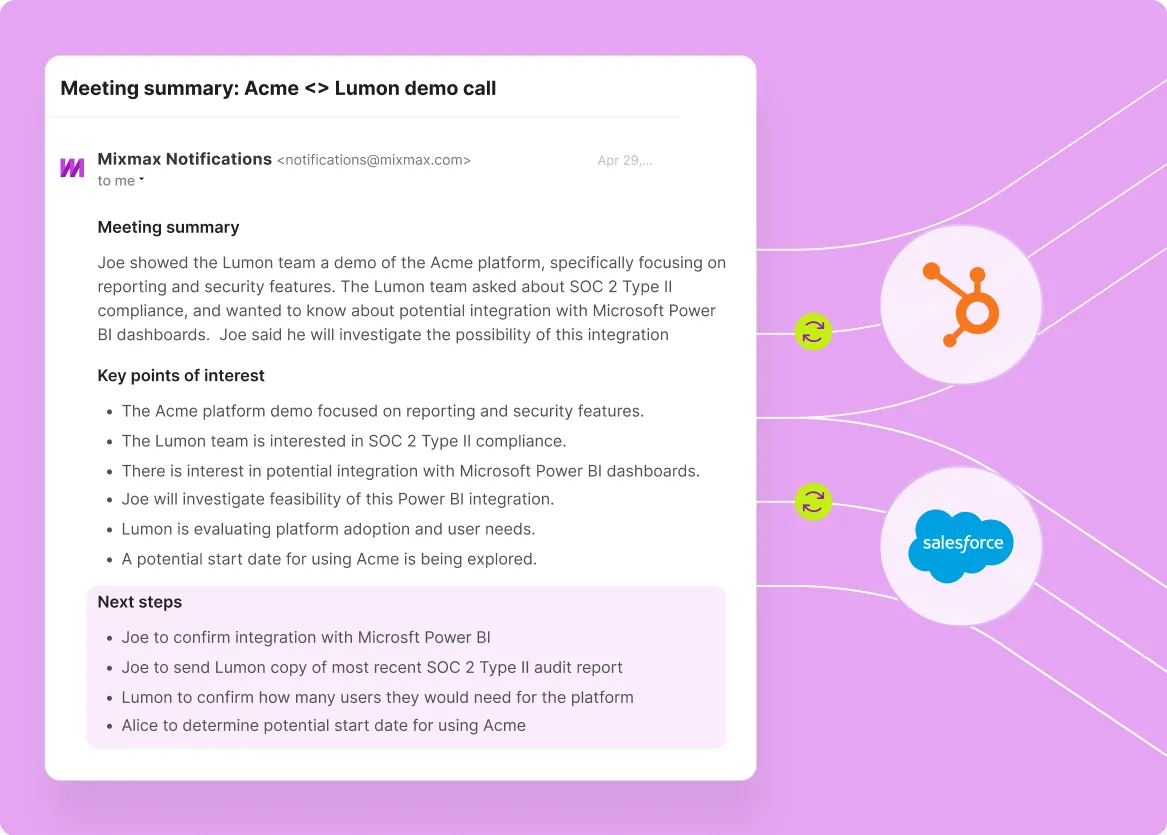
Mixmax works inside Gmail and syncs to Salesforce.
SaaS deals don't close on the first email. They close after the right sequence of touches — timed to how each stakeholder evaluates. Mixmax runs those sequences inside Gmail and logs every touchpoint to Salesforce.

Multi-step sequences inside Gmail
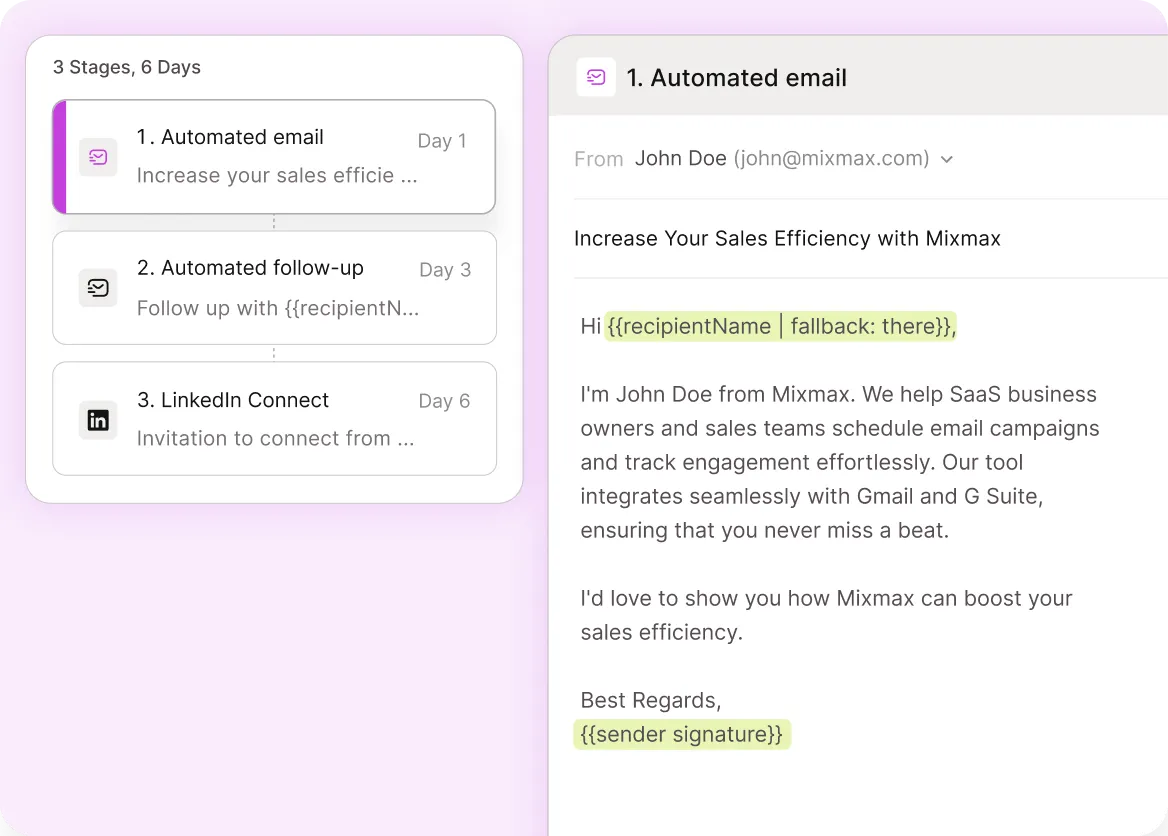
Map your outbound cadence to how SaaS buying committees actually evaluate — a technical deep-dive for the engineering lead, an ROI summary for the VP, a case study for the champion. Each step fires on schedule or based on behavior, so the right stakeholder gets the right message without you managing it manually.

AI-optimized send timing
Mixmax's Smart Send analyzes when each prospect is most likely to open and respond — then delivers your sequence emails at that exact window. B2b saas teams using Smart Send see 67% open rates because every message arrives when the recipient is actively in their inbox.

Real-time engagement signals
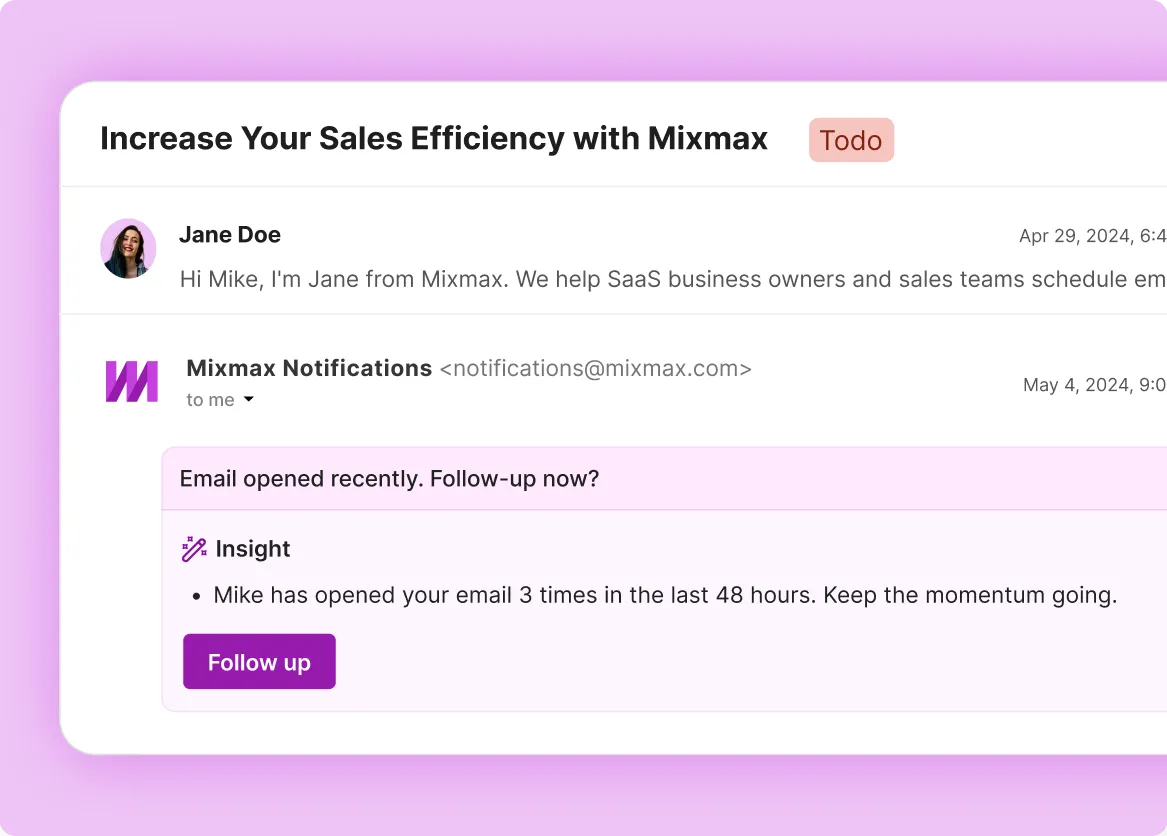
See who opened, clicked, and replied — in real time, inside Gmail. When a prospect engages with step 2 of your sequence, you'll know immediately. That's the moment to pick up the phone or send a personalized follow-up that references exactly what they were looking at.
Everything you need to run outreach sequences from Gmail
Mixmax gives SaaS companies multi-step email sequences, real-time engagement tracking, AI-optimized send timing, and automatic Salesforce sync — all inside Gmail.
-
1 / 4
Multi-step sequences inside Gmail
Map your outbound cadence to how SaaS buying committees actually evaluate — a technical deep-dive for the engineering lead, an ROI summary for the VP, a case study for the champion. Each step fires on schedule or based on behavior, so the right stakeholder gets the right message without you managing it manually.
- Email, call, and LinkedIn task steps
- Behavior-triggered branching
- Run directly from Gmail

Frequently asked questions
-
How does Mixmax email sequencing work for b2b saas sales?
Mixmax lets SaaS reps build multi-step sequences with email, phone, and LinkedIn steps — all from inside Gmail. You set the cadence, personalize each message, and Mixmax handles the timing and tracking. When a prospect opens or clicks, you get a real-time notification so you can follow up at the right moment. Every touchpoint syncs to Salesforce automatically.
-
Can I build different sequence tracks for different stakeholders in the same deal?
Yes. You can run parallel sequences targeting different roles — a technical track for engineering, an ROI track for finance, a product track for the end user champion. Each person gets the content relevant to their evaluation criteria, and Mixmax tracks engagement across all of them so you see the full picture.
-
How does Mixmax improve reply rates for b2b saas outreach?
Three things compound. First, Smart Send delivers each email when that specific recipient is most likely to be in their inbox — that drives 67% open rates. Second, real-time engagement signals tell SaaS reps exactly when to follow up, so they reach out when interest is high. Third, the sequences themselves support personalization at scale, so every message feels like a 1:1 email even when you're running hundreds of contacts through a cadence.
-
How do Mixmax sequences compare to running sequences in Outreach or Salesloft?
The biggest difference is where reps work. Outreach and Salesloft are separate apps — reps have to leave Gmail to build, launch, and monitor sequences. Mixmax embeds everything in Gmail, which is why adoption rates are dramatically higher. You also get native Salesforce sync without middleware.
-
Can I A/B test sequence messaging to improve reply rates?
Yes. Mixmax supports A/B testing on email steps — test subject lines, body copy, send times, and step count. You'll see which variant drives higher opens and replies so you can optimize the cadence over time. Most SaaS teams run 2-3 variants per sequence and converge on a winner within a few weeks.
-
How quickly can a b2b saas sales team get started with Mixmax sequences?
Mixmax installs as a Gmail extension and connects to Salesforce in minutes. You can build your first sequence and start enrolling contacts the same day. Most SaaS companies hit 90% team adoption within the first week because there's no new interface to learn — it's all inside Gmail.
Multi-touch sequences that SaaS reps actually run
Build sequences that match how SaaS buying committees evaluate. AI-optimized timing, real-time signals, automatic Salesforce sync — all inside Gmail.