









Most AI tools for AEs are glorified text generators. Mixmax AI has your meeting transcripts, engagement signals, and Salesforce data — so it helps with the work that actually matters.

Pipeline Stays Managed
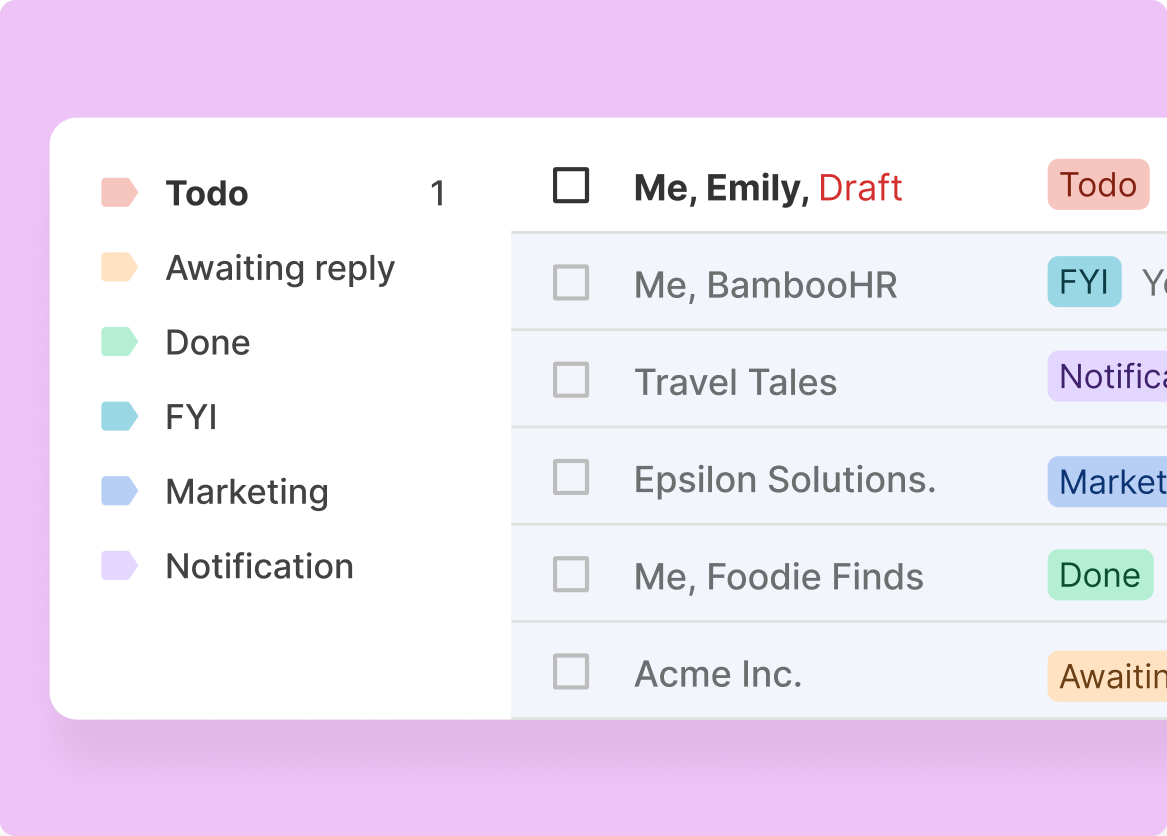
AI ranks your accounts by engagement — who's active, who's stalling, who just re-engaged. Your daily workflow starts with the deals most likely to move, not the ones you last updated.

Meetings Come Prepared
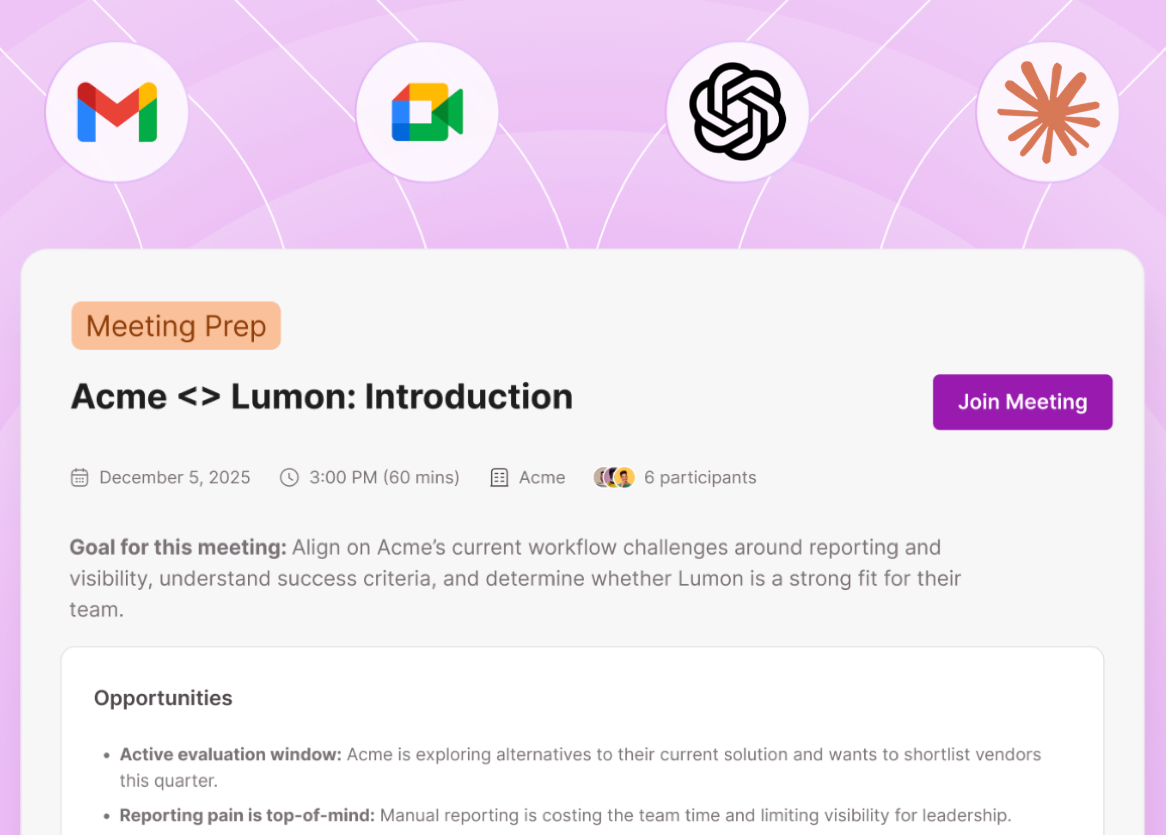
Before every call, Mixmax generates a prep brief from the last transcript, recent engagement, and CRM data. You walk in knowing what happened, what changed, and what to focus on.

Followups Write Fast
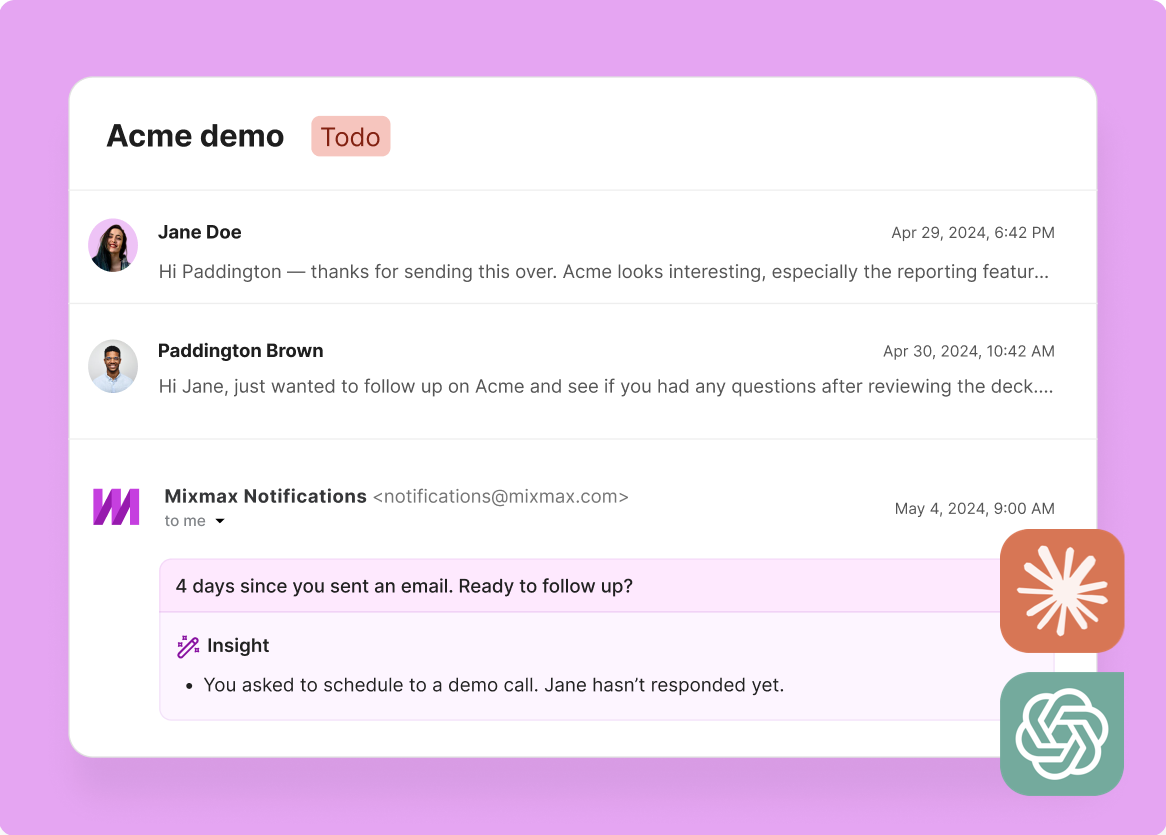
AI drafts post-meeting follow-ups from the transcript — referencing what was discussed, what was agreed, and what the next step is. Review and send from Gmail.
Meeting prep, follow-ups, CRM updates, and deal prioritization — handled by AI with access to your real pipeline data.
1 / 4 Pipeline Stays Managed
AI ranks your accounts by engagement — who's active, who's stalling, who just re-engaged. Your daily workflow starts with the deals most likely to move, not the ones you last updated.
- Engagement-ranked accounts
- Stalled deals flagged
- Re-engagement alerts
2 / 4 Meetings Come Prepared
Before every call, Mixmax generates a prep brief from the last transcript, recent engagement, and CRM data. You walk in knowing what happened, what changed, and what to focus on.
- Auto-generated prep briefs
- Engagement context included
- 30-second review
3 / 4 Followups Write Fast
AI drafts post-meeting follow-ups from the transcript — referencing what was discussed, what was agreed, and what the next step is. Review and send from Gmail.
- Drafted from transcripts
- Specific references
- Send from Gmail

4 / 4 Accounts Stay Current
Every email, meeting, and engagement signal logs to Salesforce automatically. The CRM reflects reality without manual updates — so pipeline reviews are based on data, not memory.
- Auto-logged activity
- No manual CRM entry
- Pipeline reviews trust data

Frequently asked questions
What can Mixmax AI do for account executives?
Meeting prep briefs, follow-up email drafts, CRM auto-logging, engagement-based deal prioritization, and account context retrieval. All powered by real data from your email, meetings, and Salesforce.
How is this different from a generic AI writing tool?
Generic AI tools compose text from prompts. Mixmax AI has your meeting transcripts, engagement data, and CRM records — so it generates output grounded in your actual deal context.
Does it help with deal prioritization?
Yes. Mixmax ranks your accounts by engagement signals — opens, clicks, replies, meeting activity. You see which deals are active and which are going dark.
What does Mixmax cost for AEs?
Inbox Copilot is $29/month. Meeting Copilot is $29/month. Suite with everything is $89/month per user. Most AEs get the most value from Suite.
Can it handle multi-threaded deals?
Yes. Mixmax tracks engagement per contact within an account. You see which stakeholders are active, which haven't engaged, and who forwarded your email internally.
Does it work with Salesforce?
Yes — bidirectional sync is core to Mixmax. All activity logs automatically, and Salesforce data is accessible from within Gmail.

AI for AEs that runs on real pipeline data
See how Mixmax AI handles meeting prep, follow-ups, and CRM logging for account executives using their actual pipeline data.

