



Skip to content

Mixmax vs. Mailtrack:  when tracking isn't enough

Mailtrack tells you an email was opened. Mixmax tells you it was opened, reminds you to follow up, sends the next step automatically, and logs it all to Salesforce — without leaving Gmail.

Mailtrack
  • Email tracking and read receipts — and that's where it stops.
  • No multi-step sequences that auto-pause the moment someone replies.
  • No follow-up reminders to bump a thread back when there's no reply.
  • No in-email scheduling to book meetings without the back-and-forth.
  • No Salesforce or HubSpot sync — the activity never reaches your CRM.
  • You end up bolting on separate tools for everything past tracking.
Mixmax
  • Real-time open and link tracking, built right into Gmail.
  • Multi-step sequences that send themselves and stop the second someone replies.
  • Follow-up reminders that bump threads back to the top when there's no reply.
  • One-click in-email scheduling so prospects book without leaving the thread.
  • Two-way Salesforce and HubSpot sync — every email, open, and reply logged automatically.
  • Engagement signals that tell reps who's hot and what to do next.
Screencastify
“I've used many sales engagement tools, but Mixmax is the best option for quota-carrying reps I've seen!”
Brian Collins

Brian Collins

Head of Sales, Screencastify

Mixmax vs. Mailtrack - Integration comparison

Your CRM stays current on its own

Mailtrack keeps its read data inside Gmail — nothing flows to your CRM. Mixmax syncs every open, click, reply, and meeting to Salesforce and HubSpot in real time, so your pipeline reflects what's actually happening without a rep touching a field.
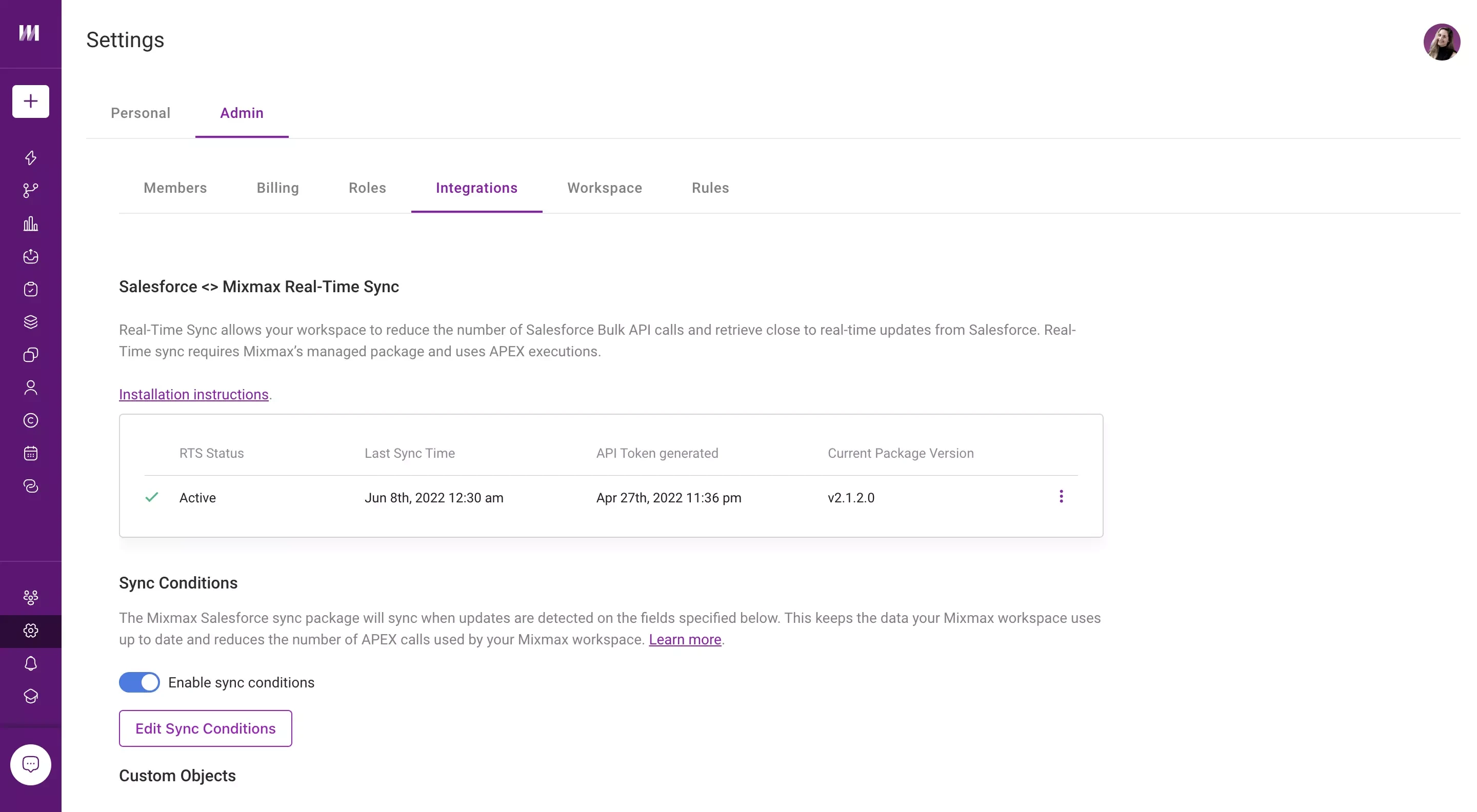

Mixmax syncs email and meeting activity to Salesforce in real time, keeping the CRM current without manual entry.

What can you do with Mixmax vs. Mailtrack?

  • Is Mixmax more expensive than Mailtrack?

    Yes. Mailtrack starts free and runs about $11.99/user/month; Mixmax starts at $29/user/month. The difference is scope: Mailtrack does email tracking, while Mixmax replaces your tracking, sequencing, scheduling, and CRM-logging tools in one Gmail-native platform.

    If all you need is a read receipt, Mailtrack is the cheaper pick. If tracking is step one and you follow up for a living, Mixmax pays for the separate tools it replaces.

  • What does Mailtrack do well?

    Mailtrack (now branded Mailsuite) is a clean, dead-simple email-tracking extension. The double-checkmark read receipts are easy to read, it installs in seconds, and the free tier covers light use. If tracking is genuinely all you need, it's a solid fit.

  • Does Mixmax do everything Mailtrack does?

    Yes — real-time open and link tracking inside Gmail, with nothing for the recipient to approve. Mixmax then adds the follow-up: reminders, multi-step sequences, one-click scheduling, and Salesforce and HubSpot sync.

  • Does Mixmax work inside Gmail like Mailtrack?

    Yes. Mixmax is Gmail-native — you compose, track, and follow up right from your inbox. It also supports Outlook and syncs to Salesforce and HubSpot.

See why teams choose Mixmax over Mailtrack

Start in your Gmail today. No new apps, no credit card, no implementation timeline.