
Yesware alternatives for sales teams ready to upgrade
Yesware works for individual reps who need basic Gmail tracking. Mixmax delivers the same Gmail-native experience with sequences, scheduling, AI follow-up, and full Salesforce sync at the team level.
Mixmax works inside Gmail and syncs to Salesforce.
Mixmax works inside Gmail and syncs to Salesforce, giving sales teams the upgrade path beyond Yesware tracking — without leaving the Gmail-native pattern that worked.

Tracking Stays Familiar
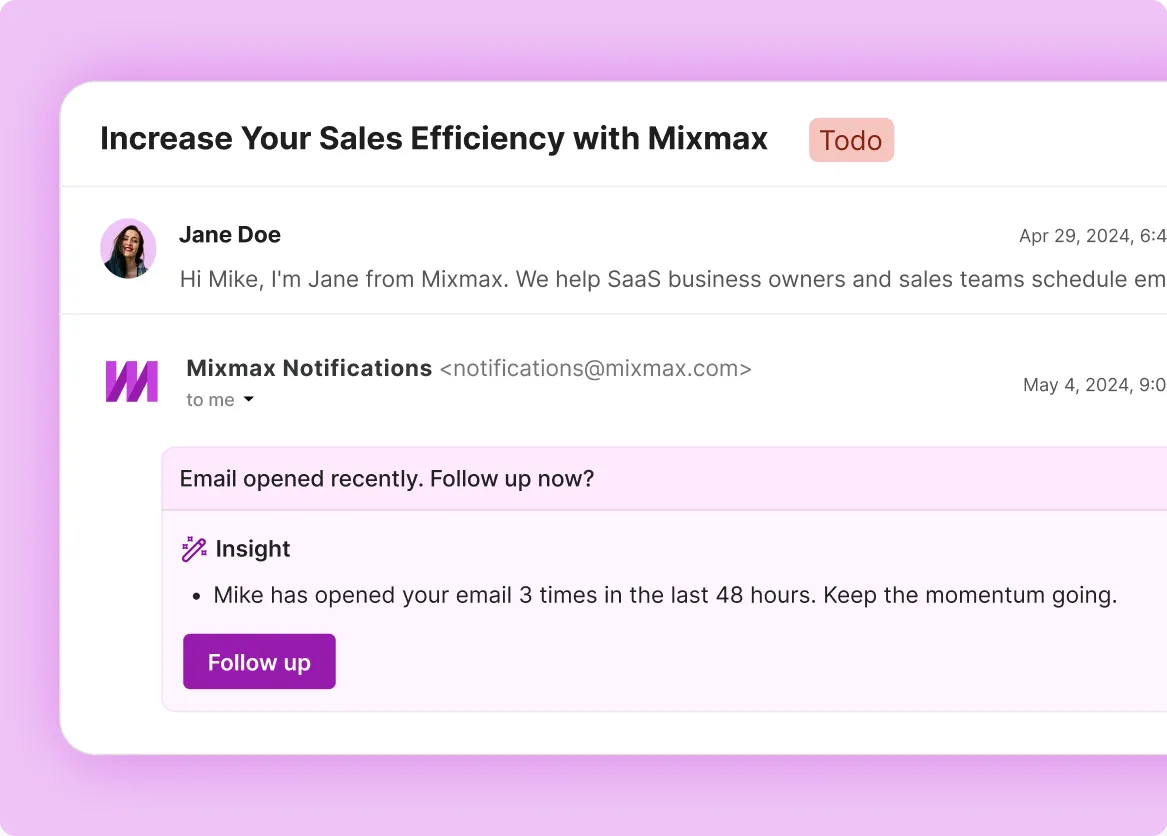
Open and click tracking work the same way they do in Yesware — Gmail-native, real-time, no separate dashboard. Smart Send adds AI-tuned send timing on top.

Sequences Reach Further
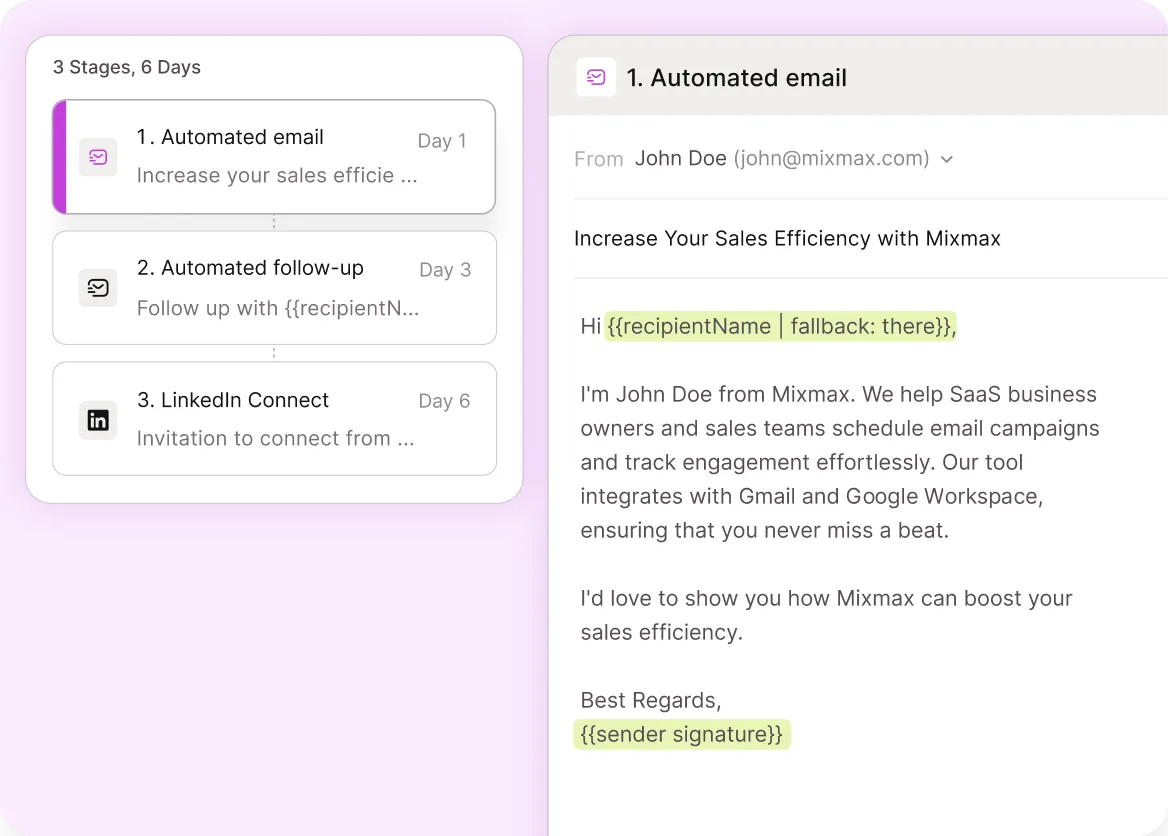
Multi-step cadences with personalization, A/B variants, reply auto-pause, and engagement-triggered follow-up — the layer Yesware sequences don't fully reach.

Scheduling Comes Native
Embed availability inside any email and book in one click — round-robin and team scheduling come standard, no separate Calendly or Chili Piper required.
Everything you got from Yesware, plus the layer that was missing
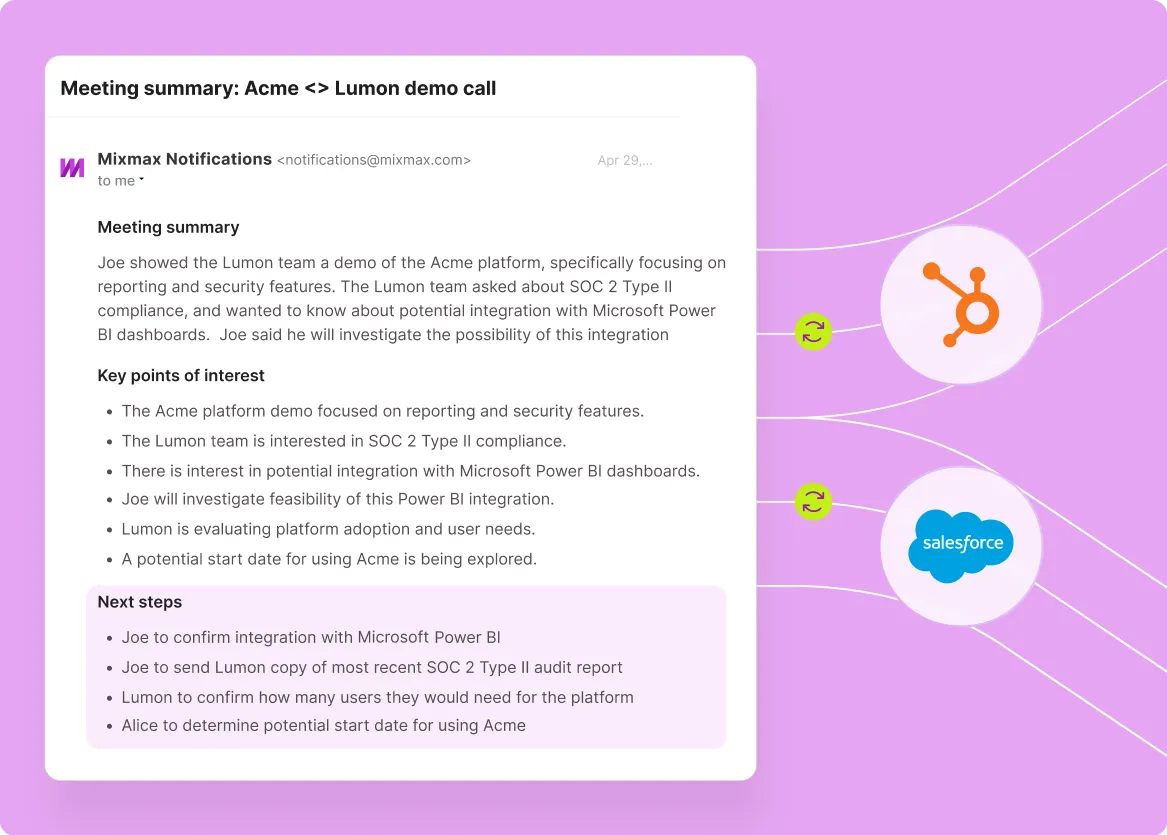
Tracking, sequences, scheduling, and Salesforce sync — Gmail-native like Yesware, with the AI follow-up, deal management, and team capabilities Yesware doesn't reach.
-
1 / 4
Tracking Stays Familiar
Open and click tracking work the same way they do in Yesware — Gmail-native, real-time, no separate dashboard. Smart Send adds AI-tuned send timing on top.
- Gmail-native open tracking
- Real-time click data
- Smart Send timing


Frequently asked questions
-
Why upgrade from Yesware to Mixmax?
Yesware nails Gmail-native email tracking and basic sequencing for individual reps. Sales teams typically outgrow it on three dimensions: Salesforce sync (Yesware locks it to Enterprise tier at ~$65–85 per seat), execution depth (engagement-driven follow-up, AI drafts, scheduling, deal management), and team capabilities (shared templates, role-based permissions, team analytics, round-robin scheduling). Mixmax keeps the Gmail-native pattern Yesware customers like and adds those layers.
-
Is Mixmax much more expensive than Yesware?
Mixmax Suite is $89 per user per month and includes the full sales execution platform with Salesforce sync standard. Yesware Pro is around $15 per seat (basic tracking + simple sequences) and Yesware Enterprise is around $65–85 per seat (adds Salesforce sync). Compared to Yesware Enterprise, Mixmax Suite is similar pricing with substantially more capability. Compared to Yesware Pro, Mixmax is the upgrade path when CRM sync, scheduling, and team capabilities matter.
-
Will reps already comfortable with Yesware adopt Mixmax?
Usually yes. Both tools live inside Gmail, so the workflow pattern is familiar — open tracking shows in the inbox, sequences run from compose, the daily rep habit doesn't change. The new capability — AI follow-up, scheduling, deal management, full Salesforce sync — fills gaps reps already feel.
-
Does Mixmax track opens and clicks the same way Yesware does?
Yes. Open tracking uses a tracking pixel; click tracking uses URL redirects — same approach as Yesware, surfaced in real time inside Gmail. Mixmax adds Smart Send timing on top, which optimizes per-prospect send moments and lifts open rates to 67% on average.
-
How long does the Yesware-to-Mixmax migration take?
Most teams complete the migration in under a week. Mixmax installs as a Gmail extension per rep, sequences and templates can be migrated over from Yesware in a day, and the Salesforce or HubSpot sync configures in a few hours. Reps continue working from the same Gmail inbox; the daily habit doesn't change.
-
What does Mixmax do that Yesware doesn't even on its Enterprise tier?
Three layers: AI follow-up drafts (Cortex™ generates contextual reply drafts), Meeting Copilot (auto-summary from Zoom and Google Meet calls plus AI-generated follow-up emails), and Inbox Copilot (signal-driven prioritization showing which threads need attention now). Yesware's Enterprise tier covers tracking, sequences, and Salesforce sync; the AI execution layer is what Mixmax adds beyond.
Tracking is included, the rest finally is too
See how Mixmax keeps the Yesware Gmail-native pattern and adds AI follow-up, scheduling, deal management, and team-grade Salesforce sync — the layer Yesware doesn't reach.