
Mixmax for recruiting and talent teams
Recruiters send hundreds of personalized outbound emails per week. Mixmax works inside Gmail with multi-step sequences, real engagement signals, and interview scheduling — purpose-built for high-volume candidate outreach.
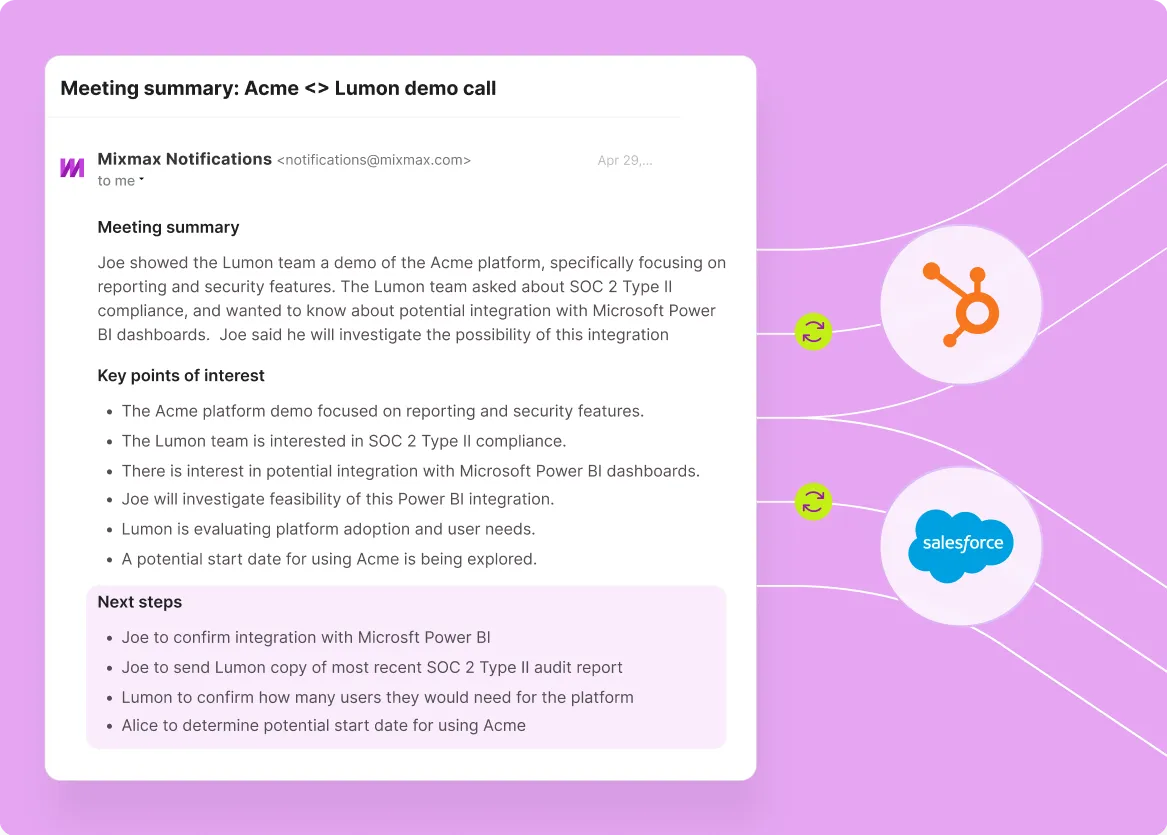
Mixmax works inside Gmail and syncs to Salesforce.
Mixmax delivers Gmail-native sequencing, tracking, and one-click interview booking. Built for recruiting teams running candidate sourcing as a structured outreach motion, not as one-off emails.

Sourcing Cadences Personalize
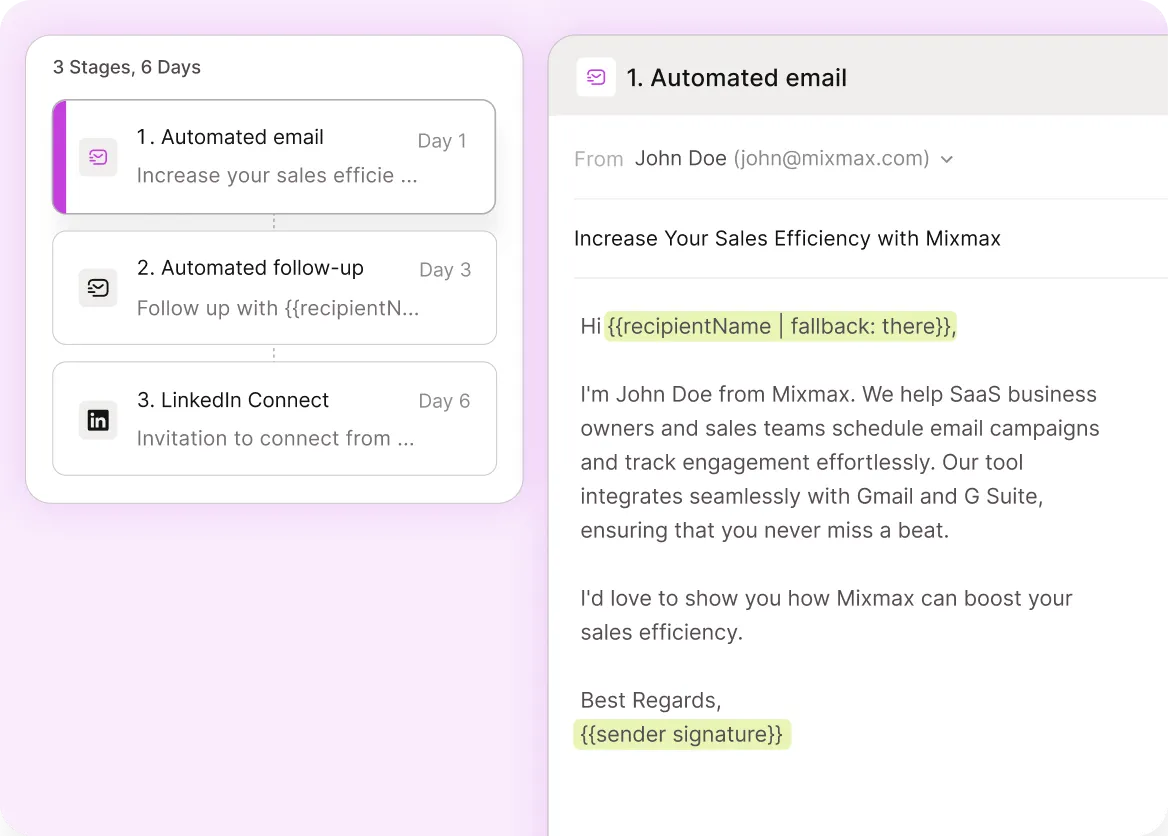
Multi-step candidate outreach with personalization tokens, A/B variants for subject lines and body copy, and reply auto-pause — high-volume sourcing without copy-paste.

Interest Becomes Visible
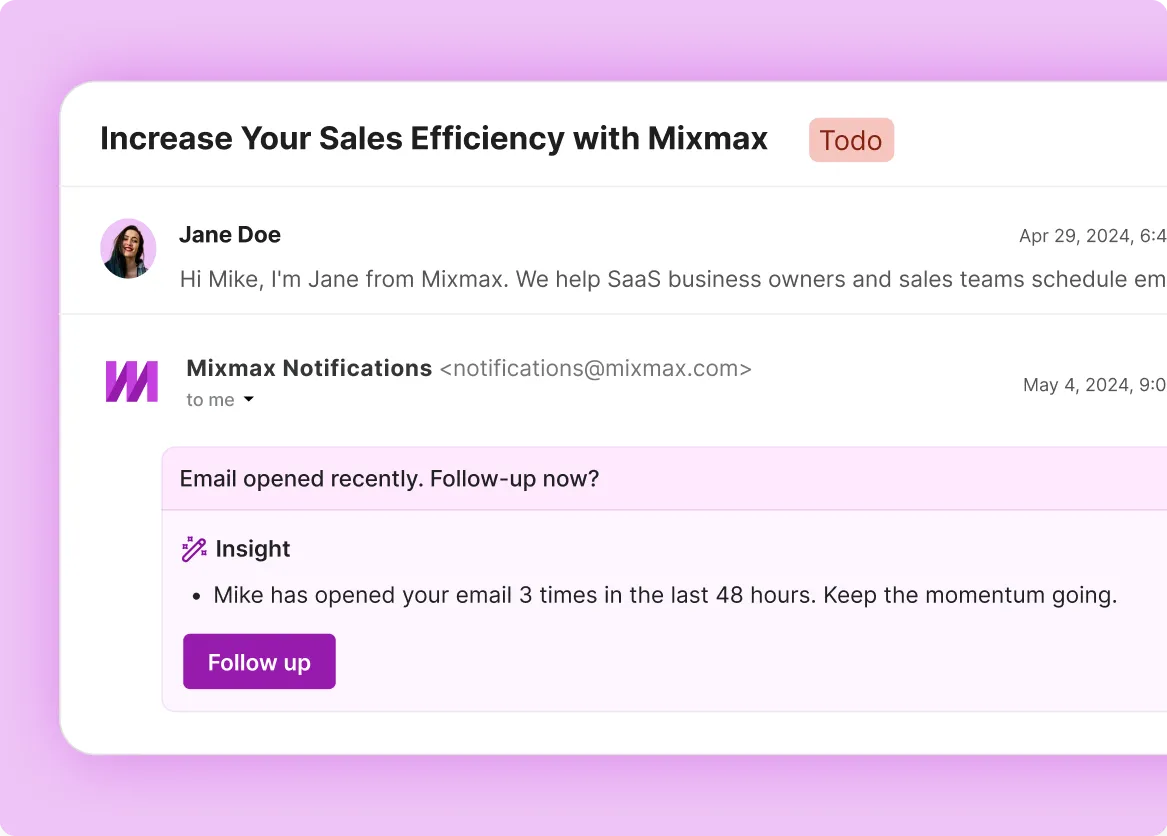
Real-time opens, clicks on role descriptions, and re-reads surface in Gmail — recruiters spot the candidates worth following up with.

Interviews Schedule Cleanly
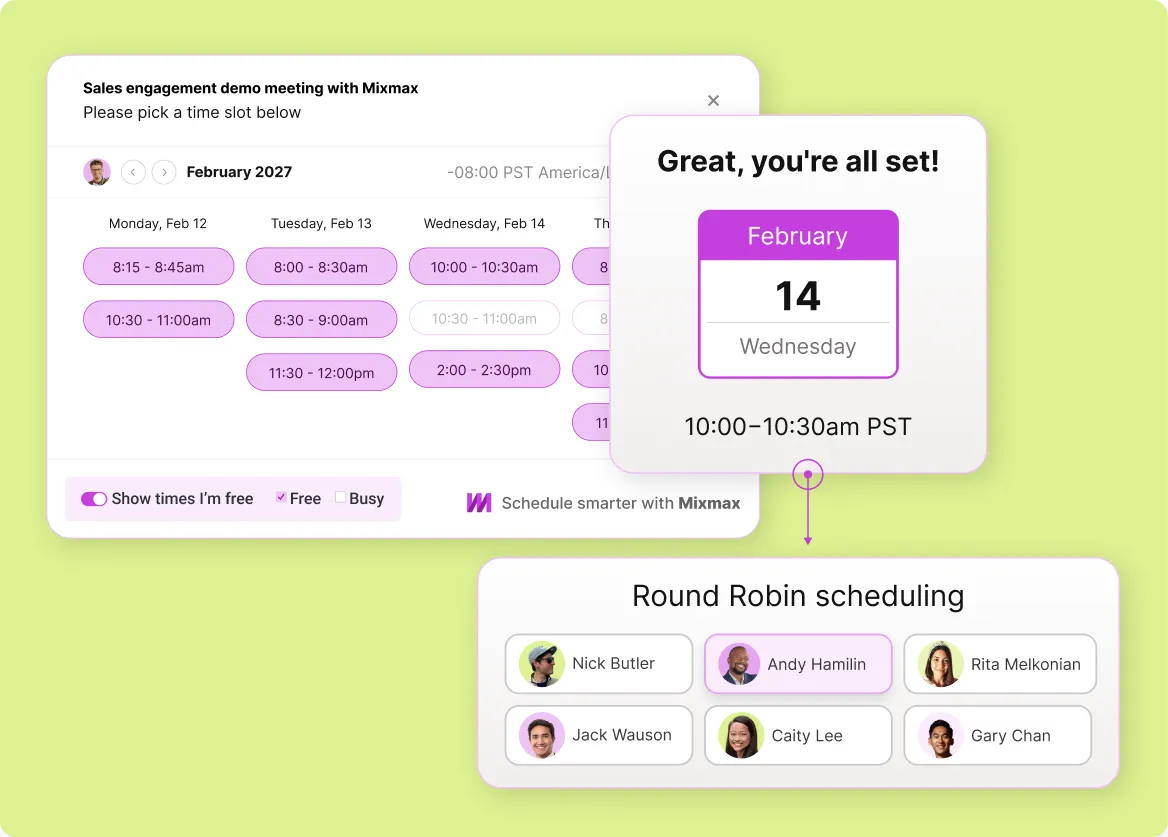
Embed interviewer availability in any email; let candidates book in one click. Round-robin distributes initial screens, technical screens, or panels across the interview team.
Everything a recruiting team needs for high-volume candidate outreach
Multi-step sequences, real engagement signals, interview scheduling, and shared templates — built for recruiters running candidate sourcing as a structured outreach motion.
-
1 / 4
Sourcing Cadences Personalize
Multi-step candidate outreach with personalization tokens, A/B variants for subject lines and body copy, and reply auto-pause — high-volume sourcing without copy-paste.
- Personalization at scale
- Multi-step cadences
- Auto-pause on reply

Frequently asked questions
-
How does Mixmax fit a recruiting team's workflow?
Mixmax sits inside Gmail and handles the daily candidate outreach motion: multi-step sourcing sequences, engagement tracking (opens, clicks on role links, re-reads), and interview scheduling. Most recruiting teams use a dedicated ATS (Greenhouse, Lever, Ashby) as the candidate system of record; Mixmax doesn't replace that. Mixmax handles the outbound and scheduling layer that lives outside the ATS.
-
Does Mixmax integrate with Greenhouse, Lever, or Ashby?
Not natively. Mixmax integrates bidirectionally with Salesforce and HubSpot. For ATS systems like Greenhouse, Lever, or Ashby, integration runs through Zapier or through the ATS's built-in email integration. If your team uses Salesforce or HubSpot as the candidate record (which some recruiting teams do), Mixmax integrates natively. If your ATS is your system of record, plan for Zapier-grade integration rather than first-class native sync.
-
Can recruiters run sequences at high candidate volume?
Yes. Mixmax sequences support multi-touch personalized outreach with reply auto-pause — recruiters can run hundreds of candidates through a sequence without manual orchestration. Personalization tokens pull from Salesforce or HubSpot fields, or from data your team captures pre-send.
-
How does interview scheduling work in Mixmax?
Recruiters share interviewer availability inside any email; the candidate picks a time, the meeting lands on both calendars, and confirmation goes out automatically. Round-robin distributes screens across multiple interviewers (e.g., a panel of 3 hiring managers), and the booking respects time zones.
-
Can Mixmax help with candidate engagement tracking?
Yes. Open and click tracking show when a candidate engaged with your outreach — opened the email, clicked the role description link, came back to re-read. Re-engagement alerts surface candidates who go silent and then come back, which signals warming interest. Recruiters typically use these signals to prioritize follow-up.
-
Should recruiting teams pick Mixmax or a recruiting-specific outbound tool like Gem or hireEZ?
Different shapes. Recruiting-specific tools (Gem, hireEZ) include candidate sourcing data on top of outreach. Mixmax is a sales execution platform applied to recruiting workflow — sequences, engagement, scheduling — without the sourcing data layer. If your recruiting team sources via LinkedIn Sales Navigator or another data source and runs ATS as the system of record, Mixmax fits. If you need candidate database plus outreach in one product, recruiting-specific tools fit better.
Candidate outreach from Gmail
See how Mixmax handles the recruiting outbound motion — sequences, engagement, scheduling — while flagging where ATS integration needs separate setup.