
Mixmax vs HubSpot Sales Hub — for Gmail-first sales teams
Keep HubSpot as your CRM. Add Mixmax as the Gmail-native execution layer that runs sequences, engagement tracking, and scheduling without leaving the inbox.
Mixmax works inside Gmail and syncs to HubSpot.
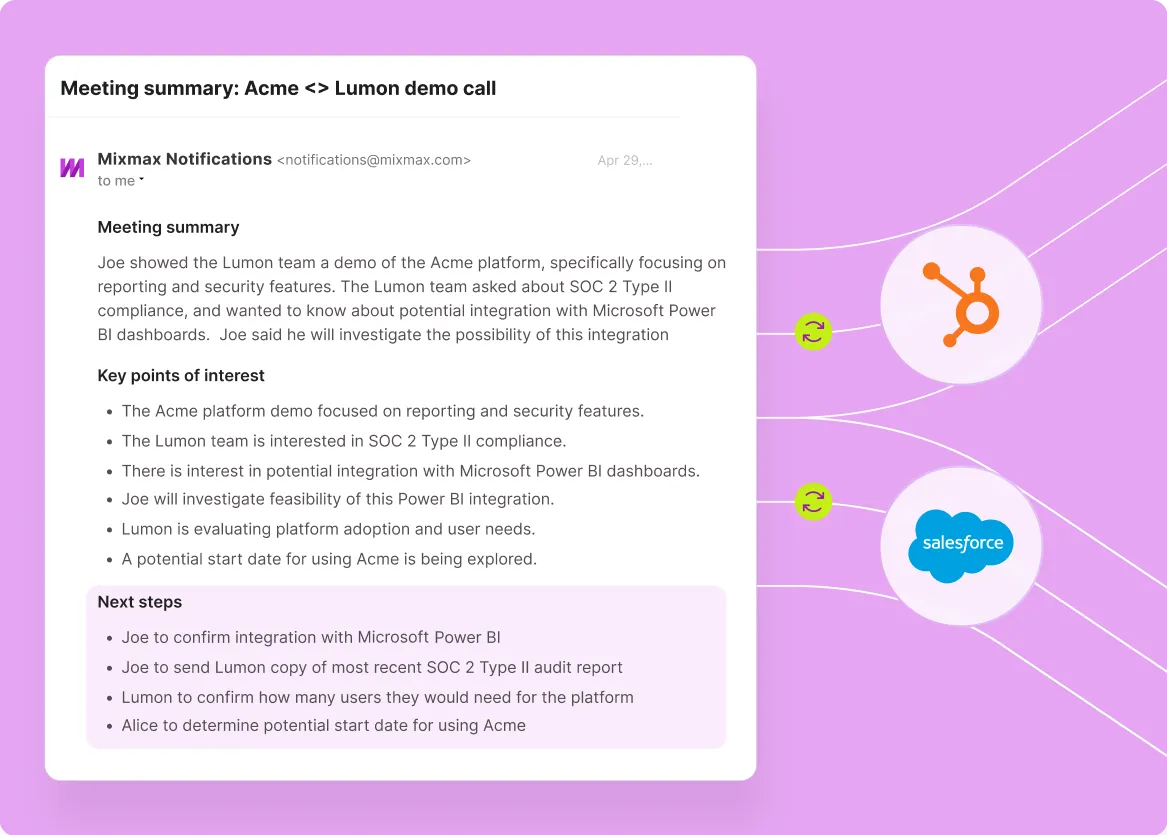
Mixmax works inside Gmail and syncs to HubSpot bidirectionally, so sales teams get a dedicated execution layer without giving up the CRM they already trust.

Sequences Live Native
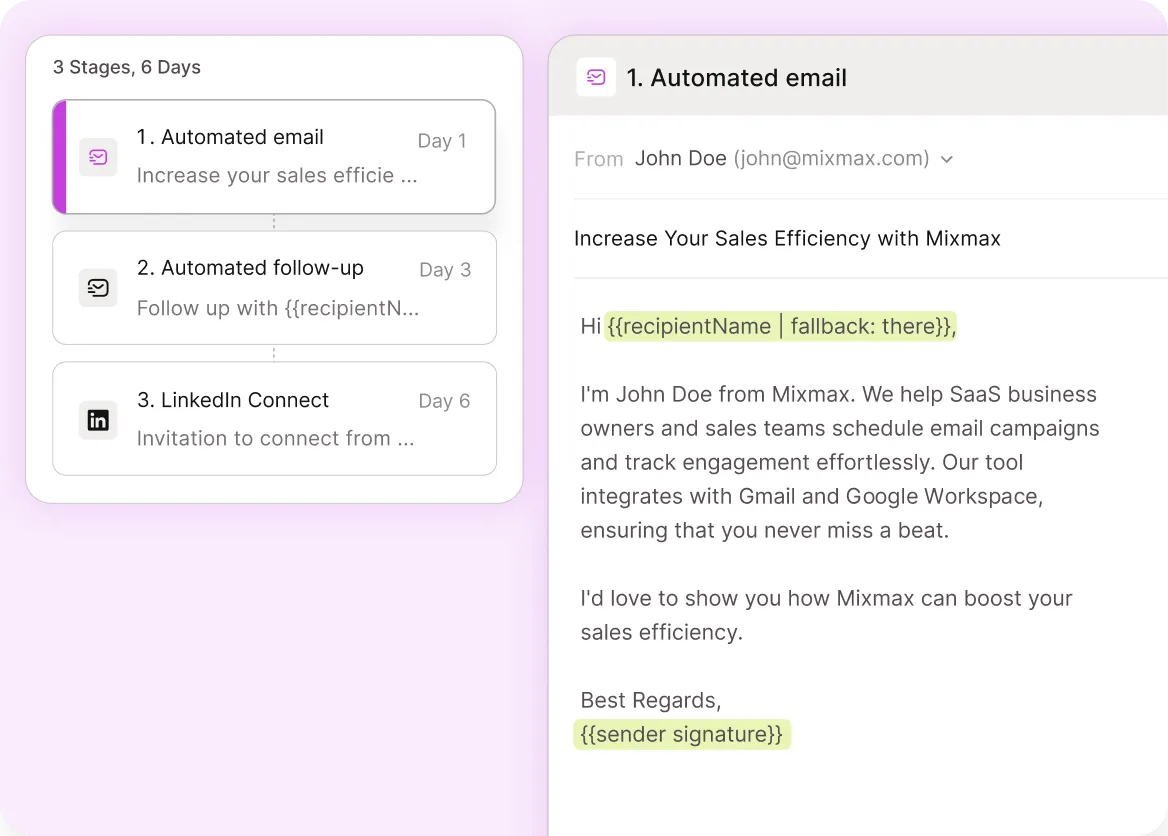
Multi-step cadences run from Gmail with the same personalization and reply-pause logic as HubSpot sequences, but inside the inbox where reps actually write email.

Tracking Reaches Inbox
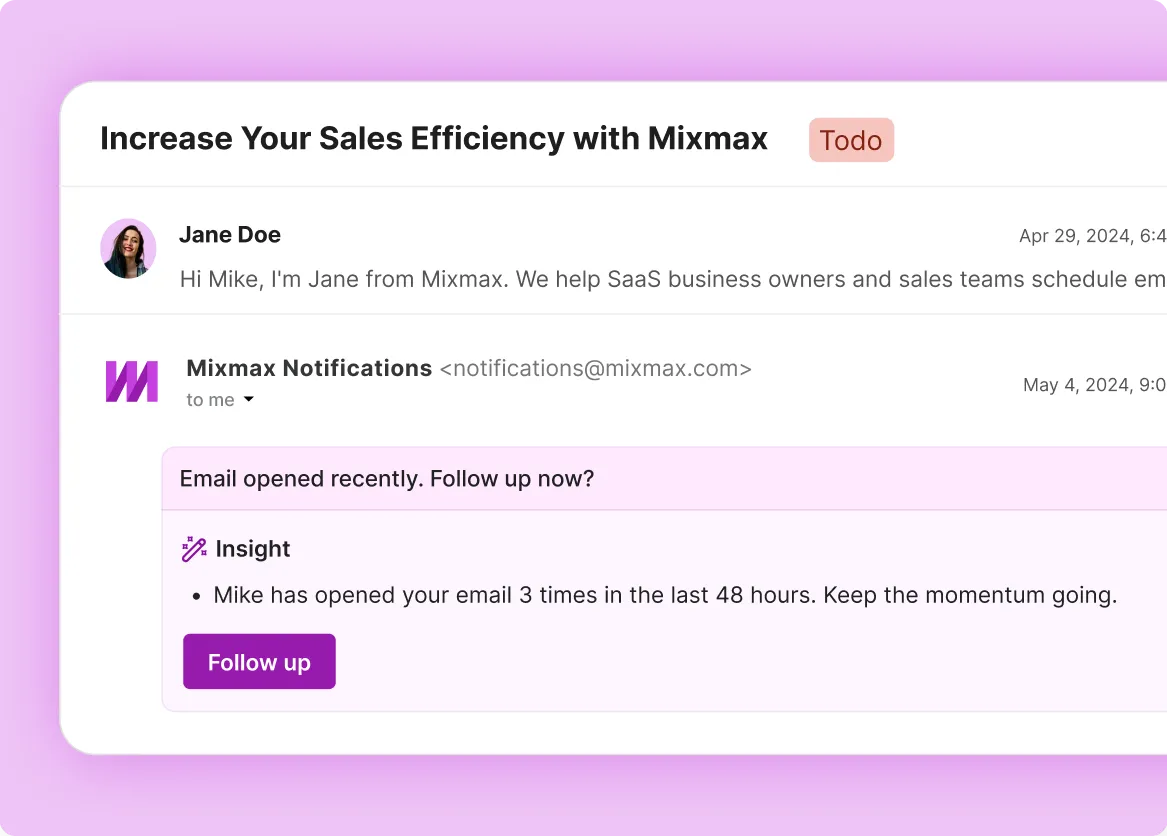
Opens, clicks, and engagement signals surface in Gmail in real time, with Smart Send timing tuned per-prospect for a 67% open rate average.

Scheduling Comes Included
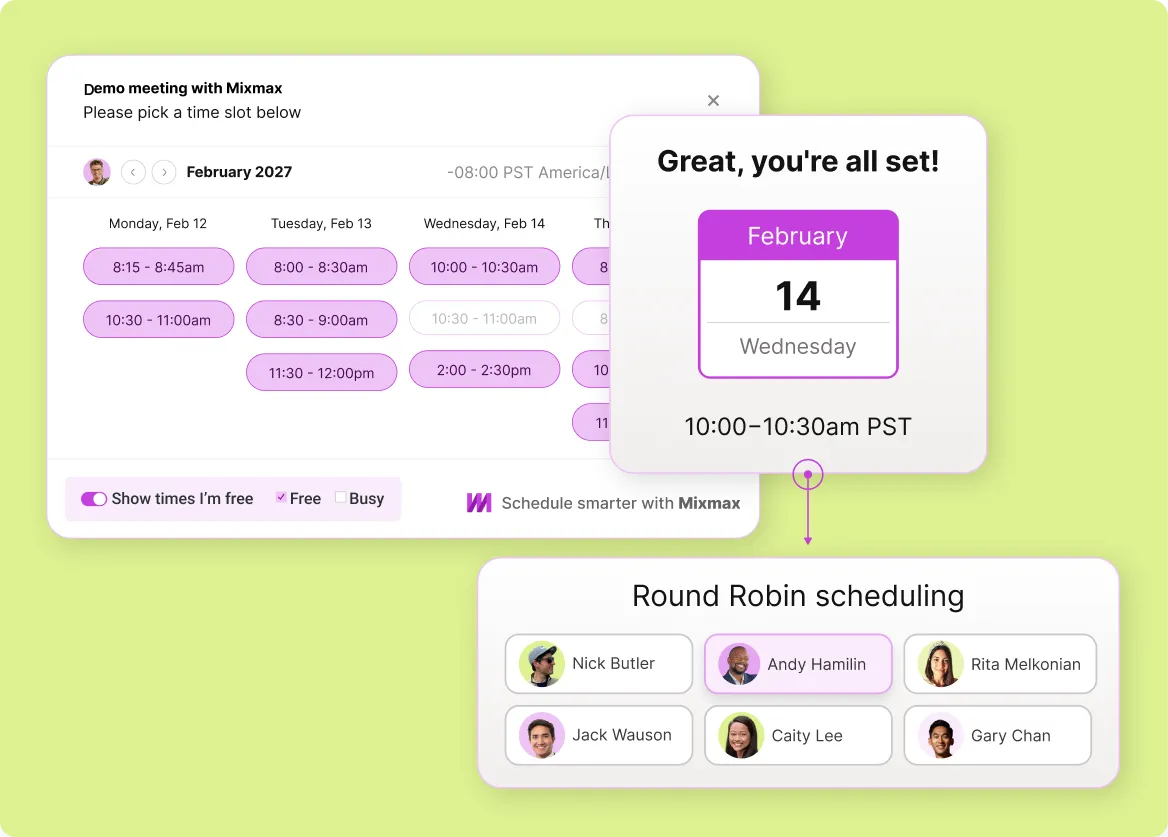
Embed availability inside any email and book in one click. Round-robin and team scheduling come standard, no separate Calendly or Chili Piper add-on.
Everything you need to layer Mixmax on top of HubSpot
Gmail-native sequencing, real-time engagement signals, scheduling, and bidirectional HubSpot sync — all running in the inbox where reps already write email.
-
1 / 4
Sequences Live Native
Multi-step cadences run from Gmail with the same personalization and reply-pause logic as HubSpot sequences, but inside the inbox where reps actually write email.
- Sequences from Gmail compose
- Auto-pause on reply
- Personalization tokens

Frequently asked questions
-
Why use Mixmax if we already have HubSpot Sales Hub?
HubSpot Sales Hub bundles sequences, tracking, and scheduling onto HubSpot CRM, and the features work. But for sales teams that live in Gmail, those features live in the wrong place — reps either compose in HubSpot or use a sidebar, and either way the sequencing investment underperforms in practice. Mixmax keeps HubSpot as the CRM and adds Gmail-native execution on top, so reps actually use the sequencing and tracking they're paying for.
-
Does Mixmax work with HubSpot CRM?
Yes. Mixmax syncs bidirectionally with HubSpot. Every email, reply, meeting, open, and click writes to the matching HubSpot contact and deal automatically, and CRM context flows back into the Gmail sidebar so reps see deal stage and recent activity while writing the next email. Sequences and reminders can be triggered by HubSpot lifecycle stage changes.
-
Should we replace HubSpot with Mixmax?
No — Mixmax isn't a CRM. It works alongside HubSpot (or Salesforce). Keep HubSpot as the system of record for contacts, deals, and pipeline. Use Mixmax as the daily sales execution layer reps work in. The two tools share data bidirectionally, so reps don't have to think about which system has the truth.
-
How does the cost compare to HubSpot Sales Hub Professional or Enterprise?
HubSpot Sales Hub Professional is $90 per user per month and Enterprise is $150 per user per month. Mixmax paid plans start at $29 per user per month billed annually, and every feature is included, AI too. The right comparison isn't dollar-for-dollar — it's whether sales reps actually adopt the features. Most teams find HubSpot Sales Hub adoption uneven and Mixmax adoption fast, which makes the per-seat economics work better in practice for Mixmax.
-
Will sales reps actually use Mixmax features they don't use in HubSpot today?
Yes, because the failure mode is different. HubSpot Sales Hub adoption usually fails on workflow friction: reps live in Gmail, the sequencing UI lives elsewhere, and reps revert to one-off emails. Mixmax removes the friction by running sequences, tracking, and scheduling from inside Gmail compose. Teams typically hit 90% week-one adoption.
-
How long does the Mixmax + HubSpot setup take?
Most teams get the Mixmax + HubSpot integration live in a few hours. Mixmax installs as a Gmail extension per rep, and the HubSpot connection authorizes via OAuth. Field mapping (which HubSpot fields populate which Mixmax actions) takes about an hour for an admin to configure. Reps are productive day one.
HubSpot still works, sequences just live elsewhere
See how Mixmax sits on top of HubSpot to give sales reps the daily execution layer they actually use, without replacing the CRM your team already trusts.