









Your AI doesn't know your deals. The Mixmax MCP server fixes that — giving Claude and ChatGPT access to your meeting history, engagement signals, and pipeline data so every AI output is specific to the deal you're working.

Prep Runs Itself
Before every call, ask AI to generate a prep brief. It pulls the last meeting transcript, engagement since then, deal stage, and outstanding items — all from Mixmax data. The 10-minute tab dance replaced by a 10-second prompt.

Follow-Ups Stay Grounded
AI drafts follow-up emails that reference specific meeting topics, address questions raised, and list agreed-upon next steps — because it has the full transcript, not your 3-line summary.

Stalled Deals Surface
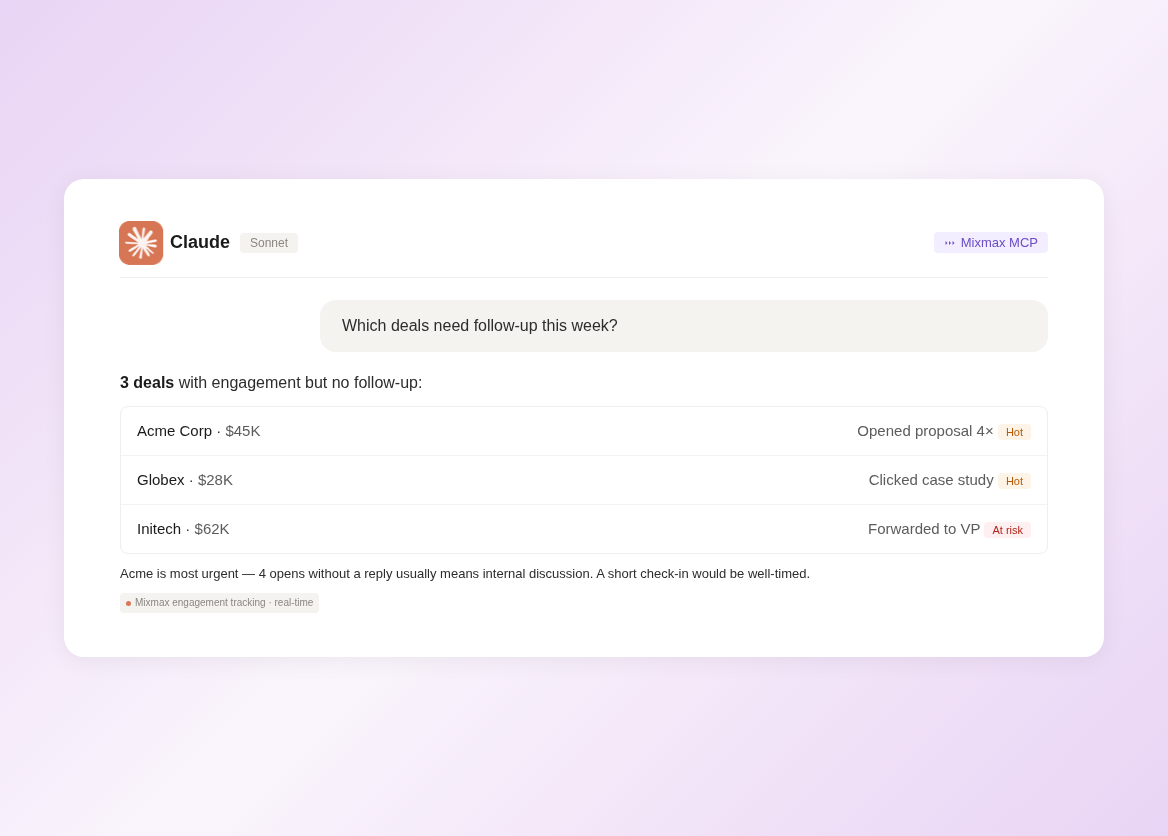
Ask AI 'which of my deals have gone quiet this week?' and get a list based on real engagement data — not your gut feeling. Deals with engagement drop-off, missed next steps, or stale close dates get flagged.
Pre-call prep, contextualized follow-ups, stalled deal detection, and pipeline review summaries — all powered by real deal data flowing through MCP.
1 / 4 Prep Runs Itself
Before every call, ask AI to generate a prep brief. It pulls the last meeting transcript, engagement since then, deal stage, and outstanding items — all from Mixmax data. The 10-minute tab dance replaced by a 10-second prompt.
- One-prompt prep briefs
- Meeting + engagement + pipeline
- Complete deal context
2 / 4 Follow-Ups Stay Grounded
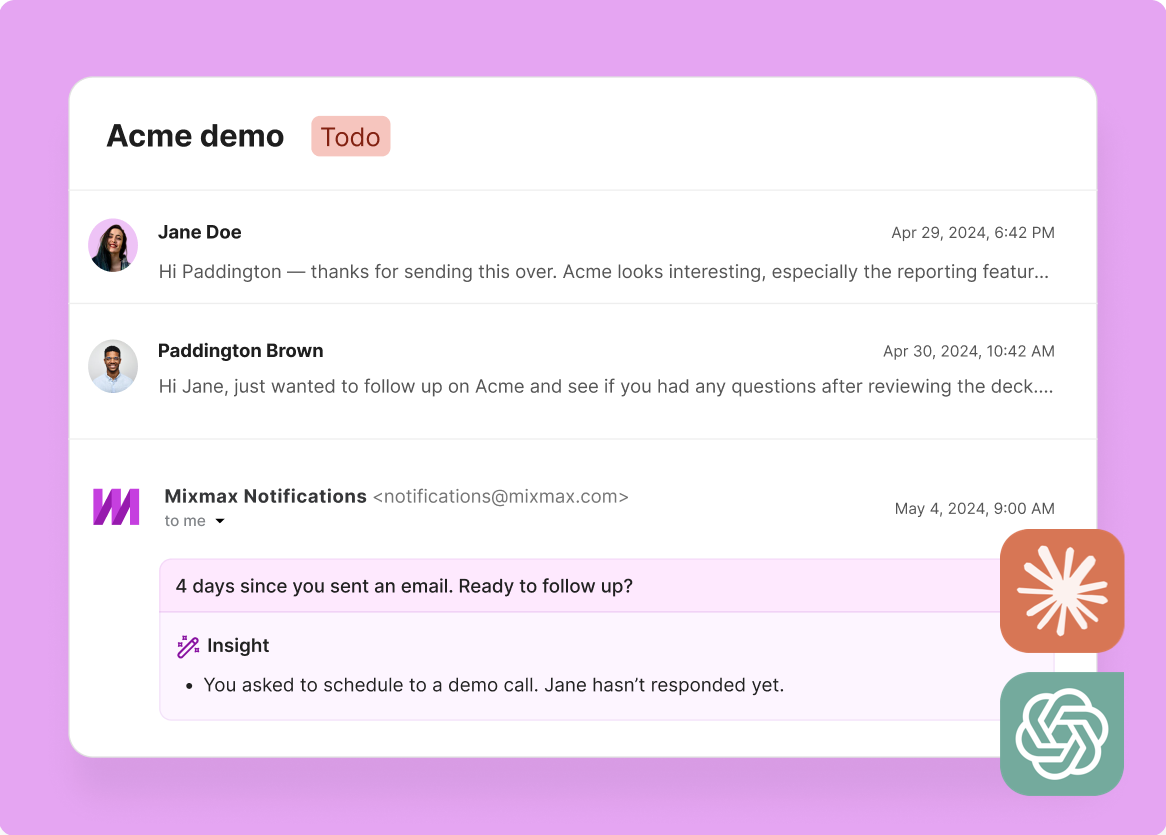
AI drafts follow-up emails that reference specific meeting topics, address questions raised, and list agreed-upon next steps — because it has the full transcript, not your 3-line summary.
- Transcript-referenced drafts
- Action items included
- Tone that matches yours

3 / 4 Stalled Deals Surface
Ask AI 'which of my deals have gone quiet this week?' and get a list based on real engagement data — not your gut feeling. Deals with engagement drop-off, missed next steps, or stale close dates get flagged.
- Engagement-based alerts
- Automatic risk scoring
- Weekly deal health checks

4 / 4 Reviews Get Faster
AI generates deal summaries for your manager 1:1 in seconds — what moved, what's stalled, what needs attention. Grounded in activity timestamps and engagement data, not your memory of each deal.
- Instant deal summaries
- Activity-backed updates
- 1:1 prep in seconds

Frequently asked questions
How does MCP help AEs manage more deals?
MCP gives AI tools access to your complete deal context — meeting history, engagement signals, pipeline data, and CRM activity. Instead of spending time assembling context for each deal, you ask AI and get instant prep briefs, follow-up drafts, and risk flags. The time saved lets you work more deals without dropping context.
What AE-relevant data does the Mixmax MCP server expose?
Meeting transcripts and summaries, engagement signals (opens, clicks, replies per deal), pipeline data (stage, amount, close date), CRM activity history, sequence enrollment data, and scheduling history. All the data an AE needs to manage deals effectively.
Can AI help me prepare for sales calls using MCP data?
Yes — this is one of the most common use cases. Ask Claude or ChatGPT to generate a pre-call brief and it pulls the last meeting's transcript, engagement since then, deal stage, outstanding action items, and relevant CRM activity. The result is a structured prep brief generated in seconds.
How do AEs actually use Claude or ChatGPT for deals?
Common AE use cases: pre-call prep briefs, post-meeting follow-up drafts, deal summary generation for 1:1s, stalled deal detection, engagement pattern analysis, and 'what should I do next on this deal?' queries. All of these improve dramatically when AI has real deal data through MCP.
Does this replace my CRM workflow?
No. Mixmax MCP is a read layer that gives AI access to data already in your CRM and Mixmax. You still manage deals in Salesforce and work in Gmail with Mixmax. AI becomes an additional tool for analysis, drafting, and intelligence — powered by the data you're already generating.
How long does it take an AE to set up Mixmax MCP?
Under five minutes. Authenticate with your Mixmax credentials in Claude Desktop or ChatGPT. The MCP server connects automatically. No API keys, no code, no IT involvement. You can start querying deal data immediately after setup.

Every deal context, one prompt away
See how the Mixmax MCP server connects your meeting transcripts, engagement signals, and pipeline data to Claude and ChatGPT — so every AI output is specific to your deals.

