Best AI tools for meeting follow-up emails
Most meeting tools generate a summary and stop. Mixmax takes the recap, drafts a follow-up email with next steps, and sends it from Gmail — with everything synced to Salesforce.
Mixmax works inside Gmail and syncs to Salesforce.
Mixmax works inside Gmail and syncs to Salesforce. AI reads the meeting transcript, writes the follow-up, and keeps the deal moving — no separate app, zero typing from scratch.

Follow-Up Drafts Automatically
After each meeting, Mixmax AI generates a follow-up email draft with key decisions, commitments, and next steps pulled from the transcript. The draft lands in Gmail ready for the rep to review and send.

Sent Within Minutes
The follow-up email goes out while the conversation is still fresh — not hours later when the rep finally gets around to writing it. Speed of follow-up correlates directly with deal velocity.

Salesforce Logs Itself
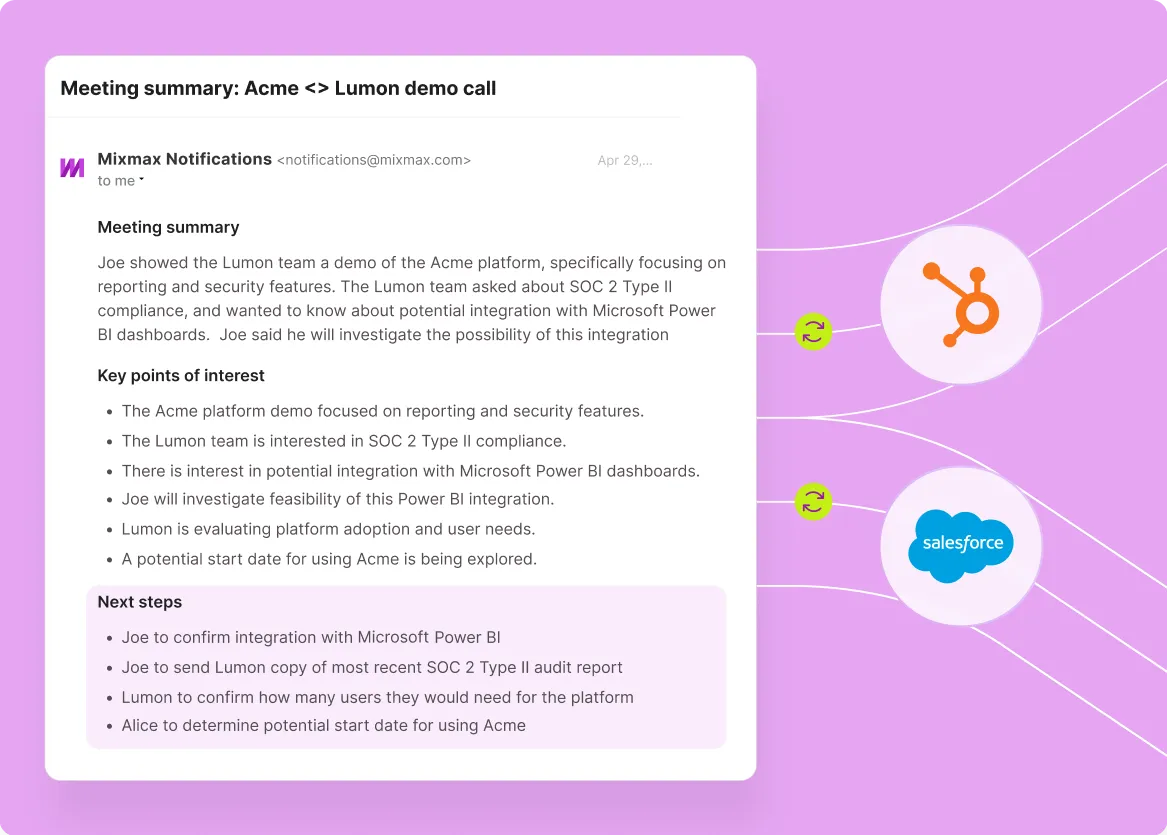
Meeting notes, action items, and follow-up status sync to the Salesforce opportunity or contact record. The CRM reflects what actually happened and what comes next — without the rep touching Salesforce.
Meeting follow-up that writes, sends, and syncs itself
AI-drafted follow-up emails from meeting transcripts, sent from Gmail, with full Salesforce sync — the gap between meeting and next step disappears.
-
1 / 4
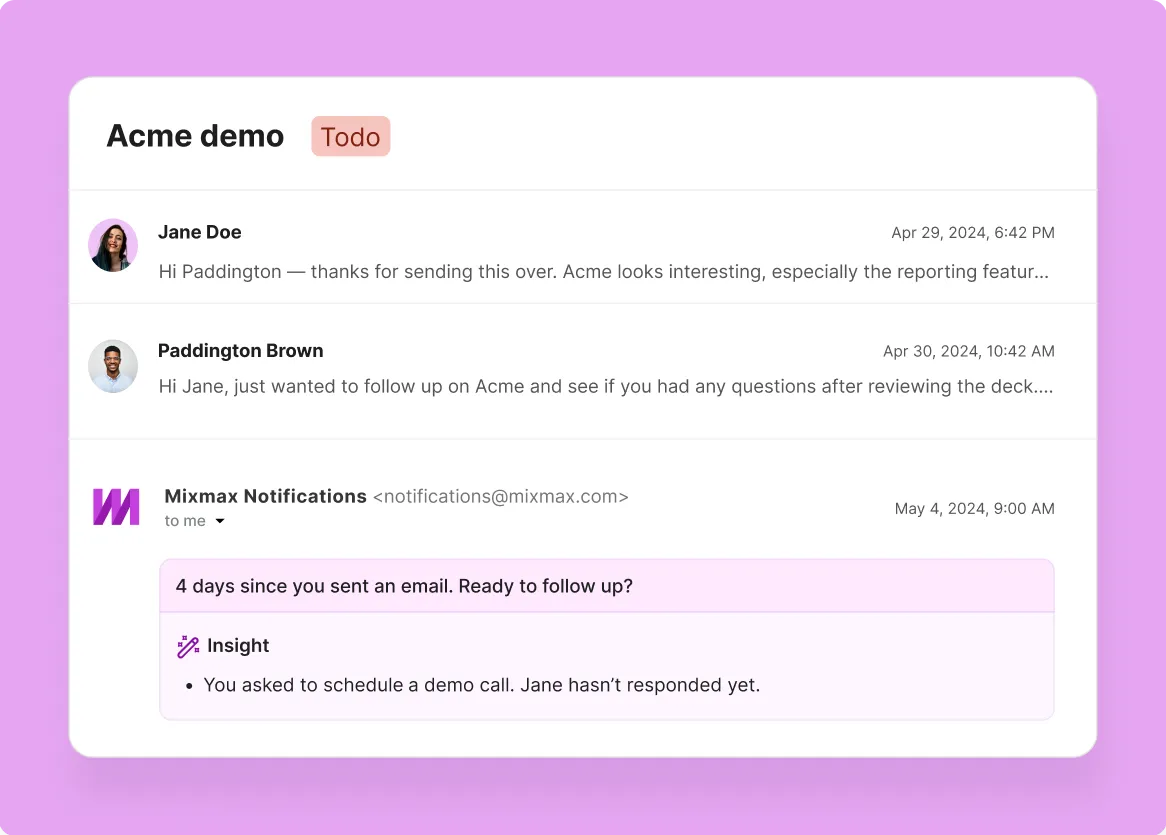
Follow-Up Drafts Automatically
After each meeting, Mixmax AI generates a follow-up email draft with key decisions, commitments, and next steps pulled from the transcript. The draft lands in Gmail ready for the rep to review and send.
- AI-drafted from transcript
- Key decisions included
- Ready in Gmail

Frequently asked questions
-
What are the best AI tools for meeting follow-up emails?
Common options include Otter.ai (generates summary emails from transcripts), Fireflies.ai (creates shareable meeting recaps), and Mixmax (drafts personalized follow-up emails from transcripts and sends them from Gmail). The key difference is where the follow-up lives: Otter and Fireflies create summaries inside their own platforms. Mixmax drafts the follow-up email in your Gmail inbox, ready to send to the prospect.
-
How does Mixmax AI create follow-up emails from meetings?
Mixmax takes the meeting transcript as input, identifies key decisions, commitments, and next steps using AI, and drafts a follow-up email structured around those action items. The draft appears in Gmail — the rep reviews it, adjusts if needed, and sends. The email comes from the rep's address, not from a bot or third-party tool.
-
Does Mixmax record meetings?
No. Mixmax does not record calls or provide real-time transcription. It takes meeting transcripts — from Zoom, Google Meet, or your transcription tool — and adds sales intelligence: structured summaries, follow-up email drafts, action item extraction, and Salesforce sync. The value is in converting the transcript into sales execution.
-
How fast can follow-up emails go out after a meeting with Mixmax?
Within minutes of the meeting ending. Once the transcript is processed, Mixmax AI generates the follow-up draft in Gmail. The rep reviews and sends — no manual writing, no switching to a separate drafting tool. For sales teams, speed of follow-up directly impacts deal velocity.
-
Can Mixmax trigger sequences or tasks from meeting follow-up?
Yes. Based on meeting outcomes, Mixmax can enroll prospects in follow-up sequences, create tasks for the rep, or trigger next-step workflows. The meeting recap feeds directly into the sales execution loop — it's not an isolated summary sitting in a separate tool.
-
How does Mixmax follow-up compare to Gong or Fathom post-meeting workflows?
Gong and Fathom focus on conversation intelligence — call recording, talk-pattern analysis, coaching insights. Their post-meeting output is a summary and sometimes a shareable recap link. Mixmax focuses on the rep's execution workflow: drafting the actual follow-up email, sending it from Gmail, and syncing the outcome to Salesforce. Different problem, different output.
The follow-up is where meetings become deals
See how Mixmax AI drafts follow-up emails from meeting transcripts, sends them from Gmail, and syncs everything to Salesforce — so the deal keeps moving.