Automated follow-up emails from Gmail
Mixmax sends automated follow-up emails from Gmail based on rules you set — time-since-send, no-reply triggers, link-click triggers — so warm threads don't go cold while reps are heads-down on other deals.
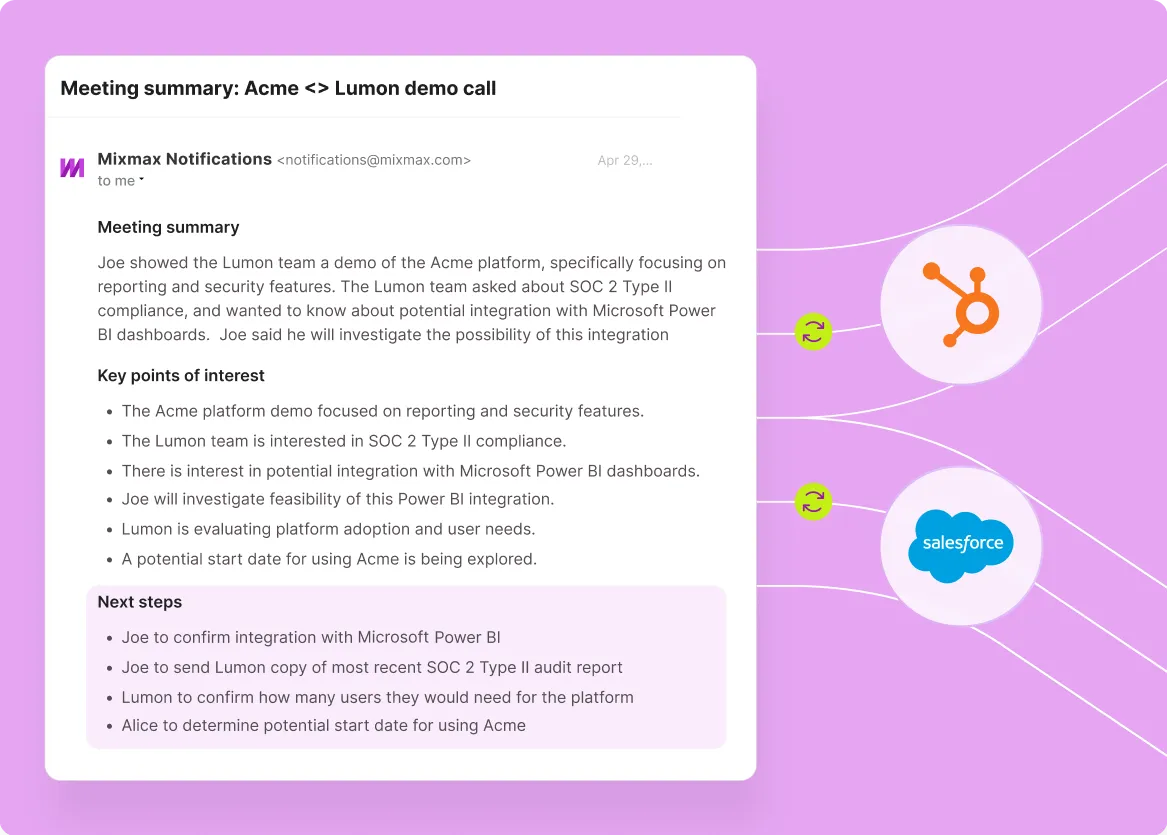
Mixmax works inside Gmail and syncs to Salesforce.
Set follow-up rules once, let them run. Mixmax automated follow-up runs inside Gmail, fires on engagement signals, syncs to Salesforce, and pauses automatically when prospects reply.

Rules Run Themselves
Multi-step follow-up rules — time-based, no-reply-based, click-based — run automatically from Gmail. Reps set the rules once; the system fires follow-ups at the right moments.

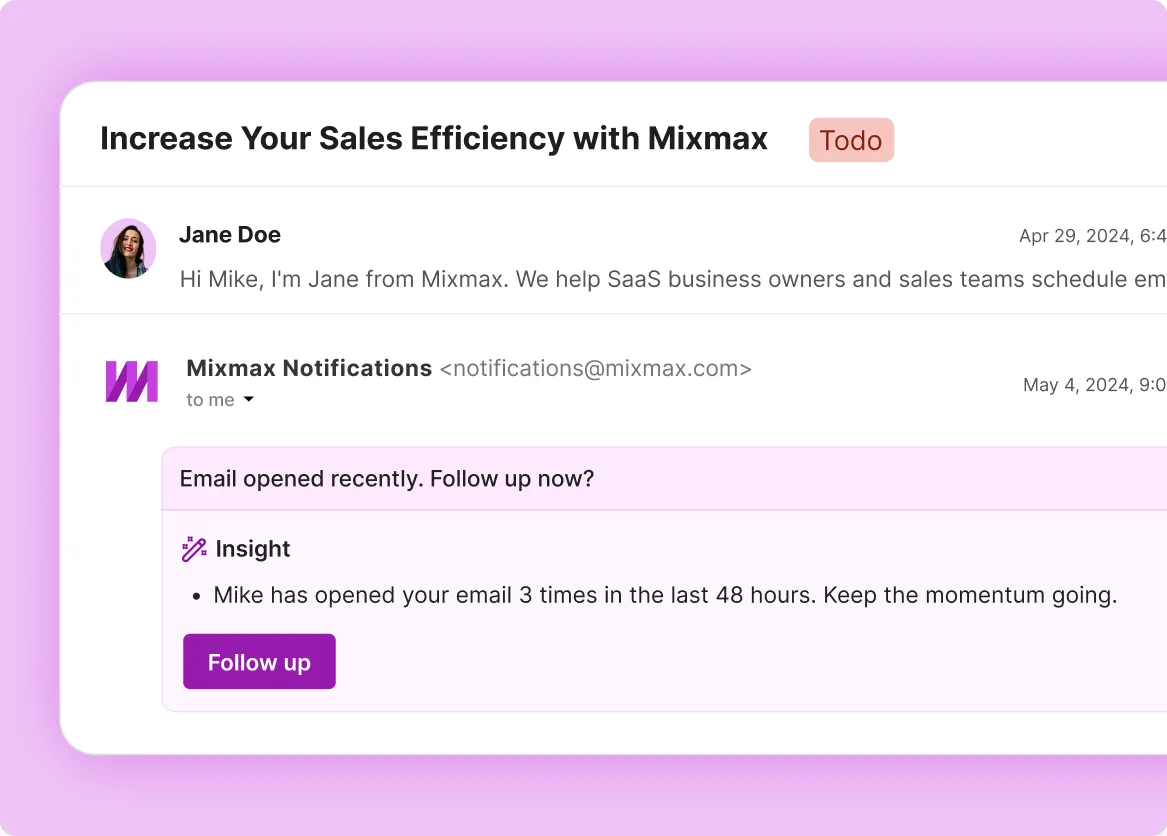
Prompts Catch Re-engagement
When a prospect re-opens an old thread, clicks a link, or shows engagement after silence, Mixmax surfaces an Insight prompt with a suggested follow-up — sometimes an AI-drafted reply.

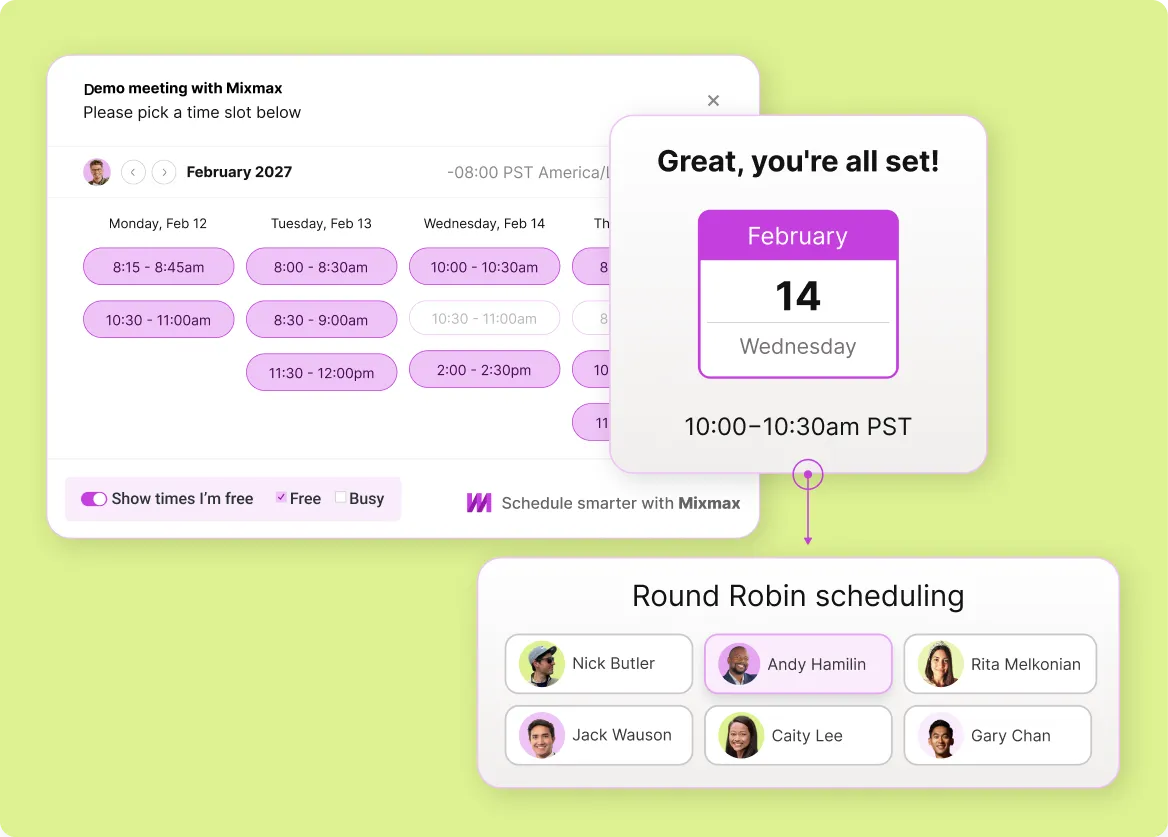
Replies Land on the Calendar
When a follow-up earns a reply, embed availability in the response email and book in one click — the automated cadence ends with a meeting on both calendars.
Everything you need for sales follow-up that runs itself
Rules-based follow-up sequences, engagement-triggered prompts, auto-pause on reply, and Salesforce sync — automated follow-up that runs from Gmail without rep effort.
-
1 / 4
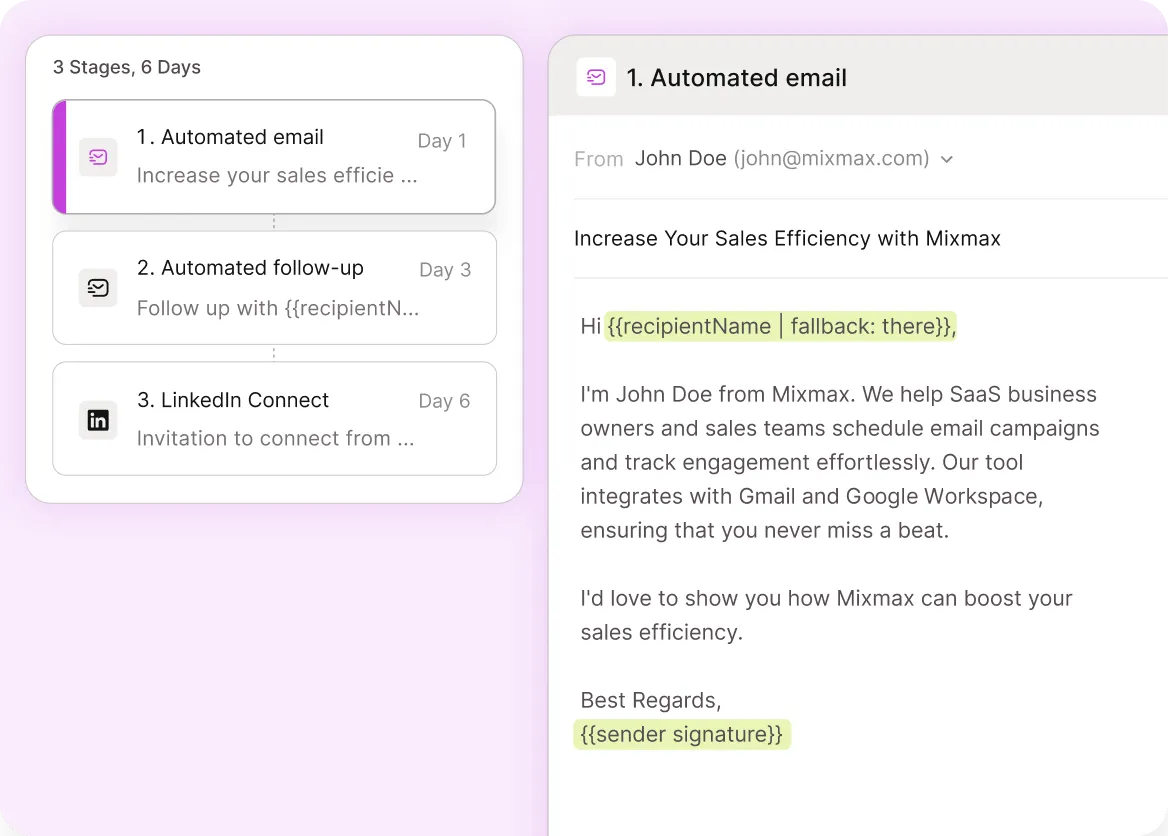
Rules Run Themselves
Multi-step follow-up rules — time-based, no-reply-based, click-based — run automatically from Gmail. Reps set the rules once; the system fires follow-ups at the right moments.
- Time-based rules
- No-reply triggers
- Click-based branching

Frequently asked questions
-
How does automated follow-up work in Mixmax?
You set rules once: 'send follow-up A 3 days after the first email if no reply, send follow-up B 2 days later if still no reply, pause if the prospect clicks the pricing link, pause permanently on reply.' Mixmax runs the rules from inside Gmail, fires the follow-ups at the right moments, and writes everything to Salesforce. The rep sets the cadence and lets it run.
-
Does automated follow-up sync with Salesforce activity?
Yes. Every automated follow-up email, engagement signal (open, click), and reply writes to the matching Salesforce contact and opportunity automatically. Automated motion stays visible in the CRM, which matters for pipeline reviews and managers checking what's actually happening on a deal.
-
Will automated follow-up over-send to engaged prospects?
No. Mixmax auto-pauses when a prospect replies — manually or automated — so reps don't send follow-ups to people who already responded. Click-based branching also lets you set rules like 'if they click the pricing link, end the cadence and notify the AE' so engaged prospects get the right next step.
-
Can different rules fire based on what the prospect clicks?
Yes. Mixmax sequences support click-based branching: a click on a pricing link can trigger a different follow-up step than a click on a docs link, which can trigger a different step than no engagement at all. Reps codify what their best follow-up patterns look like and let the rules run.
-
How is automated follow-up different from generic email scheduling?
Generic email scheduling sends an email at a future time. Automated follow-up sends a series of emails based on rules and engagement signals, pauses on reply, and syncs to Salesforce. Different shapes — scheduling is for one email at a future time; automated follow-up is for a multi-step cadence that adapts.
-
How fast can a sales team set up automated follow-up?
Most teams have a basic automated follow-up cadence running in under an hour. Building a more refined ruleset with click-based branching takes a few hours. Once rules are set, the cadence runs without further configuration.
Stop forgetting to follow up
See how Mixmax automated follow-up runs rules-based and engagement-triggered cadences from inside Gmail, with auto-pause on reply and Salesforce sync built in.