









Most reps work their pipeline by gut feel or recency. Mixmax gives you engagement-ranked accounts so you spend time on the prospects showing real buying signals.

Opens Reveal Intent
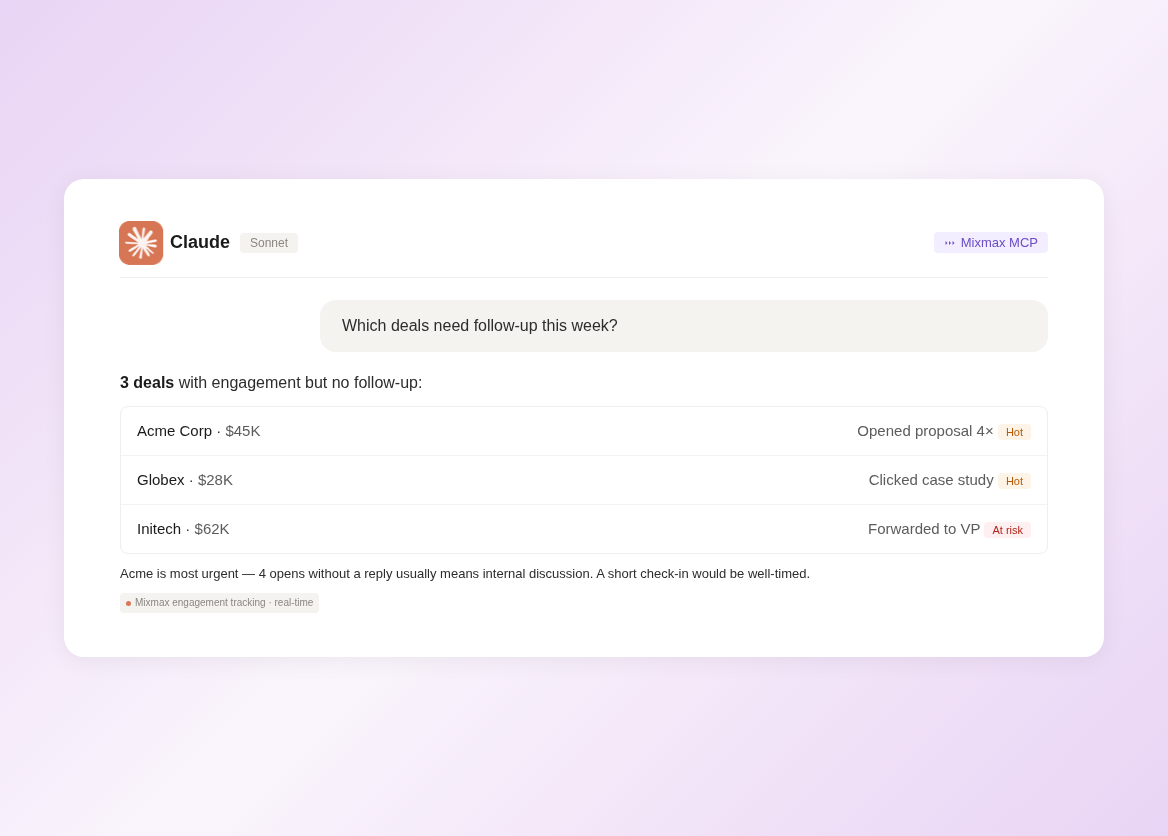
Mixmax tracks not just whether an email was opened, but how many times, on which device, and whether links were clicked. AI interprets the pattern: a prospect who opened three times and clicked the case study link is more interested than one who glanced once.

Clicks Tell Stories
Link click data reveals what prospects care about. Did they click pricing? The case study? The integration page? AI reads these signals to suggest talking points for your next conversation.

Silence Becomes Data
When a previously active prospect goes quiet, Mixmax flags the drop-off with context: last engagement, time since contact, and what the last touchpoint was. AI suggests re-engagement timing.
Email signals, meeting data, and response patterns combine into AI-ranked prospect lists that tell reps where to spend their time.

1 / 4 Opens Reveal Intent
Mixmax tracks not just whether an email was opened, but how many times, on which device, and whether links were clicked. AI interprets the pattern: a prospect who opened three times and clicked the case study link is more interested than one who glanced once.
- Multi-open detection
- Click depth tracked
- Interest pattern scored
2 / 4 Clicks Tell Stories
Link click data reveals what prospects care about. Did they click pricing? The case study? The integration page? AI reads these signals to suggest talking points for your next conversation.
- Content interest mapped
- Talking points suggested
- Interest areas visible

3 / 4 Silence Becomes Data
When a previously active prospect goes quiet, Mixmax flags the drop-off with context: last engagement, time since contact, and what the last touchpoint was. AI suggests re-engagement timing.
- Drop-off detected
- Last engagement context
- Re-engagement timing
4 / 4 Patterns Guide Outreach
AI identifies engagement patterns that predict replies: time of day, email length, subject line style. Your next outreach is informed by what actually worked, not what felt right.
- Best send times learned
- Effective patterns surfaced
- Data-backed outreach

Frequently asked questions
What engagement signals does Mixmax track?
Email opens (count, time, device), link clicks (which links, how many times), reply timing, meeting bookings, content downloads, and forwarding activity. All captured automatically from within Gmail.
How does AI prioritization differ from basic open tracking?
Basic tracking sends a ping per open. Mixmax AI scores engagement patterns — multiple opens, click depth, recency, velocity — and ranks your accounts by real interest level.
Does engagement data sync to Salesforce?
Yes. All engagement data syncs to Salesforce contact and opportunity records automatically. Your CRM gets an engagement layer without any manual data entry.
Can I see team-wide engagement patterns?
Yes. Managers can view aggregate engagement analytics across the team — which sequences drive engagement, which reps get the best response rates, and which accounts are most active.
What does Mixmax cost?
Inbox Copilot with engagement tracking is $29/month per user. Full Suite with all Copilots is $89/month. Free plan tracks up to 20 emails per month.
Does it work with email I send from Gmail normally?
Yes. Mixmax tracks engagement on all email sent through Gmail with the Mixmax extension installed. No special workflow needed — just compose and send as usual.

Know who’s interested before they tell you
See how Mixmax AI turns email engagement data into prioritized prospect lists and data-backed outreach timing.

