



Skip to content

Mixmax vs. Calendly:  keep scheduling connected to the conversation

Calendly sends prospects to a booking page. Mixmax lets them pick a time inside your email — with tracking, sequences, and follow-up around it — so scheduling is part of the outreach, not a detour.

Calendly
  • A standalone scheduling link — the prospect leaves your email to book.
  • No email tracking or read receipts on the messages around the invite.
  • No multi-step sequences or automated follow-up when they don't book.
  • No Salesforce or HubSpot logging of the outreach that led to the meeting.
  • Scheduling lives apart from the conversation that created the need.
  • You still need separate tools for tracking, sequences, and CRM sync.
Mixmax
  • One-click scheduling embedded right in the email — no page to visit.
  • Availability and booking sit alongside tracking and sequences.
  • Automated follow-up when a prospect opens but doesn't book.
  • Team and round-robin scheduling for booking across reps.
  • Two-way Salesforce and HubSpot sync on every meeting and email.
  • Real-time open, click, and reply tracking inside Gmail.
Screencastify
“I've used many sales engagement tools, but Mixmax is the best option for quota-carrying reps I've seen!”
Brian Collins

Brian Collins

Head of Sales, Screencastify

Mixmax vs. Calendly - Integration comparison

Every meeting, logged automatically

With Calendly, the booking happens on a separate page and the outreach around it lives somewhere else. Mixmax keeps scheduling inside the email and syncs every meeting, open, click, and reply to Salesforce and HubSpot in real time — so the path from first touch to booked meeting is all in one record.
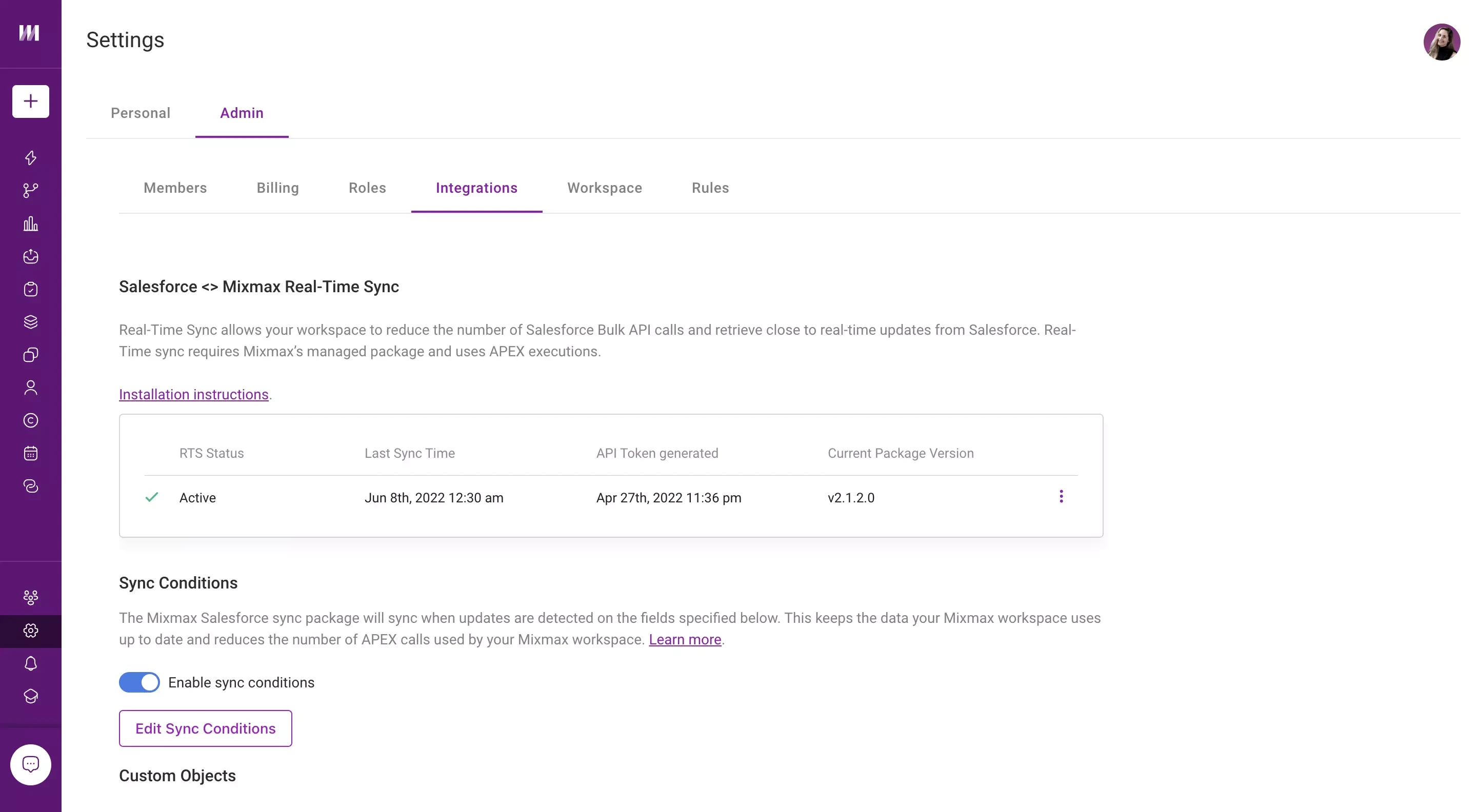

Mixmax syncs meetings and email activity to Salesforce in real time, keeping the CRM current without manual entry.

What can you do with Mixmax vs. Calendly?

  • Is Mixmax more expensive than Calendly?

    For pure scheduling, Calendly can be cheaper — it runs from free to about $16/seat/month (Enterprise starts around $15k/year), while Mixmax is $29–89/user/month. The difference is scope: Calendly is a dedicated scheduling tool; Mixmax bundles scheduling with tracking, sequences, and CRM sync.

    If you only need a booking link, Calendly is the focused choice. If scheduling is one step in a larger outreach workflow, Mixmax keeps it all in one place.

  • What does Calendly do well?

    Calendly is the category leader in scheduling for a reason — clean booking pages, deep calendar integrations, routing forms, and round-robin that work reliably at scale. If scheduling is a standalone need across your whole company, Calendly is hard to beat.

  • Can Mixmax do scheduling like Calendly?

    Yes. Mixmax offers shareable scheduling links and one-click in-email booking, plus team and round-robin scheduling. The difference is that Mixmax embeds it in your email and connects it to your tracking, sequences, and CRM.

  • Do I still need Calendly if I use Mixmax?

    For most sales scheduling, no — Mixmax handles booking inside your outreach. Some teams keep Calendly for company-wide, non-sales scheduling; the two can coexist, but for reps, Mixmax keeps scheduling attached to the conversation.

See why teams choose Mixmax over Calendly

Start in your Gmail today. No new apps, no credit card, no implementation timeline.