




Skip to content

Choose which kinds of cookies and similar tools we may use. Your choice is saved on this browser for six months.

Mixmax vs. Boomerang:  reminders are step one, sequences finish the job

Boomerang makes Gmail tidier — send later, remind me, read receipts. Mixmax makes Gmail a sales engine — multi-step sequences, engagement signals, team scheduling, and Salesforce sync.

Boomerang
  • Scheduled send, reminders, and read receipts — Gmail productivity, not sales execution.
  • No true multi-step sequences with auto-pause on reply and Smart Send timing.
  • No engagement signals telling reps which accounts are hot right now.
  • No team or round-robin scheduling for booking meetings across reps.
  • Limited CRM sync — activity doesn't flow cleanly into Salesforce or HubSpot.
Mixmax
  • Multi-step sequences that auto-pause on reply, with Smart Send timing.
  • Engagement signals that surface who's ready and what to do next.
  • One-click in-email and team scheduling — no separate booking tool.
  • Two-way Salesforce and HubSpot sync, logged automatically.
  • Real-time open, click, and reply tracking inside Gmail.
Screencastify
“I've used many sales engagement tools, but Mixmax is the best option for quota-carrying reps I've seen!”
Brian Collins

Brian Collins

Head of Sales, Screencastify

Mixmax vs. Boomerang - Integration comparison

From tidy inbox to logged pipeline

Boomerang keeps your send-later and reminder actions inside Gmail. Mixmax takes it further — every open, click, reply, and meeting syncs to Salesforce and HubSpot in real time, so the whole team's activity lands in the CRM without anyone logging it by hand.
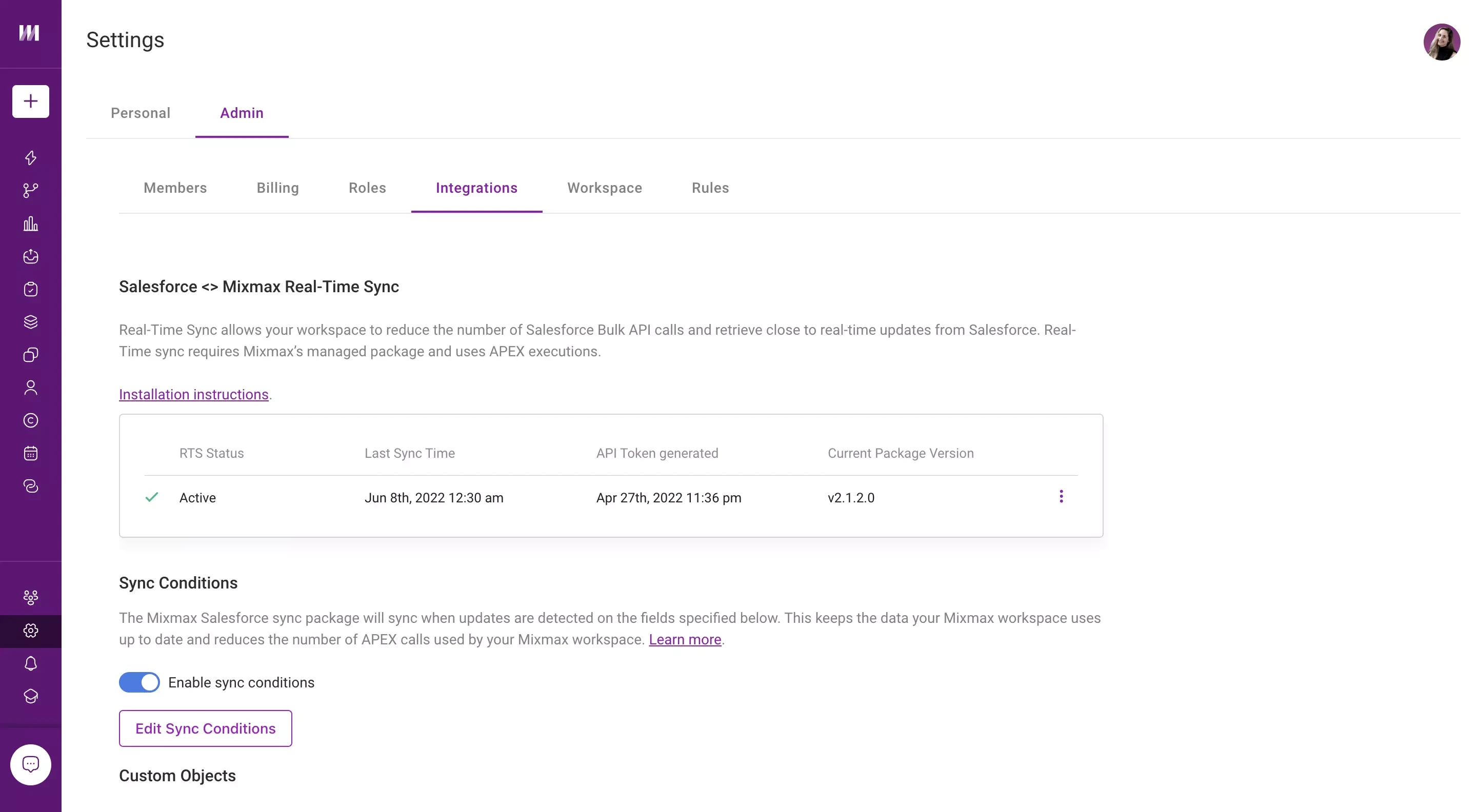

Mixmax syncs email and meeting activity to Salesforce in real time, keeping the CRM current without manual entry.

What can you do with Mixmax vs. Boomerang?

  • Is Mixmax more expensive than Boomerang?

    Both have a free plan. On paid plans, usually yes: Boomerang runs up to about $49.98/month for its top tier, and Mixmax's paid plans start at $29/user/month, with every feature included. They solve different problems: Boomerang is a personal Gmail-productivity add-on, Mixmax is a sales-execution platform for a team.

    If you only want send-later and reminders for your own inbox, Mixmax's free plan covers both. If you run outreach and follow-up for a living, Mixmax replaces several tools at once.

  • What does Boomerang do well?

    Boomerang nails Gmail productivity: scheduled send, 'boomerang' a message back to your inbox, Inbox Pause, and read receipts are all simple and reliable. For managing your own inbox, it's excellent.

  • Can Mixmax schedule sends and set reminders like Boomerang?

    Yes. Mixmax does send-later, reminders, and read receipts too — then adds multi-step sequences, engagement signals, scheduling, and CRM sync that Boomerang doesn't.

  • Does Mixmax replace Boomerang?

    For send-later and reminders, yes, and both are on Mixmax's free plan. Mixmax also adds sequences, scheduling, and CRM sync when you need them. If you rely on Boomerang extras like Inbox Pause, check those first.

See why teams choose Mixmax over Boomerang

Start in your Gmail today. No new apps, no credit card, no implementation timeline.