


Skip to content

Mixmax vs. Apollo

Apollo is primarily a data provider, with a lighter sales engagement offering. This could leave your revenue team without a robust enough solution for building and closing pipeline.

Apollo
  • Sales intelligence platform built for finding prospects and lead scoring.
  • Credit-based pricing model.
  • Workflow automation is rigid and isn't customizable for individual reps.
  • No in-email enhancements, embedded polls, surveys or content previews enabling faster replies.
  • Includes email and tracking functionality, but has no easy way to personalize sequences for recipients.
  • Limited reporting to email opens and tasks completed.
  • Connecting to Salesforce is a heavy lift, requiring revops or admin resources.
  • Lacks advanced calendar and meeting scheduling features.
  • Built for SDR teams doing high-volume prospecting, low adoption with AEs and CSMs.
Mixmax
  • Sales engagement platform built for the entire B2B revenue team.
  • Cost-effective & transparent user-based pricing.
  • Intuitive and easy-to-use workflows rules. Flexible team & rep level workflow automation can be created for many use cases.
  • True engagement at scale allowing recipients to respond to polls, surveys or book time with a click, and enabling automated follow ups and task creation based on replies.
  • Built for personalization with multichannel sequences to structure outreach, so reps can move faster while giving them an easy way to handpick accounts and personalize each stage per recipient.
  • Has rich reporting functionality built in-app and 30+ prebuilt sales reports in Salesforce for deep analytics, team leaderboards, and pipeline review.
  • One-click Salesforce integration with no field mapping gets you connected right away.
  • The one-click scheduling and flexible templates allow for easy meeting scheduling, without the back-and-forth.
  • Flexible workflows to support the entire revenue team, including AEs, CSMs and SDRs.
Meltwater
“Mixmax has the features of Outreach or Salesloft, but lives in your Gmail. There is no learning curve for implementation; resulting in high adoption and usage.”
John Moore

John Moore

Sales Enablement Manager, Meltwater

Mixmax vs. Apollo - Integration comparison

Real-time Salesforce sync

The key difference between Mixmax and Apollo for Salesforce CRM users is that Mixmax's real-time sync lets your workspace reduce the number of Salesforce Bulk API calls and retrieve close to real-time updates from Salesforce. By contrast, Apollo is known to create duplicate contacts inside the platform, which causes data silos. The CRM integration will log activity but lacks the editing functionality the majority of the revenue team needs. Additionally, limitations in workflow automation won't help your team save time to focus more on selling.
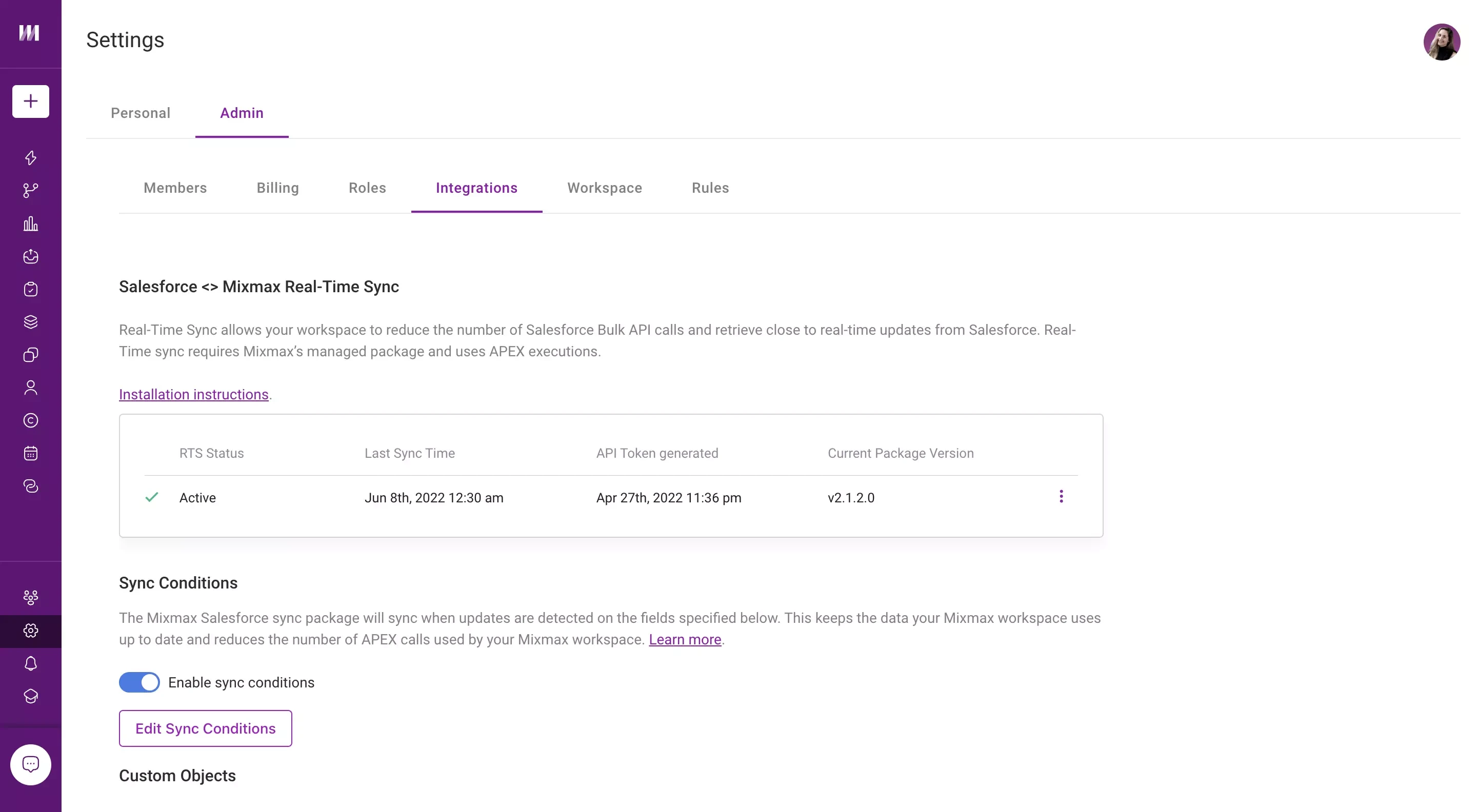
Mixmax's real-time Salesforce sync eliminates the need for manual data entry, making it a source of truth.
Screencastify
“I've used many sales engagement tools, but Mixmax is the best option for quota-carrying reps I've seen!”
Brian Collins

Brian Collins

Head of Sales, Screencastify

What can you do with Mixmax vs. Apollo?

  • Engage prospects, close deals and expand customers

    Mixmax is the most user-friendly sales engagement platform for B2B revenue teams, helping your entire team grow revenue from prospecting to expansion.

    Apollo.io provides a data set for sales leaders and their teams who need contact data and lead scoring, who can benefit from basic email outreach.

  • Build workflow automation to power your sales processes

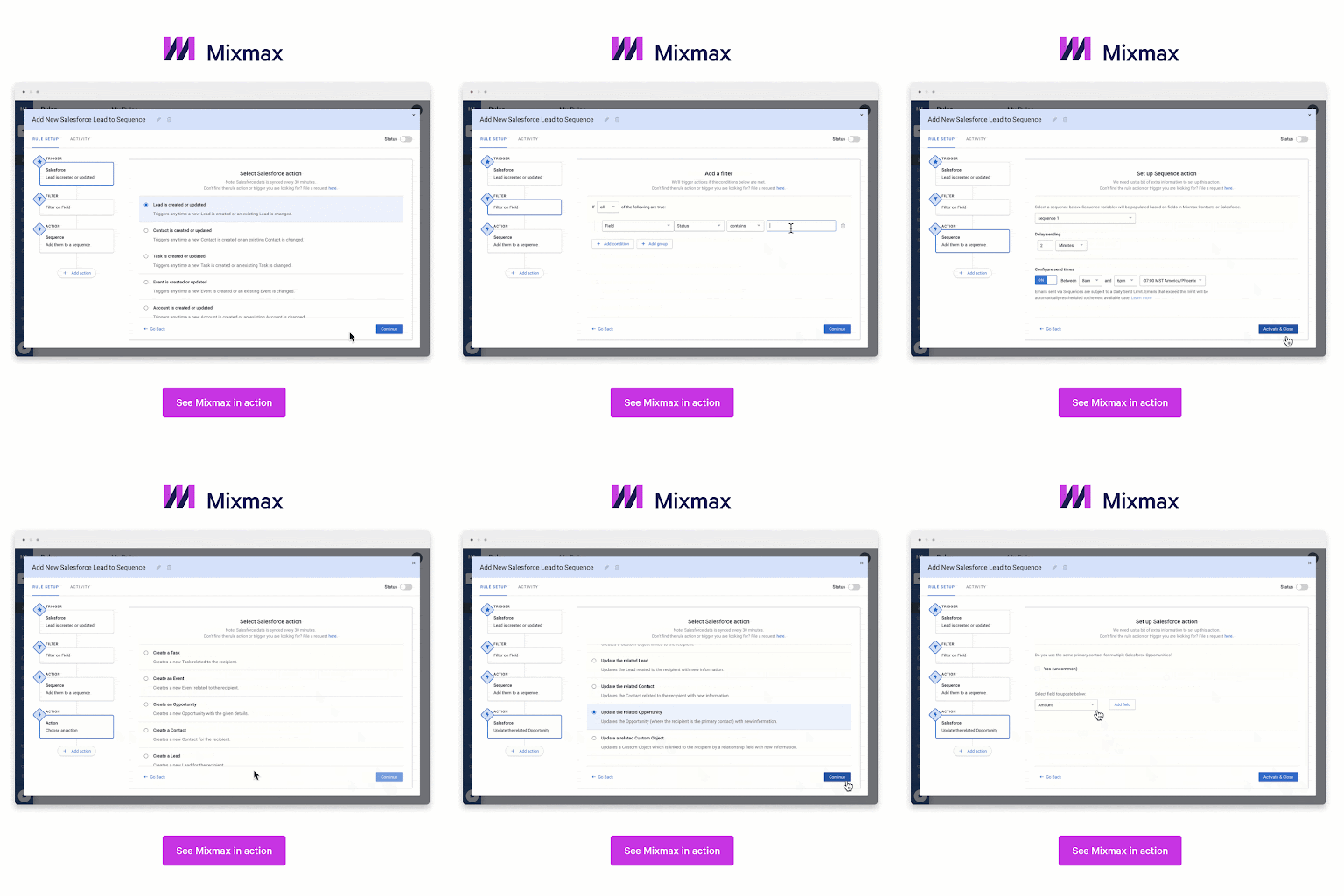
    Mixmax's powerful, intuitive rules engine empowers sales teams to automate workflows and processes across multiple teams and tools, from time-saving CRM updates to real-time alerts.

    Cue up a call task when a contact opens your email more than x times, create customized follow-up emails depending on poll answers, or send out a thank-you and automatically reassign a prospect to your customer success team when they convert.

    With Apollo, plays are limited to prebuilt actions and are configured by admin users, and without tech support, they can also become cumbersome once you hit a moderate number of users and/or non-SDR use cases.

    Mixmax comes with customizable, intuitive triggers out of the box.
    Mixmax comes with customizable, intuitive triggers out of the box.
  • Create highly personalized buyer experiences

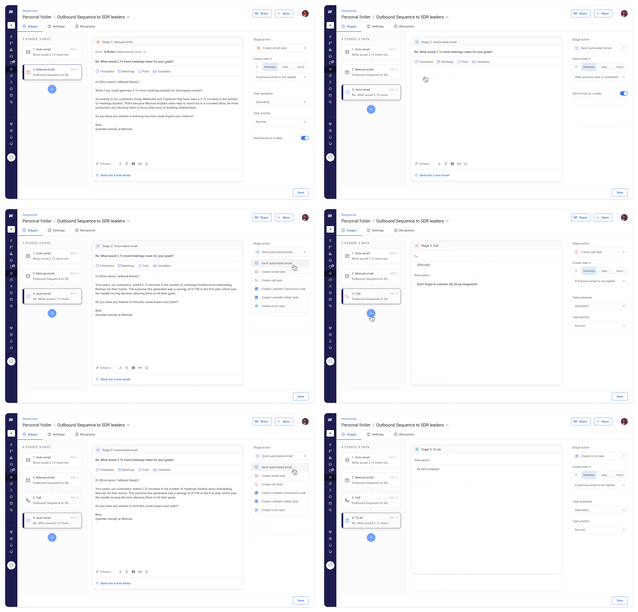
    Mixmax multi-channel sequences can be easily personalized for each recipient. And it's easy to set up rules to move prospects into another sequence based on their engagement and as they move through the sales cycle.

    By contrast, Apollo sequences are a newer feature and created for more basic outreach to a large number of contacts. To really leverage customization features, you need to send email sequences individually, slowing down rep productivity.

    Mixmax sequences are more customizable than Apollo, making it easier to personalize and adapt outreach.
    Mixmax sequences are more customizable than Apollo, making it easier to personalize and adapt outreach.
  • Stand out in the inbox

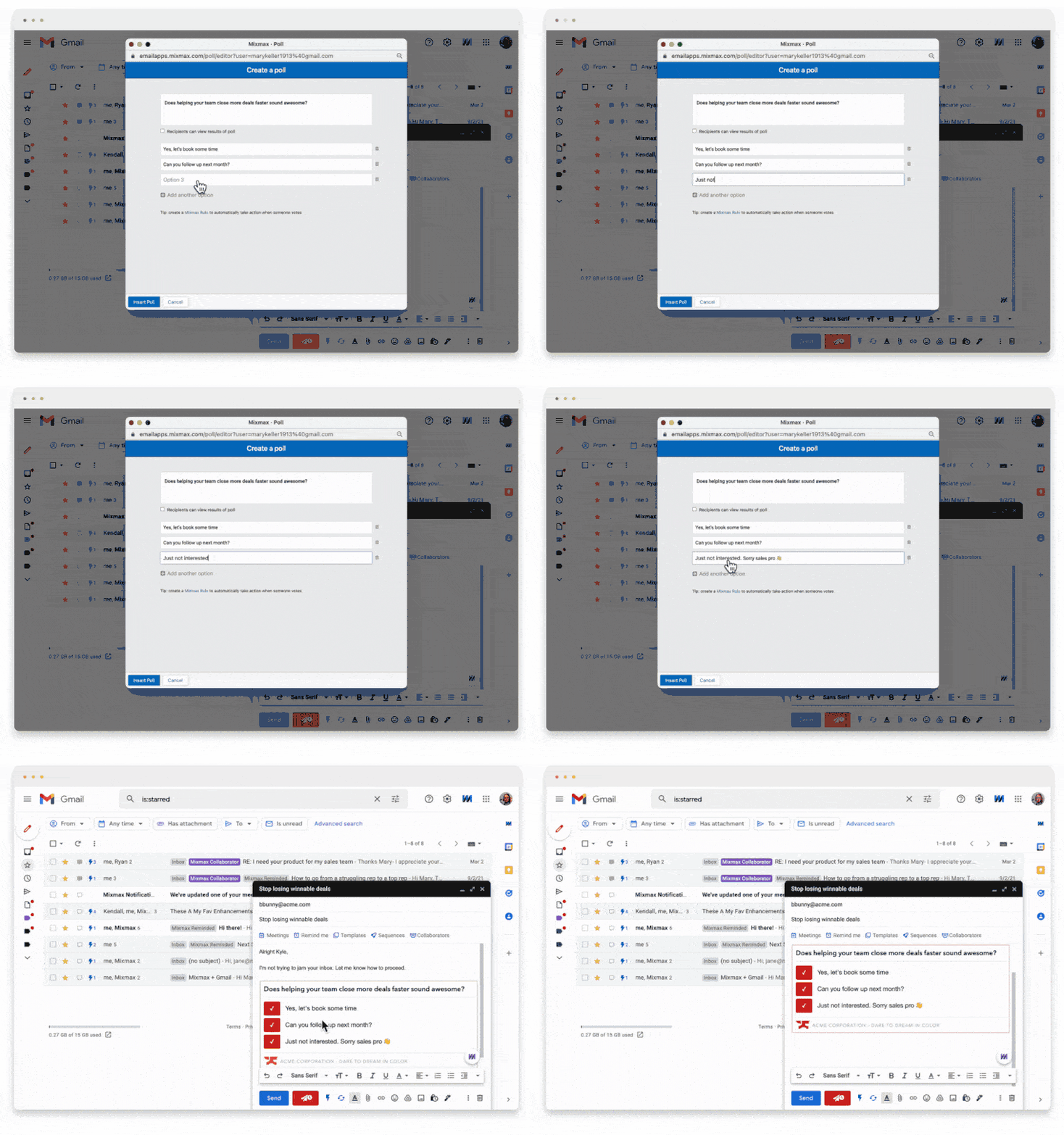
    Mixmax email templates are fully customizable in Gmail and come with a ton of enhancements like adding polls, surveys and CTAs, links, images, videos, GIFs, etc. with easy slash commands. This makes it easy to stamp your personality on messages and gather information to tailor your approach.

    Apollo is designed to help SDRs source a first meeting, so it's less focused on engaging prospects once AEs take over and when CSMs work to renew their accounts. The email editor and design options are more limited, so you're left struggling to make plain text emails stand out in prospects' inboxes.

    Mixmax polls are quick and easy for recipients to answer, boosting the chances of getting a response
    Mixmax polls are quick and easy for recipients to answer, boosting the chances of getting a response
  • Follow up with precision

    Mixmax offers real-time, granular attachment and email tracking & engagement alerts via email or Slack. See which individual in a group opened your email, which email in a thread was read, and which links they clicked on. This lets you identify decision makers and jump on leads when they're hot. You can also set reminders to follow up or circle back on unanswered emails.

    Apollo has very limited insights and lacks reporting capabilities in general: It only tells you that someone has opened your email and clicked on something. It also can't distinguish email senders from recipients, so you get false open reads when you revisit your own emails.

  • Reduce friction when booking meetings

    Embedding your availability in a Mixmax email enables your prospects and customers to book a meeting with one click. That's right, just one click.

    Other times, sending a calendar link is more convenient, but that doesn't mean your recipient should be tasked with the back-and-forth, checking your and their calendar to find a slot that works. Mixmax takes care of it by showing your recipient when they're free on your calendar. In-email polls & surveys also make it easy to poll groups to find the best time.

    Apollo's calendar features are still in the beta stage and are not as intuitive. Your prospects and customers will still have to do the calendar dance to book a meeting. Your prospects and customers will have to do the calendar dance to book a meeting.

    As Mike Wander from SaaStr says; "making your prospects' life easier is what makes your life easier."

  • Measure revenue-generating activities

    Mixmax's reporting features enable revenue leaders to quickly find the insights they need to make critical decisions about their go-to-market motions. We enable reps to easily track their own prospects' or customers' email opens, and downloads and compare which sequences are getting the most engagement.

    Sales leaders who want to create leaderboards, set targets, and analyze their opportunity pipeline can do so with 30+ pre-built reports within 3 different dashboards available with a single click inside of your Salesforce instance.

    Apollo's reporting functionality tracks email opens and tasks completed, but sales leaders today need more to elevate their teams to hit and exceed quota. Their Salesforce integration is also suboptimal since its primary purpose is to import contacts from their sales intelligence database rather than combine sales engagement activity data and opportunity information, like with Mixmax Insights.

  • Do your best work from the platform of your choice

    Asking AEs and CSMs to work from a sales engagement platform built for SDRs leads to low adoption and wasted license fees. Mixmax was built for Gmail and Salesforce, and gives your reps a choice. AEs and CSMs tend to spend their day in Gmail and rely heavily on our Gmail and Salesforce integration, while SDRs prefer to manage all of their tasks from their Mixmax dashboard. Some of our customers work exclusively from Salesforce. Being a sales engagement platform for all revenue teams means empowering all reps to do their best work, not just SDRs.

    Mixmax Gmail sidebar lets you manage tasks, send LinkedIn InMail, promote team coaching and alignment with Team Live Feeds, access and update Salesforce, and quickly access prospect and tracking data right from your inbox.

    Even though Apollo has a Gmail integration, it is clunky and not as powerful. Apollo was built for prospecting SDRs who want to find more leads. If your AEs and CSMs aren't willing to work within a separate platform, you will end up overpaying for a solution that two-thirds of your revenue team isn't using.

See why teams choose Mixmax over Apollo

Start in your Gmail today. No new apps, no credit card, no implementation timeline.