
Never lose the deals that happen on “quick calls”
Sales rarely follow the established schedule.
Sure, many conversations start as scheduled call. But some of the most important moments in a deal happen when a customer sends a quick message:
“Hey, can we jump on a quick call?”
Maybe they want to review the proposal. Maybe they have last-minute questions. Maybe they’re finally ready to move forward.
These spontaneous calls often matter more than the scheduled ones. But until now, they were easy to miss when it came to capturing notes, action items, and next steps.
That changes today.
We’re excited to introduce ad-hoc meeting support for Meeting Copilot, so you can add your Mixmax copilot to any live call, even if it wasn’t scheduled in advance.
Because in sales, the unscheduled conversations often move the deal the most.
Sales conversations don’t always live on your calendar
Meeting Copilot always automatically joined Google Meet and Zoom meetings scheduled on your calendar to capture notes and action items, and help you follow up quickly.
That works great for planned calls. But sellers know the reality:
Deals don’t always move on a schedule.
Customers ask for quick calls. Conversations jump from email to video in seconds. And those moments often contain the most important signals in the entire deal.
Throw an ad-hoc meeting into a seller’s already busy schedule, and they’re left scrambling to remember:
-
What the customer’s main concern was
-
Which next steps were agreed to
What follow-up needs to happen immediately
And when sellers are juggling dozens of deals, relying on memory is a risky play.
Meeting Copilot On-Demand
Now you can add Meeting Copilot to any meeting, even if it wasn’t scheduled on your calendar.
There are two easy ways to do it.
1. Add Meeting Copilot directly from Google Meet
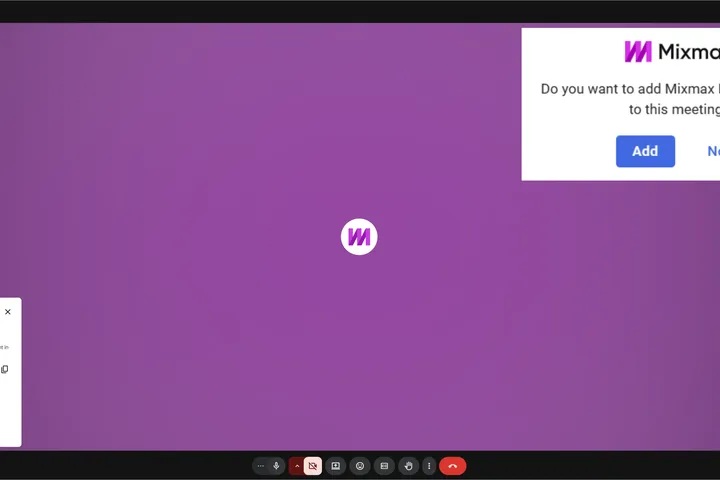
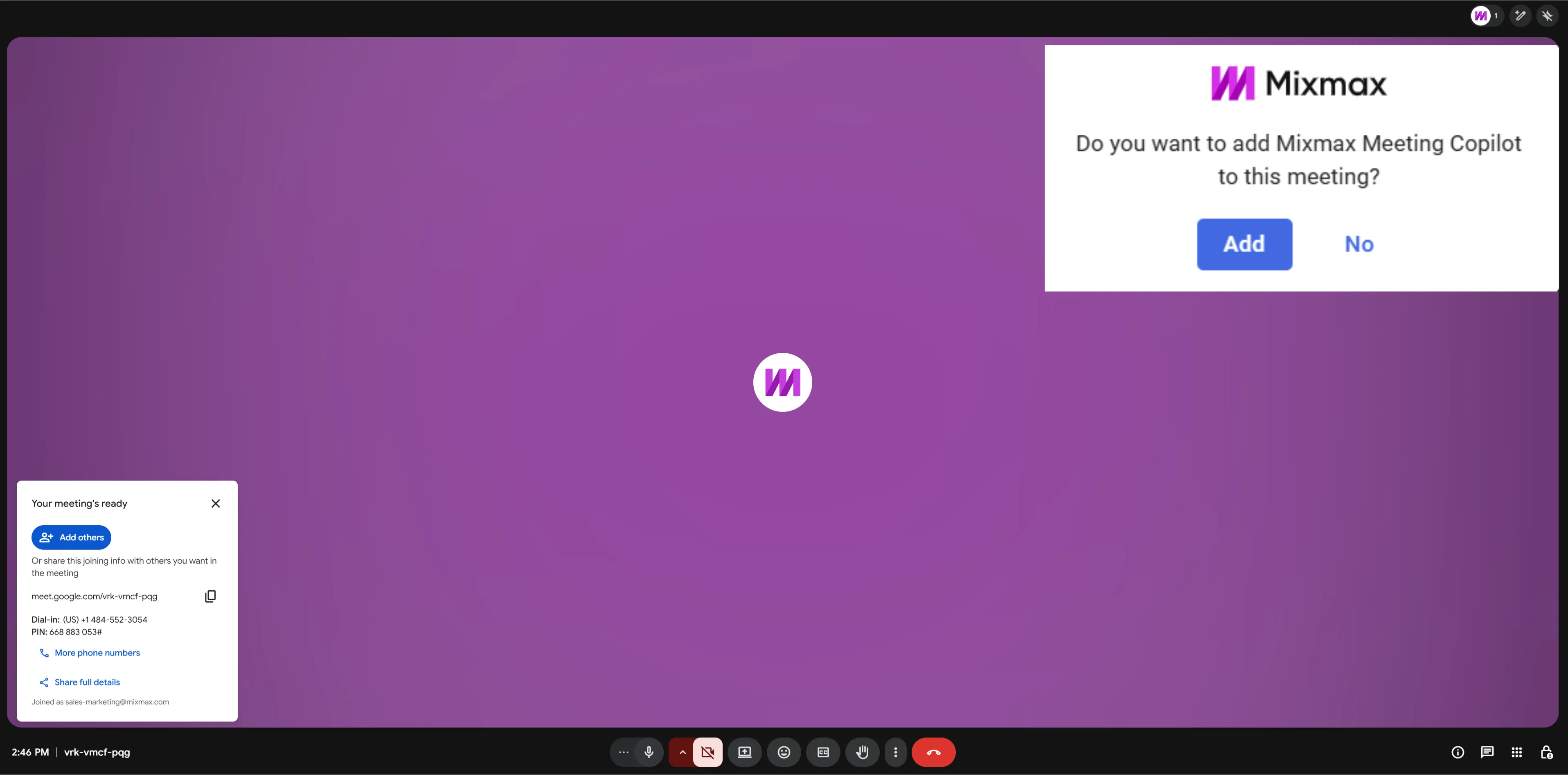
When you enter a Google Meet, Mixmax will prompt you to add Meeting Copilot to the call.
One click and your Meeting Copilot joins the meeting, ready to capture notes and action items in real time.
2. Invite copilot from the Mixmax dashboard
Already in a meeting?
Simply open your Mixmax dashboard and click “Add Copilot to a meeting” to invite Meeting Copilot using the Google Meet or Zoom meeting ID.
Your copilot will join the call and start capturing everything that matters.
Simple, fast, and built for how sellers actually work.
Meeting Copilot on-demand is now available for all Meeting Copilot Customers.
If you’re already using Meeting Copilot, you can start adding it to spontaneous calls today.
Not using Mixmax yet?
Start a free 14-day trial and see how Mixmax helps you capture every conversation, follow up faster, and keep every deal moving forward.
.-3INYKdL.png)