
Email Tracking for EdTech Sales
When a superintendent opens your pilot proposal the week before a board meeting, they're prepping to make a recommendation. EdTech reps who catch that timing can offer last-minute supporting materials that tip the vote. Mixmax tracks opens, clicks, and downloads in real time inside Gmail — and syncs every signal to Salesforce.
Mixmax works inside Gmail and syncs to Salesforce.
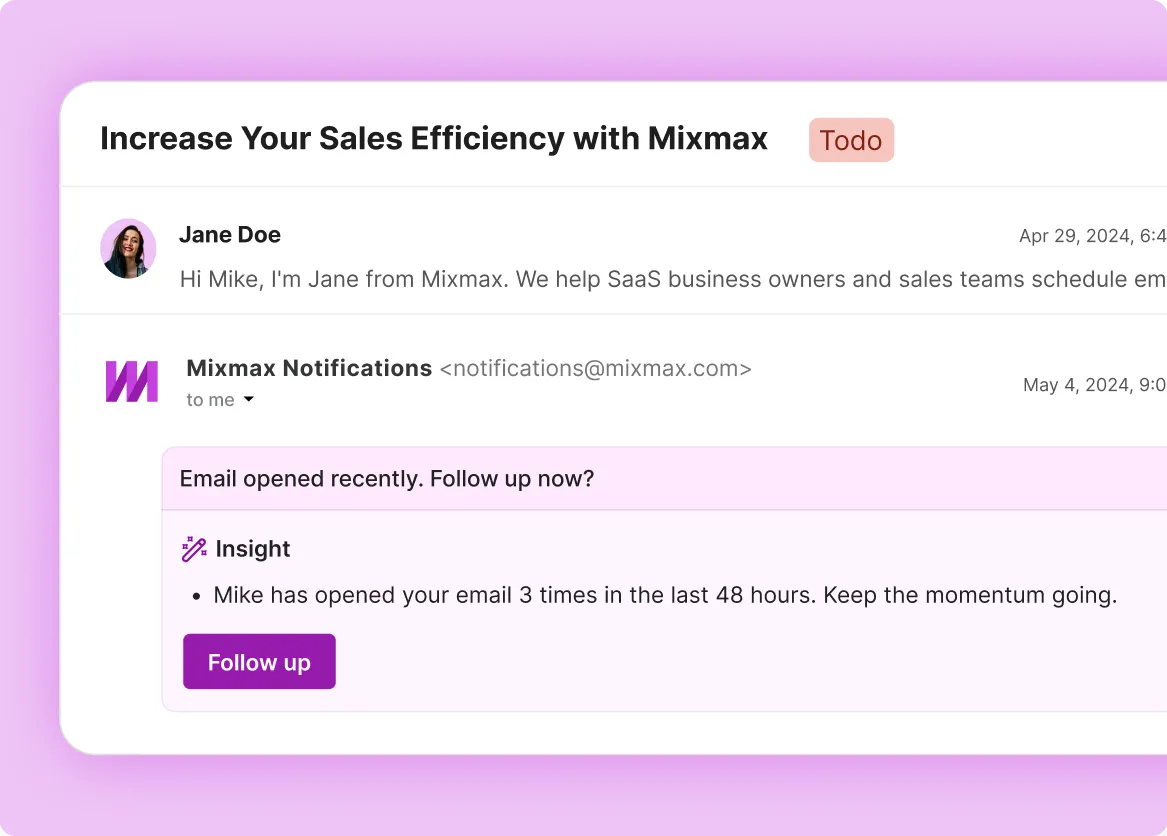
A superintendent just re-opened your pilot results summary at 6pm on a Tuesday — the night before the school board meets. Mixmax shows you that signal in Gmail so you can send the board-ready one-pager before morning.

Real-time open and click tracking
Track when a principal opens your curriculum alignment doc, when the IT director clicks your integration specs, and when a superintendent revisits your pilot results. EdTech deals involve multiple stakeholders across different schools and departments — tracking tells you who's engaged and where the deal has momentum.

Engagement-triggered follow-up
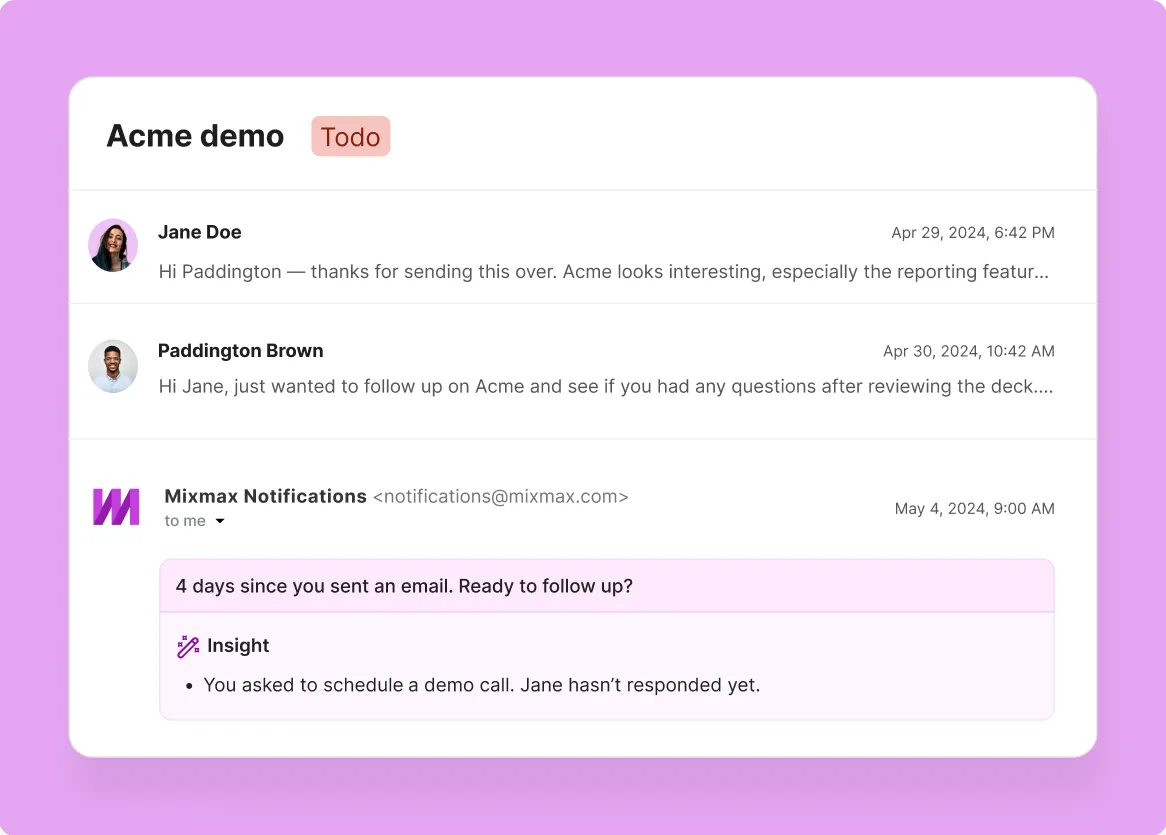
Education buyers go quiet for weeks — it doesn't mean they're not interested, it means they're dealing with testing season, budget meetings, or board reviews. When Mixmax shows a quiet prospect suddenly re-engaging with your materials, the buying window just reopened. Follow up immediately.

One-click meeting scheduling
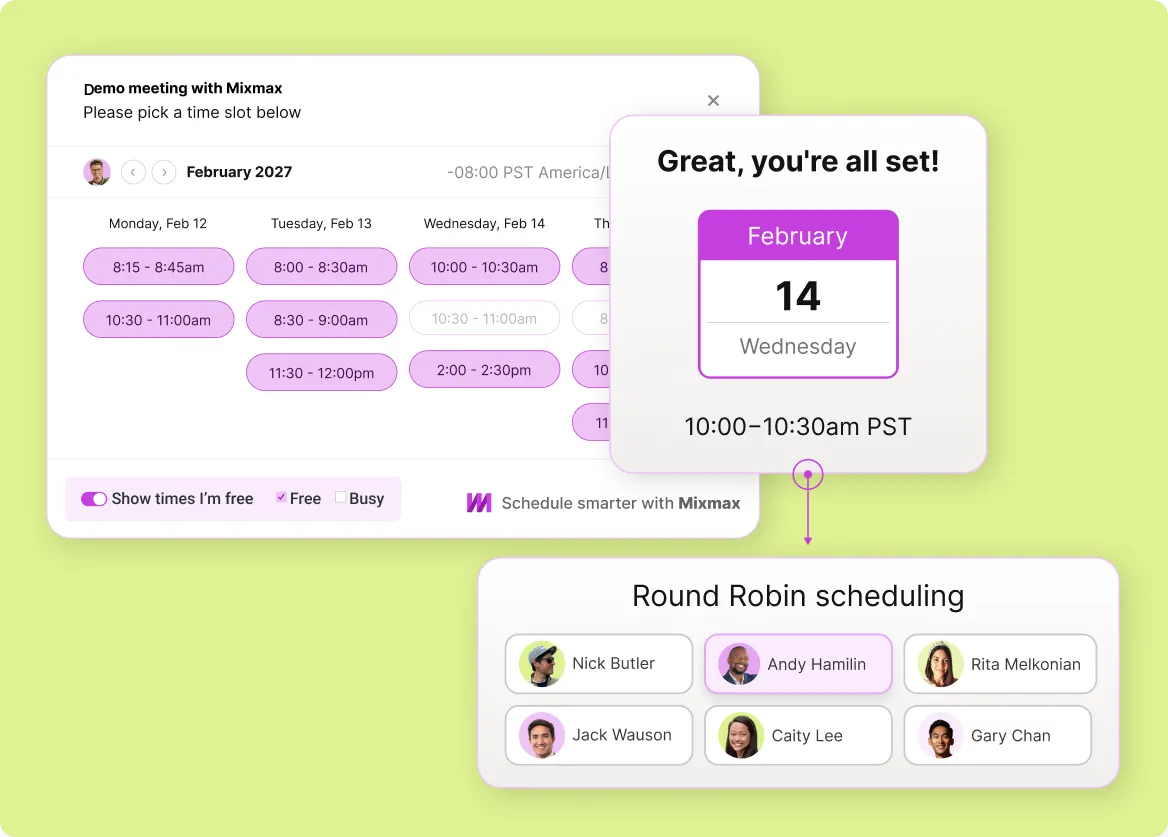
Turn tracking signals into booked meetings. When you see an education decision-maker is engaged, share your availability in one click. They pick a time, the meeting lands on both calendars, and the back-and-forth disappears.
Everything you need to track edtech email engagement
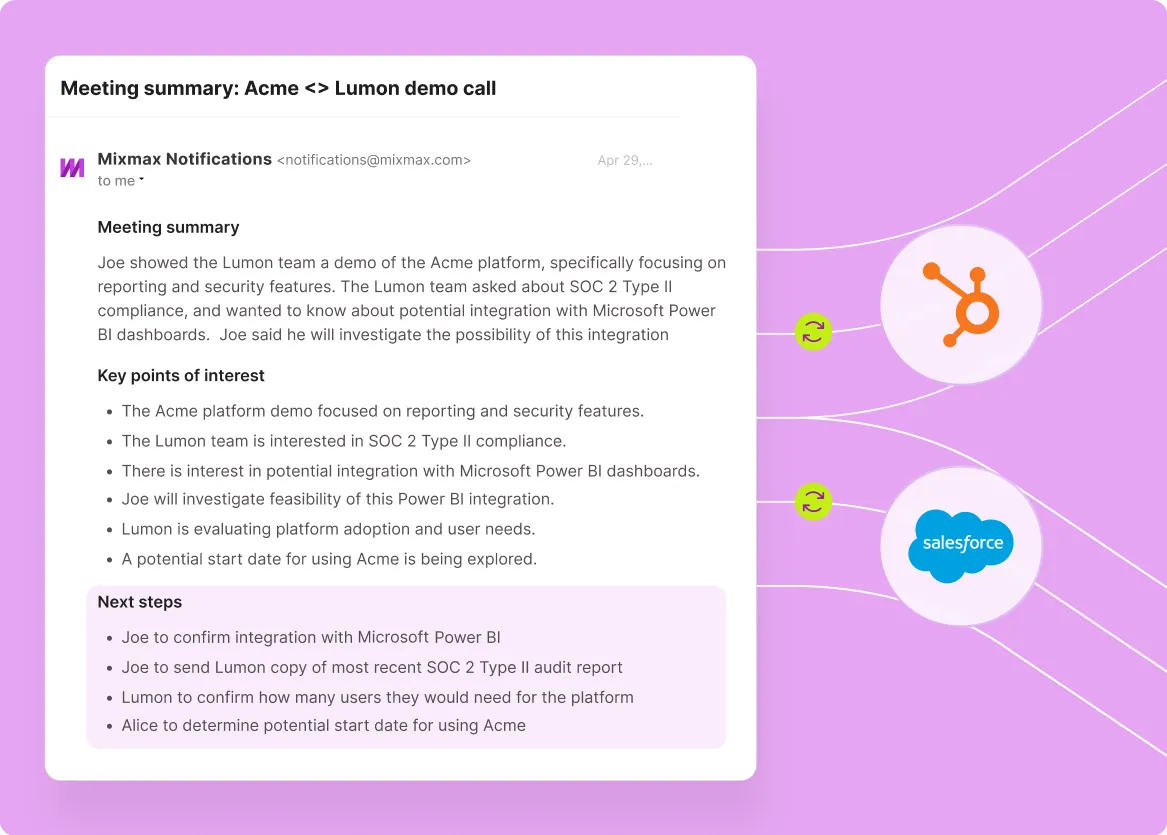
Mixmax combines real-time open and click tracking, engagement-triggered follow-up reminders, one-click scheduling, and Salesforce activity sync — so EdTech sales reps know who's interested and act before the window closes.
-
1 / 4
Real-time open and click tracking
Track when a principal opens your curriculum alignment doc, when the IT director clicks your integration specs, and when a superintendent revisits your pilot results. EdTech deals involve multiple stakeholders across different schools and departments — tracking tells you who's engaged and where the deal has momentum.
- Real-time open notifications in your inbox
- Link click tracking with timestamps
- Multi-open detection for buying signals

Frequently asked questions
-
How does Mixmax email tracking work for edtech sales?
Mixmax uses a lightweight tracking pixel for opens and redirect-based tracking for link clicks. The data appears in real time right inside Gmail — you see when an education decision-maker opens your email, which links they clicked, how many times they came back, and when. The engagement signals feed into follow-up nudges and sync to Salesforce automatically.
-
How does tracking help when EdTech deals go quiet for months?
Tracking is your early warning system for re-engagement. When a district that went quiet three months ago suddenly opens your pilot proposal, you know the budget conversation restarted. Without tracking, you'd either miss that window entirely or waste time cold-calling districts that aren't ready yet.
-
How does email tracking help EdTech sales reps prioritize follow-ups?
Instead of guessing which education decision-makers to follow up with, tracking gives you a clear signal. An education decision-maker who opened your proposal four times this morning is a better use of your next 15 minutes than one who hasn't opened in a week. Mixmax surfaces these signals right in Gmail.
-
Can I track engagement from multiple stakeholders across a school district?
Yes. When you email a superintendent, a principal, and an IT director at the same district, Mixmax tracks engagement for each contact individually. You'll see which stakeholders are reading your materials and which haven't engaged — so you know exactly where to focus your follow-up effort.
-
Will tracking still work if an education decision-maker blocks images?
Open tracking relies on a tracking pixel, so it won't register if images are fully blocked. But click tracking works independently — it's URL-based. If you see clicks without opens, the education decision-maker read your email with images blocked. You still get the buying signal.
-
How easy is it for an edtech team to get started with Mixmax?
Mixmax installs as a Gmail extension and connects to Salesforce in minutes. There's no migration, no new interface. EdTech sales reps keep working in Gmail — they just get tracking data, Smart Send, scheduling, and CRM sync on top. Most teams hit 90% adoption in the first week.
Know who's reading your emails — before you follow up
Know the moment a superintendent, principal, or IT director re-engages with your materials. The signal that the buying window just reopened.